Group Purchasing
Group Purchasing
AI SKILLSMAJOR UPDATES

FOR577: LINUX Incident Response and Threat Hunting

FOR577Digital Forensics and Incident Response, Artificial Intelligence
  • 6 Days (Instructor-Led)
  • 36 Hours (Self-Paced)
Course authored by:
Tarot (Taz) Wake
Tarot (Taz) Wake
FOR577: LINUX Incident Response and Threat Hunting
Course authored by:
Tarot (Taz) Wake
Tarot (Taz) Wake
  • GIAC Linux Incident Responder (GLIR)
  • 36 CPEs

    Apply your credits to renew your certifications

  • In-Person, Virtual or Self-Paced

    Attend a live, instructor-led class at a location near you or remotely, or train on your time over 4 months

  • Intermediate Skill Level

    Course material is geared for cyber security professionals with hands-on experience

  • 29 Hands-On Lab(s)

    Apply what you learn with hands-on exercises and labs

Learn to identify, analyze, and respond to attacks on Linux platforms, including AI and LLM threats, and use threat hunting to find stealthy attackers who bypass existing controls.

Course Overview

This Linux threat hunting and incident response course equips responders to hunt down, identify, counter, and recover from threats across enterprise networks, from APT nation-state actors to organized crime and hacktivists. Constantly updated, it now adds AI and LLM investigations and prepares you for the GLIR (GIAC Linux Incident Response) certification.

Hunt Down and Defeat Advanced Linux Threats

FOR577 teaches the skills needed to identify, analyze, and respond to attacks on Linux platforms and to use threat hunting techniques to find the stealthy attackers who can bypass existing controls. It is the leading Linux incident response and threat hunting course in the field. The concepts are built on a common foundation: we gather evidence, analyze it, and make decisions based on that analysis, all while focusing on the specifics of the Linux platform. Using the tools built into the SANS SIFT Workstation, together with modern response and hunting tooling such as Velociraptor, Kunai, The Sleuth Kit, and AVML, the course provides an all-inclusive solution that enables responders to react quickly and effectively to sophisticated intrusions.

Because Linux now underpins everything from cloud workloads to the AI and large language model (LLM) systems organizations increasingly depend on, the course has been expanded to meet these new realities. You will learn how to investigate locally hosted LLM and AI tooling, scope and respond to AI-related incidents, analyze the logs and artifacts these systems leave behind, and recognize how attackers use anti-forensic techniques to hide their activity.

During the course you will work through a number of exercises culminating in a final capstone challenge built around a realistic attack, with endpoint evidence, log data, and other artifacts you will encounter during day-to-day incident response. You will uncover evidence of an advanced threat actor moving through a multiple-phase attack, going from reconnaissance to initial intrusion and then moving laterally throughout the organization's network. During the capstone you will bring together everything you have learned and present your findings and recommendations on how security can be improved.

Course Topics

  • Advanced use of a wide range of best-of-breed open-source tools in the SIFT Workstation to perform incident response and digital forensics
  • Hunting and responding to advanced adversaries such as nation-state actors, organized crime, and hacktivists
  • Threat hunting techniques that will aid in quicker identification of breaches
  • Rapid incident response analysis and breach assessment
  • An incident response and intrusion forensics methodology
  • Linux filesystem forensics across ext4, XFS, and Btrfs using The Sleuth Kit and manual analysis
  • Evidence collection, including disk and memory, during incident response and threat hunting
  • Linux log analysis, including the systemd journal, authentication logs, auditd, and application logs
  • Detecting rootkits, anti-forensics, and other adversary stealth techniques
  • Investigating compromised AI and large language model (LLM) platforms and tooling
  • Internal lateral movement analysis and detection
  • Rapid and deep-dive timeline creation and analysis
  • Adversary threat intelligence development, indicators of compromise, and usage
  • Attack life cycle and Unified Kill Chain strategies
  • Step-by-step tactics and procedures to respond to and investigate intrusion cases

Author Statement

"Linux is a mainstream operating system found in almost every enterprise. It is used to host critical services, store sensitive personal and financial data, and power the infrastructure we rely on every day, making it a high-value target for our adversaries. There is also a common perception that Linux is 'more secure' than other operating systems, which often results in less thorough security tool coverage. These two factors combine to make Linux intrusions both increasingly common and harder for our Security Operations Center and Incident Response teams to fully respond to. In one recent incident, attackers installed a persistence mechanism in a company's firewall that remained undiscovered throughout Windows-focused response and remediation activities.

"All cybersecurity defenders need the knowledge to deal with attacks on every platform in their environment—and that now includes the AI and large language model tooling being deployed across the enterprise. This makes it essential to understand how to collect and analyze digital evidence from Linux systems to determine the extent of the damage and identify the root cause of an incident. By analyzing the digital evidence, defenders can identify indicators of compromise and determine the tools, techniques, and processes used by the attacker. This information can be used to develop countermeasures and prevent similar attacks from occurring in the future."

-Taz Wake

What You’ll Learn

  • Detect and contain various adversaries, performing incident response on Linux systems
  • Identify and track malware beaconing to command and control (C2) channels
  • Investigate breach origins, focusing on beachhead identification and adversary tracking
  • Perform in-depth timeline and super-timeline analysis to track user and attacker activity
  • Detect lateral movement and pivots within the enterprise
  • Monitor and trace data movement as attackers exfiltrate critical data
  • Analyze and investigate compromised LLM and other AI platforms to establish attacker activity

Business Takeaways

  • Learn to perform proactive compromise assessments and threat hunts
  • Enhance your knowledge of Linux and adversary behavior
  • Upgrade threat detection capabilities
  • Develop threat intelligence to track targeted adversaries
  • Understand LLM compromises to uncover stealthy attacks
  • Build readiness to detect and respond to AI and LLM-driven incidents
  • Strengthen detection of rootkits and anti-forensic evasion techniques

Course Syllabus

Explore the course syllabus below to view the full range of topics covered in FOR577: LINUX Incident Response and Threat Hunting.

Section 1Linux Incident Response and Analysis

Section one introduces the fundamentals of incident response with a focus on Linux environments. It covers the SANS six-step methodology, the Unified Kill Chain and attacker behaviors, and a hands-on intrusion scenario, while building the Linux command-line and forensic skills used throughout the course.

Topics covered

  • Incident Response Foundations
  • AI and the Future of DFIR
  • Introduction to Linux and Linux Command Line Basics
  • Attack lifecycles and the Unified Kill Chain
  • Reviewing Linux Attacks and hunting through artifacts

Labs

  • SIFT Workstation orientation
  • Understanding Stark Skunkworks
  • Introduction to Linux commands
  • Initial Attack Assessment
  • Reviewing Operating System Files

Overview

Incident responders and threat hunters should be armed with the latest tools, techniques, and processes (TTPs) to identify, track, and contain advanced adversaries and to remediate incidents. It is important that our DFIR knowledge includes our own TTPs and those used by our adversaries. Section 1 introduces the fundamentals of incident response and then looks at the specific needs to carry out our duties in a Linux environment. The section starts by examining the reasons why we need incident response and presents SANS' six-step incident response methodology as it applies to an enterprise's response to a targeted attack. We also consider how AI is starting to reshape DFIR work and where it fits in a responder's toolkit.

This section will also introduce the Stark Skunkworks intrusion scenario, which sets the stage for our lab exercises and capstone challenge. This is followed by looking at how, as incident responders, we can use the Linux command line to our advantage during investigations. Next, we look at the typical attacker behaviors for initial access, lateral movement, and persistence during intrusions into Linux-based systems.

We finish the section by looking in depth into the way Linux stores files and records common adversary behavior. We'll demonstrate forensic live response techniques and tactics that can be applied both to single systems and across the entire enterprise.

Full Lab Details

  • SIFT Workstation orientation
  • Situational awareness in incident response: Stark Skunkworks Introduction
  • Introduction to Linux commands and how to use them in Digital Forensics and Incident Response (DFIR)
  • Conducting an initial attack assessment
  • Reviewing Operating System data during an intrusion

Full Topic Details

  • Incident Response Foundations
    • Who are our adversaries?
    • The current state of Linux intrusions
  • The Incident Response Process
    • Preparation: Key tools, techniques, and procedures that an incident response team needs to respond properly to intrusions
    • Identification/Scoping: Proper scoping of an incident and detecting all compromised systems in the enterprise
    • Containment/Intelligence Development: Restricting access, monitoring, and learning about the adversary in order to develop threat intelligence
    • Eradication/Remediation: Determining and executing key steps that must be taken to help stop the current incident and then move to real-time remediation
    • Recovery: Recording the threat intelligence to be used in the event of a similar adversary returning to the enterprise
    • Avoiding "Whack-A-Mole" Incident Response: Going beyond immediate eradication without proper incident scoping/containment
  • SRL Skunkworks
    • Introduction to the course scenario
    • Client background
  • Introduction to Linux
    • What is Linux?
    • DFIR challenges
    • The distro problem
  • Cyber Attacks and Linux
    • The Unified Kill Chain
    • Linux Attacks
  • Linux Command Basics
    • Common commands
    • DFIR techniques
  • Operating System File Structures
    • File system hierarchy
    • Boot file locations
    • Binary file locations
    • Configuration file locations
    • Devices and driver file locations
    • Shared libraries
    • User profiles
    • Optionally installed files
    • Temporary file locations
    • Runtime data
  • File System Artifacts
    • Hunting tips
    • Areas to investigate
    • User accounts and authentication
    • Shell history files
    • Running processes
    • Network connections
    • Linux persistence
    • Investigating Windows Subsystem for Linux

Section 2Disk Analysis and Evidence Collection

This section covers system analysis and the foundations of threat hunting. You will collect and analyze disk evidence with The Sleuth Kit across the ext4, XFS, and Btrfs file systems, examine Linux package data and executables, and see how cyber threat intelligence supports hypothesis- and intelligence-led hunting.

Topics covered

  • The Sleuth Kit
  • Linux File Systems
  • Disk Evidence Collection and Mounting
  • Linux Package Managers
  • Examining Linux Executables

Labs

  • Introduction to the Sleuth Kit
  • Reviewing filesystem data
  • Disk evidence collection and Mounting
  • Package Management Review
  • Consuming Threat Intelligence

Overview

Disk evidence collection and analysis skills are essential for incident responders, forensic investigators, and threat hunters because most digital evidence still resides on storage devices. Being able to acquire data soundly from both physical and virtual systems, and to mount the resulting RAW and E01 images, ensures that evidence is preserved and ready for examination. On Linux, this also means understanding the file systems most commonly encountered, such as ext4, XFS, and Btrfs, and how their superblock and inode structures, timestamps, and metadata can be interpreted with The Sleuth Kit or, where necessary, recovered by hand to reconstruct what happened on a system.

Knowing how software is installed and run is equally important when investigating a Linux intrusion. Package management data records what has been added to a system, and being able to read package formats and metadata, verify digital signatures, and hunt through this data across Debian, Red Hat, and SUSE distributions helps responders identify unexpected or malicious software. Linux executables tell a similar story: using ELF review tools and capability analysis, investigators can determine what a binary is and what it is able to do without ever running it, which is critical when assessing suspected malware.

Cyber threat intelligence and threat hunting turn this evidence into proactive defense. Understanding what threat intelligence is, where it comes from, and how indicators map to the Pyramid of Pain allows responders to recognize adversary behavior rather than isolated artifacts. Threat hunting builds on this, using hypothesis-led and intelligence-led approaches, increasingly supported by AI-assisted query generation and tools such as YARA, to search an environment for attackers who have bypassed existing controls before an incident is formally declared.

Full Topic Details

  • The Sleuth Kit
    • Introduction and the layers model
    • Filesystem layer tools
    • Filename layer tools
    • Metadata layer tools
    • Data units layer tools
    • Application layer tools
  • Linux File Systems
    • Overview
    • Basic structures - superblocks and inodes
    • Ext family filesystems
    • XFS Filesystems
    • Btrfs filesystems
    • Manually extracting data
  • Disk Evidence Collection
    • Physical vs. virtual systems
    • dd
    • dcfldd
    • dc3dd
    • Ewfacquire
    • Collecting data over the wire
  • Image Mounting
    • RAW/Simple files
    • E01 format evidence files
    • Complex files
    • Mounting VHDX/VMDK files
    • Mounting LVM systems
  • Package Management
    • Distro differences
    • Package management tool differences
    • Manual package analysis on Debian and Red Hat systems
  • Examining Linux Executable Files
    • ELF formats
    • Investigating ELF files
    • Examining capabilities with Capa
  • Threat Intelligence and Host-based Threat Hunting
    • What is threat intelligence
    • Sources of threat intelligence
    • Introduction to threat hunting
    • Hypothesis driven threat hunts
    • Using AI to support threat hunting
    • Intelligence led threat hunting
    • Using Yara

Section 3LINUX Logging and Log Analysis

This section covers Linux log analysis for incident response. It begins with device profiling and logging fundamentals, then covers syslog, the systemd journal, authentication, and Auditd logs. It also covers application logs from web servers, databases, file-sharing services, and firewalls, where evidence of attacks is often found.

Topics covered

  • Device Profiling
  • The Operating System Journal
  • Linux Logging
  • AuditD
  • Application logs, including webservers, databases, filesharing, and firewalls

Labs

  • System and log profiling
  • Investigating the systemd journal
  • Analyzing authentication logs
  • Analyzing audit logs with Auditd and Elasticsearch
  • Reviewing web server, database, and firewall logs

Overview

Log data is a fundamental evidence source for incident response and threat hunting, allowing investigators to establish what happened on a system and when. With well-configured logging, it becomes very difficult for an attacker to operate without leaving a trace. Linux logging, however, can differ significantly from what responders with a Windows background expect: distributions record data in different ways and locations, and timestamps may be stored in a mix of UTC and local time. Knowing how to profile a system, confirming its identity, timezone, and distribution, and understanding how syslog, the systemd journal, and log rotation work, are therefore the starting points for any sound log analysis.

From this foundation, investigators can work through the logs that matter most during an intrusion. System logs record boot sequences, kernel messages, and the services running on a host, while authentication and authorization logs, including the binary wtmp and btmp records, reveal who logged in, when, and what privileges they used. The Linux Auditing Daemon (Auditd) extends this further and, when configured well, provides a detailed account of system activity that is valuable for both live response and offline analysis.

Many Linux systems exist to run applications, and the logs those applications produce are frequently where evidence of an attack first appears. Knowing how to locate and interpret logs from web servers such as Nginx and Apache, databases such as MySQL, MariaDB, and PostgreSQL, file-sharing services such as vsftpd and Samba, and host firewalls allows responders to trace adversary activity through the services an organization actually depends on.

Full Lab Details

  • System and Log Profiling
  • Investigating the journal
  • Analyzing Authentication Logs
  • Analyzing Audit logs
  • Auditd and Elasticsearch
  • Reviewing Webserver Logs
  • Reviewing Database Logs
  • Reviewing Host Firewall Logs

Full Topic Details

  • Device Profiling
    • Evidence management
    • Confirm the device
    • Check time zones
    • Check network configuration
    • Validate the distro
  • Linux Logging
    • Linux logging basics
    • Linux Journal basics
    • Log analysis strategies
    • Logging configurations and Logrotate
  • Understanding the Journal and Syslog
    • How the journal works
    • What gets logged
    • Journal analysis techniques
    • Global system logs—logging the kernel, boot processes, system messages and background services
  • Authentication Logs
    • Authentication and privilege use
    • binary and plain text log formats
  • Auditd
    • Introduction
    • Log file format
    • Analysis techniques
  • Application Logs
    • Webserver logs
    • Database logs
    • Filesharing application logs
    • Host-based firewall logs

Section 4Live Response and Volatile Data

This section covers investigation of AI and large language model (LLM) systems across local and hybrid deployments, including AI coding assistants and self-hosted platforms. It addresses LLM-specific issues such as prompt injection, data exfiltration, and supply chain attacks, and closes with Linux anti-forensics and guidance on improving incident response.

Topics covered

  • Triage and rapid collection
  • Enterprise response tools (EDR, Sysmon, Kunai, Velociraptor, GRR)
  • Timeline analysis
  • Linux memory acquisition and analysis
  • Kernel rootkits and live system analysis

Labs

  • Triage analysis
  • Enhanced logging with Velociraptor and GRR
  • Filesystem timelines
  • Creating and analyzing super timelines
  • Capturing and analyzing memory

Overview

Section 4 expands on the knowledge we have built so far and introduces tools and techniques to respond to intrusions in larger enterprises. The section starts by looking at how to scale your response and some of the tools that can assist with this. This topic is then developed further as we move into Endpoint Detection and Response (EDR) solutions for the Linux environment and introduce two alternatives to expensive commercial EDR tools—OSSEC and Velociraptor. We'll cover how to configure and deploy both tools, enabling you to make sure that all your Linux devices have good quality monitoring and response capabilities.

Finally, this section looks at Linux memory structures and how to collect volatile data for analysis. Given that this can be a complex process, and that analytical tools today are still not what they should be, we also look at using live response techniques to view this data on a target system. This has the added benefit of being something we can leverage through EDR tools, reducing the time and bandwidth required to capture memory from systems where the installed RAM could be running in the hundreds of gigabytes.

Full Topic Details

  • Enterprise Response
    • Introduction
    • Problems and solutions
    • Tools to consider
  • Endpoint Detection and Response (EDR)
    • Introduction
    • Linux EDR issues
    • Alternatives to commercial EDR
    • OSSEC deployment and use
    • Velociraptor deployment and use
  • Linux Memory and DFIR
    • Why memory matters
    • Memory acquisition with AVML
    • Memory locations on the filesystem
  • Live memory analysis
    • Reviewing /proc
    • Live response workflow

Section 5Advanced Incident Response Techniques

This section emphasizes rapid triage techniques and timeline analysis to enhance large-scale incident response. It introduces tools for quickly assessing systems, teaches methods for building and analyzing timelines, explores common anti-forensic tactics used by attackers, and concludes with strategies for improving Linux-based IR workflows.

Topics covered

  • Investigating AI and LLM tools
  • AI coding assistants and self-hosted LLM platforms
  • LLM-specific incidents: prompt injection, exfiltration, supply chain
  • Linux anti-forensics
  • DFIR playbooks and improving incident response

Labs

  • Initial Triage of LLM Evidence
  • Detecting Prompt Injection
  • LLM Investigation

Overview

Artificial intelligence and large language model (LLM) tools have moved rapidly into the enterprise, from cloud services and self-hosted models to the AI coding assistants now embedded in developer workflows. Each of these introduces a new attack surface and a new source of evidence that most responders have never had to examine. Investigating them starts with understanding how they are deployed, whether cloud, local, or hybrid, and where useful data sits within the AI application stack, so that the model, its implementation, the host system, and the runtime can each be examined for evidence.

Because these tools store conversation history, configuration, and tool activity in predictable places, knowing where to look is much of the work. Investigators learn the evidence locations and artifacts left by widely used assistants such as Claude Code, Cursor, GitHub Copilot, and Google's Gemini CLI, as well as self-hosted platforms such as Ollama, including conversation and retrieval-augmented generation (RAG) data and how to verify that a model has not been tampered with. The growing use of autonomous AI agents, which can take actions of their own, adds a further dimension that responders need to be able to investigate.

While the underlying incident response process does not change, the ways these systems are attacked do. Prompt injection, including indirect injection through data the model consumes, can subvert an AI tool's behavior, while sensitive data can be exposed or exfiltrated through ordinary use or through abuse of connected data sources. Supply chain risks, model tampering, and compromised plugins extend the problem further. Recognizing the indicators of these attacks, scoping an LLM incident, collecting the right live-response data, and correlating a prompt with its effect on the host are the skills that turn a standard investigation into an effective response to an AI-related incident.

Attackers also work to hide their activity, and Linux offers many opportunities to do so. Examining the most common anti-forensic techniques, including tampering with shell history, manipulating file timestamps with tools such as touch, and deleting evidence, shows both how these methods work and how to detect them. Where files have been destroyed, recovery tools such as Foremost, Scalpel, PhotoRec, and tsk_recover can often bring them back, allowing an investigation to continue despite an attacker's efforts.

Finally, good incident response is as much about preparation as reaction. Repeatable DFIR playbooks, AI-assisted tabletop exercises, system hardening, forensic readiness, and effective monitoring all help an organization respond faster and more consistently the next time, and to keep improving with each iteration.

Full Topic Details

  • Investigating AI and LLM Tools
    • The expanding AI/LLM attack surface and why it is difficult to investigate
    • Deployment models: cloud, local, and hybrid
    • Mapping evidence across the AI application stack: model, implementation, system, and runtime layers
  • AI Coding Assistants
    • Evidence locations and artifacts for Claude Code, Cursor, GitHub Copilot, Windsurf, and Gemini CLI
    • Model Control Protocol (MCP) architecture and its forensic artifacts
    • Worked examples: Claude Code history and Cursor's state.vscdb
  • Self-Hosted LLM Platforms
    • Ollama architecture and local LLM evidence sources
    • Conversation and retrieval-augmented generation (RAG) evidence
    • Verifying model integrity and investigating autonomous AI agents
  • What Is Different About LLM Incidents
    • LLM threat categories and attack surface
    • Prompt injection, including indirect injection, and its indicators
    • Sensitive data exposure, exfiltration, and RAG abuse (including reading vector databases)
    • Supply chain risks, model tampering, and plugin/tool compromise
  • Responding to LLM Incidents
    • Scoping and triaging an LLM incident
    • Local LLM live-response commands and agent evidence collection
    • Correlating prompt, tool, and host effect; containment decisions
  • Linux Anti-Forensics
    • Shell history file attacks
    • Timestamp manipulation with touch, and how to detect it
    • Recovering deleted files with Foremost, Scalpel, PhotoRec, and tsk_recover
  • Improving Incident Response
    • Building and iterating DFIR playbooks
    • AI-assisted tabletop exercises
    • System hardening, forensic readiness, and monitoring

Section 6The APT Incident Response Challenge

This capstone exercise will enable you to leave the course with hands-on experience investigating realistic attacks, curated by a cadre of instructors with decades of experience fighting advanced threats from attackers ranging from nation-states to financial crime syndicates and hacktivist groups.

Topics covered

  • Hands-On Incident Response Experience
  • Identify and Track Attacker Actions
  • Gather Threat Intelligence
  • Walk Through Remediation and Recovery

Overview

This realistic intrusion forensics challenge is based on a real-world advanced persistent threat (APT) group and a genuine intrusion into a Linux enterprise environment. It brings together the techniques learned throughout the course and tests your skills against an attack by an advanced adversary. Working as part of an incident response team, you will identify the first system compromised and how the attackers got in, trace their lateral movement across the network and the accounts and privileges they gained, and recover and analyze the malware they used to develop indicators of compromise for host- and network-based scoping. You will also determine what data was exfiltrated and how, decide what is needed to eradicate the attacker, and recommend how to recover from and prevent a similar incident in the future. Finally, you will present your findings to a technical CISO, just as you would during a real breach, leaving the course with hands-on experience of investigating a sophisticated Linux intrusion from end to end.

Full Topic Details

  • Work in incident response teams to analyze multiple systems in an enterprise network
  • Learn to identify and track attacker actions across a multi-device environment finding initial exploitation, reconnaissance, persistence, privilege escalation, lateral movement, and data theft/exfiltration
  • Witness and participate in a team-based approach to incident response
  • Discover evidence of some of the most common and sophisticated attacks in the wild, including custom nation-state malware.
  • Each team will be asked to answer key questions, just as they would during a real breach in their organizations, in critical areas outlined below:
  • Identification and Scoping:
    • When did the APT group breach our network?
    • How did the attackers get into the environment?
    • What systems were compromised?
    • What accounts and privileges did the attackers attain on each system?
    • When and how did the attackers first laterally move to each system?
  • Containment and Threat Intelligence Gathering:
    • Once on other systems, what did the attackers look for on each system?
    • What data was exfiltrated and how? Determine what was stolen (recover any archives exfiltrated, find encoding passwords, and extract the contents to verify extracted data) and perform damage assessments.
    • Collect and list all malware used in the attack.
    • Develop and present security intelligence or an indicator of compromise for the APT group "beacon" malware for both host- and network-based enterprise scoping. What specific indicators exist for the use of this malware?
  • Remediation and Recovery:
    • What accounts need password changes? Did any malicious accounts get created?
    • Based on the attacker techniques and tools discovered during the incident, what are the recommended steps to remediate and recover from this incident?
      • What systems need to be rebuilt?
      • What IP addresses need to be blocked?
      • What countermeasures should we deploy to slow or stop these attackers if they come back?
      • What recommendations would you make to detect these intruders in our network again?

Things You Need To Know

Important - Bring Your System Configured Using These Directions

A properly configured system is required to fully participate in this course. If you do not carefully read and follow these instructions, you will likely leave the class unsatisfied because you will not be able to participate in hands-on exercises that are essential to this course. Therefore, we strongly urge you to arrive with a system meeting all the requirements specified for the course.

As a summary, you can use any operating system that also can install and run VMware virtualization products. Please note, macOS computers with M-series chips are not currently supported and cannot run the virtual machines provided for this course. If you arrive at class with a macOS device using an M-series chip we will be unable to assist you, and you may be unable to take part in the class activities.

Please download and install VMware Workstation 15 or VMware Fusion 7 or higher versions on your system before the start of the class.

This is common sense, but we will say it anyway: Back up your system before class. Better yet, do not have any sensitive data stored on the system. SANS cannot be responsible for your system or data.

Mandatory System Hardware Requirements

  • CPU: 64-bit Intel i5/i7 x64 2.0+ GHz (4th generation or above) processor or higher-based system is mandatory for this class (Important - Please Read: a 64-bit system processor is mandatory)
  • CRITICAL NOTE: Apple Silicon devices cannot perform the necessary virtualization and therefore cannot in any way be used for this course.
  • BIOS settings must be set to enable virtualization technology, such as "Intel-VT." Be absolutely certain you can access your BIOS if it is password protected, in case changes are necessary.
  • 16 GB of RAM or more is required.
  • 400GB of free storage space or more is required. This class provides a lot of forensic evidence, so the more storage available, the easier you will find it to use the data.
  • At least one available USB 3.0 Type-A port. A Type-C to Type-A adapter may be necessary for newer laptops. Some endpoint protection software prevents the use of USB devices, so test your system with a USB drive before class.
  • Wireless networking (802.11 standard) is required. There is no wired Internet access in the classroom. Local Administrator Access is required. This is absolutely required. Don't let your IT team tell you otherwise. If your company will not permit this access for the duration of the course, then you should make arrangements to bring a different laptop.
  • Local Administrator Access is required. This is absolutely required. Don't let your IT team tell you otherwise. If your company will not permit this access for the duration of the course, then you should make arrangements to bring a different laptop.
  • Please Note: Do NOT use the version of the SIFT Workstation downloaded from the Internet. We will provide a custom FOR577 version specifically configured for training on Day 1 of the course.

Mandatory System Software Requirements

Please install the following before the beginning of the class:

Additional Notes

  • Your course media is delivered via download from the SANS "Course Material Downloads" page. The media files for class are large, in the 30 - 45 GB range. You need to allow plenty of time for the download to complete. Internet connections and speeds vary greatly and are dependent on many different factors. Therefore, it is not possible to give an estimate of the length of time it will take to download your materials. Please start your course media downloads as soon as you get the link. You will need your course media immediately on the first day of class. Waiting until the night before the class starts to begin your download has a high probability of failure.
  • SANS has begun providing printed materials in PDF form. This course uses an electronic workbook in addition to the PDFs. We have found that a second monitor and/or a tablet device can be useful for keeping the class materials visible while the instructor is presenting or while you are working on lab exercises.
  • Bring/install any other forensic tool you feel could be useful (EnCase, FTK, etc.). For the final challenge at the end of the course, you can utilize any forensic tool, including commercial capabilities. If you have any dongles, licensed software, you are free to use them.
  • Again, DO NOT use the version of the SIFT Workstation downloaded from the Internet. We will provide you with a version specifically configured for the FOR577 materials on Day 1 of the course.

If you have additional questions about the laptop specifications, please contact customer service.

FOR577 training is recommended for a diverse range of individuals, including:

  • Incident Response Team Members who regularly respond to complex security incidents/intrusions from APT groups/advanced adversaries and need to know how to detect, investigate, remediate, and recover from compromised Linux systems, including the AI and LLM tooling now found across most enterprises.
  • Threat Hunters who are seeking to understand threats more fully and how to learn from them in order to more effectively hunt threats and counter their tradecraft
  • Experienced Digital Forensic Analysts who want to consolidate and expand their understanding of Linux incident response techniques and the unusual situations this operating system can create
  • Experienced Security Operations Center Analysts who want to expand their understanding of how to examine attacker activity on Linux platforms.
  • Information Security Professionals who may encounter data breach incidents and intrusions on Linux platforms
  • Federal Agents and Law Enforcement Professionals who want to master analysis of adversary behavior on Linux-based operating systems
  • Red Team Members, Penetration Testers, and Exploit Developers who want to learn how their opponents can identify their actions, how common mistakes can compromise operations on remote systems, and how to avoid those mistakes. This course covers remote system forensics and data collection techniques that can be easily integrated into post-exploit operating procedures and exploit-testing batteries.
  • SANS SEC401, SEC450, SEC504 and FOR500 Graduates looking to take their skills to the next level.
  • SANS FOR508 Graduates looking to learn how to adapt their skills to a different operating system.
  • SANS Alumni looking to take their skills to the next level.

The GIAC Linux Incident Responder (GLIR) certification validates a practitioner’s knowledge of Linux incident response and threat hunting skills. GLIR certification holders have a demonstrated ability to conduct system triage, perform evidence collection, and conduct incident response analysis to identify the initial entry point of an attack and movement across Linux systems.

  • Linux Incident Response, Threat Hunting, and Intrusion Analysis
  • Linux File Systems, System Triage, and Evidence Collection
  • Linux User Data, Application, and Timeline Analysis

More Certification Details

This course uses the SIFT Workstation extensively to teach incident responders and forensic analysts how to investigate and respond to sophisticated attacks. The workstation contains hundreds of free and open-source tools, easily matching any modern forensic and incident response commercial response tool suite. A virtual machine is used with most of the hands-on class exercises. Features of the SIFT Workstation include:

  • 64-bit Ubuntu Linux LTS base
  • Pre-set DFIR package update and customizations
  • Latest forensics tools and applications
  • Expanded file system support (NTFS, HFS, EXFAT, and more)
  • Electronic Download Package
    • Case images (disk and memory) from systems compromised by an APT intrusion
    • SIFT Workstation virtual machines, tools, and documentation
    • Exercise book is over 250 pages long with detailed step-by-step instructions and examples to help you become a master incident responder.

FOR577 is an advanced incident response course that focuses on the Linux operating system. We do not cover basic forensic techniques or introductory attacker techniques. Students are not expected to have detailed understanding of Linux, but it is recommended that they have at least the level of knowledge provided by SEC401

The FOR577 course is a part of the “Forensic Essentials” Learning Path, which aims to equip forensics and incident response professionals with the specialized skills they need for incident investigation and response.

Depending on your current or desired future role, one of these courses is a great next step in your cybersecurity journey:

Linux incident response is the process of detecting, managing, and recovering from security incidents involving Linux-based systems. This includes identifying breaches, containing threats, eradicating malicious activity, and restoring normal operations. Given the widespread use of Linux in servers, data centers, and cloud infrastructure, its security is critical to an organization's overall security posture. The ability to perform Linux incident response helps to:

  • Minimize impact from security breaches, such as data loss, service disruption, or reputational harm.
  • Manage Linux’s vulnerability because of its open-source nature.
  • Detect suspicious activities quickly to prevent further damage.
  • Contain and eradicate breaches and remove malicious elements, such as rootkits or backdoors.
  • Collect evidence to understand the breach’s cause and prevent future incidents.
  • Ensure regulatory compliance to industry standards and regulations, avoiding legal and financial consequences.

Linux incident response helps organizations secure their systems, mitigate breach impacts, and stay compliant with industry regulations.

FOR577 offers valuable career benefits for security professionals by giving you the specialized skills to keep Linux systems secure. Key career benefits include:
  • Enhanced Security Skills
    • Gain practical knowledge of how to detect, respond to, and mitigate security incidents on Linux-based systems.
    • Learn specialized techniques to identify and handle Linux-specific threats, such as rootkits, privilege escalation, and malware.
  • Improved Threat Detection and Response
    • Develop the skills to effectively hunt for threats, identify unusual activity, and analyze logs to spot potential security incidents before they escalate.
    • Master tools and techniques for real-time monitoring and forensic analysis, allowing for faster detection and containment of attacks.
  • Real-World Experience
    • This course includes hands-on labs and scenarios, simulating real-world security breaches and incident response procedures. This practical experience builds confidence in handling actual security events.
  • Proficiency with Linux Security Tools
    • Gain expertise in popular Linux security tools for detecting, monitoring, and analyzing security events.
  • Career Advancement
    • Acquiring expertise in incident response and threat hunting is highly valued in cybersecurity careers, improving employability and potential for promotions.
    • Demonstrates your ability to safeguard Linux systems, which are crucial in many enterprise and cloud environments.
  • Reduced Risk of Breaches
    • By mastering Linux incident response and threat-hunting techniques, you can proactively reduce the likelihood of successful attacks, preventing costly breaches and downtime.

Relevant Job Roles

Digital Forensics (DGFS)

Skills Framework for the Information Age

Retrieval and interpretation of data from devices and networks to support incident response, compliance investigations, and legal cases. Work focuses on evidence integrity, validated methods, and attacker attribution.

Explore learning path

Threat Management

SCyWF: Protection And Defense

This role collects and analyzes information about threats, searches for undetected threats and provides actionable insights to support cybersecurity decision-making. Find the SANS courses that map to the Threat Management SCyWF Work Role.

Explore learning path

Incident Response

SCyWF: Protection And Defense

This role investigates, analyzes and responds to cyber incidents. Find the SANS courses that map to the Incident Response SCyWF Work Role.

Explore learning path

Course Schedule and Pricing

Have Questions?Contact Us
Showing 10 of 11

Benefits of Learning with SANS

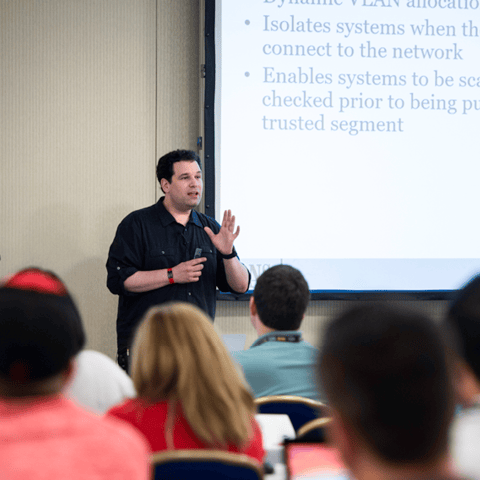
Bryan Simon: Teacher Standing Next to Smartboard and Explaining Concept

Get feedback from the world’s best cybersecurity experts and instructors
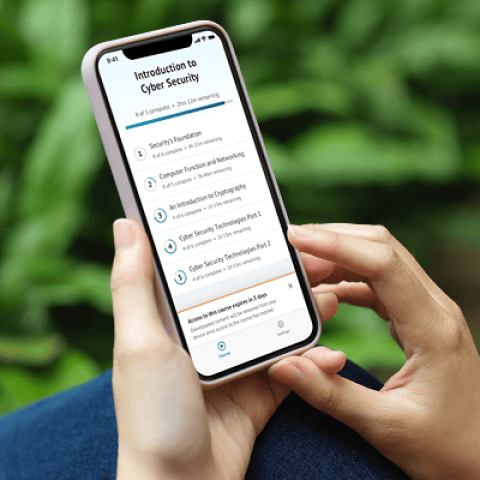
OnDemand Mobile App

Choose how you want to learn - online, on demand, or at our live in-person training events

Close Up of Woman Holding a Pen and Documents

Get access to our range of industry-leading courses and resources