Group Purchasing
Group Purchasing
MAJOR UPDATES

FOR509: Enterprise Cloud Forensics and Incident Response

FOR509Digital Forensics and Incident Response
  • 6 Days (Instructor-Led)
  • 36 Hours (Self-Paced)
Course authored by:
David CowenPierre LidomeMegan Roddie-Fonseca
David Cowen, Pierre Lidome & Megan Roddie-Fonseca
FOR509: Enterprise Cloud Forensics and Incident Response
Course authored by:
David CowenPierre LidomeMegan Roddie-Fonseca
David Cowen, Pierre Lidome & Megan Roddie-Fonseca
  • GIAC Cloud Forensics Responder (GCFR)
  • 36 CPEs

    Apply your credits to renew your certifications

  • In-Person, Virtual or Self-Paced

    Attend a live, instructor-led class at a location near you or remotely, or train on your time over 4 months

  • Intermediate Skill Level

    Course material is geared for cyber security professionals with hands-on experience

  • 23 Hands-On Lab(s)

    Apply what you learn with hands-on exercises and labs

Cloud forensics is evolving. FOR509 equips examiners to embrace new evidence sources in enterprise cloud environments instead of forcing outdated on-premise methods.

Course Overview

With FOR509: Enterprise Cloud Forensics and Incident Response, examiners will learn how each of the major cloud service providers (Microsoft Azure, Amazon AWS and Google Cloud) are extending analyst's capabilities with new evidence sources not available in traditional on-premise investigations. From cloud equivalents of network traffic monitoring to direct hypervisor interaction for evidence preservation, forensics is not dead. It is reborn with new technologies and capabilities.

Incident response and forensics are primarily about following breadcrumbs left behind by attackers. These breadcrumbs are primarily found in logs. This class focuses on log analysis to help examiners come up to speed quickly with cloud-based investigation techniques. It's critical to know which logs are available in the cloud, their retention, whether they are turned on by default, and how to interpret the meaning of the events they contain.

Numerous hands-on labs throughout the course will allow examiners to access evidence generated based on the most common incidents and investigations. Examiners will learn where to pull data from and how to analyze it to find evil.

Author Statement

"Many DFIR professionals have dismissed the cloud as 'someone else's computer' missing the wealth of new evidence sources and possibilities that now exist. From audit logs that attackers can't clear without full tenant compromise to the ability to turn on Netflow data with a single line of code/click and no additional hardware needed the cloud offers a world of new possibilities to those DFIR professionals who embrace what the cloud brings to them.

FOR509 was written to give you a head start in understanding, analyzing, and solving cloud-based investigations. Not only do we cover the most popular cloud solutions on the market, but we also help the students to understand now just how to interpret the data but how they can take their detection and response capabilities to the next level. Cloud automation, flexible infrastructure on demand, and entire processing clusters on standby mean you can make your enterprise ready for an event at any scale. We've dealt with some of the biggest breaches in some of the biggest networks and we'll show students how they can be ready to do the same in the cloud."

- David Cowen

"Just as we got better at defending our on-premise environment, the shiny new object called the "cloud" has radically changed our battlefield. Corporations are moving their systems and data to the cloud at breakneck speed, leaving us as their defenders scrambling for new playbooks and know-how to keep them safe. Lacking direct access to the physical systems means that many traditional forensic methods no longer work. The good news is that we now have cloud-specific tools and logs that empower us to respond to incidents faster and better. FOR509 will examine these tools and techniques to take your skills to the cloud level."

- Pierre Lidome

"Organizations are rapidly moving to cloud environments and this trend is only going to continue. Unfortunately, the incident responders and digital forensics professionals who previously worked in traditional, on-premise environments are left to get up to speed on these new technologies. FOR509 provides defenders and responders with the knowledge and skills needed to continue defending their organizations against threats even in this new environment. Learning how to obtain, analyze, and interpret cloud evidence is pivotal to ensuring DFIR professionals are equipped for this rapid cloud migration."

- Megan Roddie-Fonseca

2025 Course Update Summary

The updated FOR509 course now delivers significantly expanded multi-cloud DFIR coverage with in-depth focus on AWS, Azure, Google Cloud, Microsoft 365, Google Workspace, and Kubernetes. New hands-on labs, a multi-cloud intrusion capstone, and enhanced tooling prepare teams to counter advanced persistence techniques, cloud-native service abuse, and cross-platform privilege escalation across today's complex environments. For a detailed breakdown of what's new and how these updates can strengthen your team, download the flyer.

What You'll Learn

  • Understand forensic data only available in the cloud
  • Implement best practices in cloud logging for DFIR
  • Learn how to leverage Microsoft Azure, AWS and Google Cloud resources to gather evidence
  • Understand what logs Microsoft 365 and Google Workspace have available for analysts to review
  • Gain a high-level understanding of Kubernetes and its log sources in each cloud
  • Learn how to move your forensic processes to the cloud for faster data processing

Business Takeaways

  • Understand digital forensics and incident response as it applies to the cloud
  • Identify malicious activities within the cloud
  • Cost-effectively use cloud-native tools and services for DFIR
  • Ensure the business is adequately prepared to respond to cloud incidents
  • Decrease adversary dwell time in compromised cloud deployments

Course Syllabus

Explore the course syllabus below to view the full range of topics covered in FOR509: Enterprise Cloud Forensics and Incident Response.

Section 1Microsoft 365 and Graph API

Before exploring the universe of cloud data, you must understand where and how it exists. This section introduces foundational cloud concepts like snapshots and cloud flows. You will understand what kind of logging and data access is provided by each cloud architecture and the various log hierarchy to guide your investigations.

Topics covered

  • Course Introduction and SOF-ELK
  • Key Elements of Cloud for DFIR
  • Microsoft 365 Unified Audit Log
  • Microsoft Graph API

Labs

  • Analyze and Visualize data in SOF-ELK
  • Suspicious Email
  • Data Theft
  • Entra ID – UAL View
  • Graph API Application Activity

Full Lab Details

  • Lab 1.1: Analyze and Visualize data in SOF-ELK
    • This lab serves as a guided demonstration to familiarize you with the Security Operations and Forensics ELK (SOF-ELK) platform. You will learn the basics of analyzing and visualizing log data within the SOF-ELK virtual machine, which is the primary tool used for all subsequent hands-on exercises in the course.
  • Lab 1.2: Suspicious Email
    • In this lab, you will investigate a business email compromise by searching Hank's mailbox for unauthorized access and malicious configuration changes. The analysis reveals that the threat actor created a forwarding rule to an impostor domain and a separate inbox rule to hide emails containing specific keywords.
  • Lab 1.3: Data Theft
    • This lab requires you to analyze a data theft scenario by tracking an attacker who searches a user's OneDrive and SharePoint for sensitive files. You will trace the threat actor's activity as they download multiple documents and delete others, learning to use the AADSessionId to differentiate the attacker's session from the legitimate user’s.
  • Lab 1.4: Entra ID – UAL View
    • This exercise focuses on exploring Microsoft Entra ID authentication logs as they appear within the Unified Audit Log (UAL). You will learn how to interpret these sign-in events while also discovering the limitations of the UAL, which contains fewer details than the equivalent logs found in the Azure portal.
  • Lab 1.5: Graph API Application Activity
    • In this lab, you will investigate how a threat actor leverages the Microsoft Graph API to create persistence mechanisms and steal data from an environment. You will learn that the Graph API activity log shows all requests made, including reconnaissance, but you must correlate these entries with other logs to see the results and impact of those API calls.

Full Topic Details

  • Module 1.1: Course Introduction and SOF-ELK
    • Purpose of the Class
    • About the Labs
    • SOF-ELK Architecture
    • Logstash
  • Module 1.2: Key Elements of Cloud for DFIR
    • Cloud Models
    • DFIR in the Cloud
    • Common Cloud Concepts
      • Shared Responsibility Model
      • Key Logs for Investigations
      • Cloud Access Options
      • VM Disk Snapshots
      • Cloud Flows
      • Pricing
      • Terminology Across Clouds
  • Module 1.3: Microsoft 365 Unified Audit Log
    • Unified Audit Log
    • UAL Records
    • Workload, Record Type, and Operation
    • Accessing and Searching the UAL
      • Exchange Workload
      • Tracking Suspicious Emails
      • Blocking Auto-forward Out of Domain
    • File Operations and Sharing
      • SharePoint Workload
      • Track File Lifecycle
      • SearchQuery Operation
    • Entra ID
      • Tokens Basics
  • Module 1.4: Microsoft Graph API
    • Case Study: SolarWinds
    • Microsoft Graph API Process
    • Graph API Process
    • Five Steps to Graph API
    • Examples Logs
      • Read Emails
      • Create a User
    • Investigate your Environment

Section 2Microsoft Azure

In this section, you will learn to navigate Azure's various activity and diagnostics logs to track resources, investigate compromised virtual machines, and detect data exfiltration. We will also cover how to deploy your own analysis tools directly into the cloud for more efficient investigations.

Topics covered

  • Understanding Azure
  • Log Sources for IR
  • Virtual Machines
  • Storage and Networking
  • Resources

Labs

  • Azure View
  • Resource Tracking
  • Virtual Machines and Snapshots
  • Detecting Data Exfiltration

Full Lab Details

  • Lab 2.1: Entra ID – Azure View
    • This lab explores Microsoft Entra ID logs from the Azure portal, allowing you to compare them with the less-detailed versions found in the Microsoft 365 Unified Audit Log. You'll analyze various sign-in categories, including those generated by managed identities, to identify potentially suspicious identities created by a threat actor.
  • Lab 2.2: Resource Tracking
    • In this lab, you'll track a threat actor who creates a user-assigned managed identity and grants it an overly permissive "contributor" role at the resource group level. By following the audit and activity logs, you'll see how the actor uses this identity to create other resources, including an Azure Data Factory and a Key Vault, to prepare for data exfiltration.
  • Lab 2.3: Virtual Machines and Snapshots
    • This lab investigates the compromise of a virtual machine's managed identity after its token is stolen from the metadata service. You will analyze the activity logs to see how the threat actor uses this stolen identity's permissions to create new virtual machines, execute remote commands, and create and export snapshots of other systems.
  • Lab 2.4: Detecting Data Exfiltration
    • This lab focuses on detecting data exfiltration from an Azure storage account by analyzing the StorageRead logs, which must be manually enabled. You'll compare evidence from three different exfiltration methods used by the threat actor—Azure Storage Explorer, PowerShell, and Azure Data Factory—to understand their unique forensic artifacts.

Full Topic Details

  • Module 2.1: Understanding Azure
    • Tenant & Subscriptions
    • Azure Resource Manager
    • Resource Groups
    • Azure Resource ID Strings
    • Role Based Access Control
    • Managed Identities
  • Module 2.2: Log sources for IR
    • Sources of Logs
    • Azure Portal
      • Sign-in Logs
      • Audit Log
      • Subscription/Activity Log
    • Log Analytics Workspace
      • Overview
      • Log Analytics Queries
      • KQL Examples
    • Storage account
      • PT1H in Storage Blobs
      • Azure Storage Explorer
      • Event Hubs and Graph API
  • Module 2.3: Virtual Machines
    • Virtual Machine Types
    • Managed Disk
    • Virtual Machine Creation Events
    • Virtual Machine Agents
    • Azure VM Run Command
    • Imaging a Drive in the Cloud
    • Download Snapshots
    • Forensic VM Image Creation
  • Module 2.4: Storage and Networking
    • Storage Accounts
    • Keys and Shared Access Signatures
    • Azure Virtual Network
    • Network Security Group
    • Flow Logs
  • Module 2.5: Resources
    • Azure Sentinel
    • Microsoft Incident Response Playbooks
    • Azure Threat Research Matrix

Section 3Amazon Web Services (AWS)

This section explores how responders can leverage AWS for investigations, covering new and relevant log sources such as CloudTrail, VPC Flow logs, and S3 Access logs. In the labs, you will work through a realistic intrusion scenario that begins with the compromise of the AWS organization via a federated user account.

Topics covered

  • Understanding IR in AWS
  • Networking, VMs, and Storage
  • Virtual Networks
  • S3 Buckets
  • AWS Native Log Searching

Labs

  • Reviewing CloudTrails Logs
  • Finding Rogue VMs
  • VPC Flow Logs
  • S3 Analysis
  • Tracking Lateral Movement

Full Lab Details

  • Lab 3.1: Reviewing CloudTrail Logs
    • In this lab, students will make use of exported logs from CloudTrail to identify possible account takeovers. Reviewing multiple scenarios of console access and API key access, students will learn how to find and track these attacks. In this lab, you'll search through CloudTrail logs to find evidence of malicious IAM activity, such as user enumeration, permission changes, and the creation of new API keys. The investigation reveals that a compromised Azure user account was used to gain administrative access to the AWS organization, allowing the threat actor to create new malicious accounts.
  • Lab 3.2: Finding Rogue VMs
    • This exercise requires you to analyze CloudTrail logs for malicious activity related to virtual machines, such as the enumeration of existing EC2 instances and the creation of snapshots from sensitive systems. Your analysis will also uncover a rogue Lightsail instance created by the threat actor, a common tactic used to hide infrastructure because it doesn't appear in the EC2 Global View.
  • Lab 3.3: VPC Flow Logs
    • In this lab, you will analyze VPC flow logs and DNS resolver query logs to investigate an attacker's network activity. The investigation will reveal evidence of large-scale data exfiltration, as well as regular beaconing activity to a command-and-control server hosted on a separate VPS.
  • Lab 3.4: S3 Analysis
    • This lab requires you to analyze both CloudTrail and S3 server access logs to investigate malicious activity within S3 buckets. You will find evidence that the threat actor exfiltrated research data, modified bucket permissions for persistent access, and encrypted the data with their own key to lock out the legitimate owners.
  • Lab 3.5: Tracking Lateral Movement
    • In this lab, you will investigate how the threat actor moved laterally between systems in private subnets by analyzing logs from AWS Systems Manager (SSM) and Lambda. The logs reveal the use of EC2 Instance Connect for remote access and the creation of a malicious Lambda function designed as a persistence mechanism.

Full Topic Details

  • Module 3.1: Understanding IR in AWS
    • AWS Organizations
    • IR Roles in Organizations
    • Security Reference Architecture
    • IAM: Identity and Access Management
    • IAM vs. Root Accounts
    • IAM Roles and Policies
    • Analyzing IAM Policies
    • IAM Policy Simulator
    • Scoping IAM Access in Incidents
    • Ways of Accessing AWS
    • CloudTrail
    • Downloading Default CloudTrail Logs
    • Amazon Resource Name
    • Access Keys Explained
    • GuardDuty
  • Module 3.2: Networking, VMs, and Storage
    • EC2: Elastic Compute Cloud
    • EC2 CloudTrail logs
    • STS Tokens vs. IAM Roles
    • Amazon Lightsail
    • EBS: Elastic Block Store
    • EBS CloudTrail Logs
    • Snapshots
    • Snapshot CloudTrail Logs
    • EFS
    • EFS CloudTrail Logs
    • Virtual Networks
      • VPCs
      • VPC Subnets
      • Security Groups vs. Network ACLs
      • VPC Flow Logs
      • Route 53
    • S3 Buckets
      • S3 Buckets
      • AWS Transfer Acceleration
      • S3 Bucket Access in CloudTrail
      • S3 Bucket Access in Server Access Logs
  • Module 3.3: AWS Native Log Searching
    • AWS Log Sources
    • AWS CloudTrail Lake
    • AWS Glue
    • AWS Athena
    • AWS Detective
  • Module 3.4: Event-Driven Response
    • Lambda
    • Event-Driven DFIR Automation
    • CloudWatch Logs
    • AWS Lambda Logs
    • Event Triggers
    • Step Functions
  • Module 3.5: In-cloud IR
    • AWS Systems Manager
    • AWS Systems Manager Commands to Hunt For
    • AWS Systems Manager Agent Logs

Section 4Kubernetes and Google Workspace

This section provides a foundational understanding of Kubernetes, the open-source container orchestration platform used by all major cloud providers. The course explains the evolution from traditional hardware to container deployments and breaks down the core architectural components.

Topics covered

  • Kubernetes Overview and Logs
  • Common Kubernetes Attacks
  • Understanding Google Workspace
  • Accessing Google Workspace Evidence
  • Investigating Google Workspace

Labs

  • Kubernetes Log Analysis
  • Investigating a Compromised Container
  • Google Workspace Business Email Compromise
  • Google OAuth Abuse with Third-Party Apps
  • Google Workspace Data Exfiltration

Full Lab Details

  • Lab 4.1: Kubernetes Log Analysis
    • This lab continues an intrusion scenario from a previous section, focusing on how a compromised AWS account can affect an associated EKS Kubernetes cluster. Students will track the threat actor's actions using the logs to understand how credentials compromised in the wider cloud environment can lead to the compromise of the cluster itself.
  • Lab 4.2: Investigating a Compromised Container
    • In this lab, students investigate the forensic artifacts from an attack where a publicly exposed "Damn Vulnerable Web Application" container was compromised by a crypto miner. The lab requires analyzing the evidence left behind, demonstrating why capturing stdout logs is critical to understanding what occurs within a container after a compromise.
  • Lab 4.3: Google Workspace Business Email Compromise
    • This lab requires students to explore Gmail and user audit logs to investigate a business email compromise that began with a successful phishing campaign. After identifying which users clicked the malicious link, the investigation follows the threat actor's post-compromise activity, including changing a user's password, 2FA settings, and enabling email forwarding for persistence.
  • Lab 4.4: Google OAuth Abuse with Third-Party Apps
    • This investigation begins by analyzing an alert that a user unexpectedly granted admin privileges via a suspicious third-party application using OAuth. Students will pivot from the token audit logs to Google Chat logs to identify the initial social engineering vector, where a malicious Python script was sent as an attachment and downloaded by the victim.
  • Lab 4.4: LAB 4.5: Google Workspace Data Exfiltration
    • In this lab, students will track both malicious data exfiltration and unintentional data exposure by analyzing Google Drive and Takeout logs. The investigation uncovers that the initial access vector was a misconfigured Google Group that any employee could join, which the threat actor used to gain permissions to change file sharing settings and steal data from a shared drive.

Full Topic Details

  • Module 4.1: Kubernetes Overview and Logs
    • Evolution of Platforms
    • Containers/Pods/Nodes
    • Clusters and Control Plane
    • Networking in Kubernetes
    • Logging within Kubernetes
    • Kubernetes Implementation by Cloud
    • Logs in Azure Kubernetes Service
    • Logs in Amazon Elastic Kubernetes Service
    • Logs in Google Kubernetes Engine
  • Module 4.2: Common Kubernetes Attacks
    • Kubernetes API Server Attacks
    • Etcd Attacks
    • Container Escape
    • Container-Focused Attacks
  • Module 4.3: Understanding Google Workspace
    • Google Workspace Editions
    • Google Workspace Organization Units
    • Google Workspace Groups
    • Google Workspace Privileges and Roles
  • Module 4.4: Accessing Google Workspace Evidence
    • Key Services
    • Data Sources
    • Data Retention and Lag Time
    • Investigation Tool
    • Reports API
    • ALFA Overview
    • Sending Audit Logs to Google Cloud
    • Accessing Evidence via Vaul
  • Module 4.5: Investigating Google Workspace
    • Admin Audit Logs
    • User Audit Logs
    • Gmail Data Sources
    • Importing Gmail Audit Logs into SOF-ELK
    • Reviewing Emails via Investigation Tool
    • OAuth Audit Logs
    • Chat Audit Logs
    • Drive Audit Logs
    • Google Takeout

Section 5Google Cloud

This section equips DFIR professionals with the essential skills to investigate incidents within Google Cloud, starting with its unique approach to Identity and Access Management (IAM). You will learn to navigate Google Cloud's hierarchical structure of organizations, folders, and projects.

Topics covered

  • Google Cloud Overview and IAM
  • Logging
  • Virtual Machines
  • Cloud Storage and Networking

Labs

  • Roles and Service Account Tracking
  • Virtual Machines and Snapshots
  • Storage Buckets and Data Exfiltration
  • Beacons, VPC Flows, and Firewall Logs

Full Topic Details

  • Lab 5.1: Roles and Service Account Tracking
    • In this lab, you will investigate the actions of a threat actor who accesses multiple service accounts and attempts to enumerate permissions. By analyzing the logs, you will trace how the actor moves between different service accounts and projects to escalate their privileges.
  • Lab 5.2: Virtual Machines and Snapshots
    • This lab focuses on tracking a threat actor's activities related to virtual machines, including the creation of a new instance and snapshots of existing disks. You will analyze log events to follow the actor's process of exporting snapshots and adding SSH keys to project metadata for persistent access.
  • Lab 5.3: Storage Buckets and Data Exfiltration
    • This lab focuses on investigating storage logs and understanding data exfiltration techniques. You will analyze how a threat actor lists and downloads numerous files from a storage bucket and review log entries related to ransomware tactics.
  • Lab 5.4: Beacons, VPC Flows, and Firewall Logs
    • In this lab, you will explore VPC flow logs and firewall logs to identify malicious network activity. You will analyze this data to find evidence of beaconing to a command-and-control server and probable data exfiltration from a compromised virtual machine.

Full Topic Details

  • Module 5.1: Google Cloud Overview and IAM
    • Google Cloud Structure
    • Identity and Access Management
    • Roles and Policies
    • Policy Inheritance and Bindings
    • Policy Analyzer
    • Service Accounts
    • Impersonation
    • Organization Policies
  • Module 5.2: Logging
    • Log Categories
    • Google Cloud Log Flow
    • Logging Process
    • Data Access Audit Logs
    • Log Storage
    • Log Routing Sink
    • Case Study: Consolidated Log
    • Filter Examples
    • Log Explorer
    • Gcloud Logging Command
    • Copy Logs Directly to a Storage Bucket
    • Exporting Logs via Pub/Sub
  • Module 5.3: Virtual Machines
    • Pre-defined compute engine types
    • Block storage
    • VM default service account
    • VM creation log
    • Snapshot creation
    • Snapshot export
    • Cloud Ops agent
  • Module 5.4: Cloud Storage and Networking
    • Cloud Storage Buckets
    • Bucket Metadata
    • Bucket Logs
    • Bucket Privilege Escalation
    • Filestore
    • VPC Network
    • VPC Flow Log
    • VPC Firewall

Section 6Multi-Cloud Intrusion Challenge

In this final capstone section, you will apply the knowledge gained throughout the week to a real-world challenge. Working in teams, you will investigate a complex intrusion that spans all three major cloud providers: AWS, Azure, and GCP.

You must divide and conquer the evidence across multiple interconnected systems to determine the full scope of the incident. The challenge concludes with each team presenting its findings to the class to determine who will be named the FOR509 Lethal Forensicators.

Things You Need To Know

Important! Bring your own system configured according to these instructions.

A properly configured system is required to fully participate in this course. If you do not carefully read and follow these instructions, you will not be able to fully participate in hands-on exercises in your course. Therefore, please arrive with a system meeting all of the specified requirements.

Back up your system before class. Better yet, use a system without any sensitive/critical data. SANS is not responsible for your system or data.

Mandatory System Hardware Requirements

  • CPU: 64-bit Intel i5/i7 (8th generation or newer), or AMD equivalent. A x64 bit, 2.0+ GHz or newer processor is mandatory for this class.
  • CRITICAL: Apple Silicon devices cannot perform the necessary virtualization and therefore cannot in any way be used for this course.
  • BIOS settings must be set to enable virtualization technology, such as "Intel-VTx" or "AMD-V" extensions. Be absolutely certain you can access your BIOS if it is password protected, in case changes are necessary.
  • 16GB of RAM or more is required.
  • 350GB of free storage space or more is required.
  • At least one available USB 3.0 Type-A port. A Type-C to Type-A adapter may be necessary for newer laptops. Some endpoint protection software prevents the use of USB devices, so test your system with a USB drive before class.
  • Wireless networking (802.11 standard) is required. There is no wired Internet access in the classroom.

Mandatory Host Configuration And Software Requirements

  • Your host operating system must be the latest version of Windows 10, Windows 11, or macOS 10.15.x or newer.
  • Fully update your host operating system prior to the class to ensure you have the right drivers and patches installed.
  • Linux hosts are not supported in the classroom due to their numerous variations. If you choose to use Linux as your host, you are solely responsible for configuring it to work with the course materials and/or VMs.
  • Local Administrator Access is required. (Yes, this is absolutely required. Don't let your IT team tell you otherwise.) If your company will not permit this access for the duration of the course, then you should make arrangements to bring a different laptop.
  • You should ensure that antivirus or endpoint protection software is disabled, fully removed, or that you have the administrative privileges to do so. Many of our courses require full administrative access to the operating system and these products can prevent you from accomplishing the labs.
  • Any filtering of egress traffic may prevent accomplishing the labs in your course. Firewalls should be disabled or you must have the administrative privileges to disable it.
  • Download and install VMware Workstation Pro 16.2.X+ or VMware Player 16.2.X+ (for Windows 10 hosts), VMware Workstation Pro 17.0.0+ or VMware Player 17.0.0+ (for Windows 11 hosts), or VMWare Fusion Pro 12.2+ or VMware Fusion Player 11.5+ (for macOS hosts) prior to class beginning. If you do not own a licensed copy of VMware Workstation Pro or VMware Fusion Pro, you can download a free 30-day trial copy from VMware. VMware will send you a time-limited serial number if you register for the trial at their website. Also note that VMware Workstation Player offers fewer features than VMware Workstation Pro. For those with Windows host systems, Workstation Pro is recommended for a more seamless student experience.
  • On Windows hosts, VMware products might not coexist with the Hyper-V hypervisor. For the best experience, ensure VMware can boot a virtual machine. This may require disabling Hyper-V. Instructions for disabling Hyper-V, Device Guard, and Credential Guard are contained in the setup documentation that accompanies your course materials.
  • Download and install 7-Zip (for Windows Hosts) or Keka (for macOS hosts). These tools are also included in your downloaded course materials.

Your course media is delivered via download. The media files for class can be large. Many are in the 40-50GB range, with some over 100GB. You need to allow plenty of time for the download to complete. Internet connections and speed vary greatly and are dependent on many different factors. Therefore, it is not possible to give an estimate of the length of time it will take to download your materials. Please start your course media downloads as soon as you get the link. You will need your course media immediately on the first day of class. Do not wait until the night before class to start downloading these files.

Your course materials include a "Setup Instructions" document that details important steps you must take before you travel to a live class event or start an online class. It may take 30 minutes or more to complete these instructions.

Your class uses an electronic workbook for its lab instructions. In this new environment, a second monitor and/or a tablet device can be useful for keeping class materials visible while you are working on your course's labs.

If you have additional questions about the laptop specifications, please contact customer service.

FOR509 training is recommended for a diverse range of individuals, including:

  • Incident Response Team Members who may need to response to security incidents/intrusions impacting cloud hosted software, infrastructure or platforms and need to know how to detect, investigate, remediate, and recover from compromised systems across the enterprise cloud.
  • Threat Hunters who are seeking to understand threats more fully and how to learn from them in order to more effectively hunt threats and counter their tradecraft.
  • SOC Analysts looking to better understand alerts, build the skills necessary to triage events, and fully leverage cloud log sources.
  • Experienced Digital Forensic Analysts who want to consolidate and enhance their understanding of cloud-based forensics.
  • Information Security Professionals who directly support and aid in responding to data breach incidents and intrusions.
  • Federal Agents and Law Enforcement Professionals who want to master advanced intrusion investigations and incident response, and expand their investigative skills beyond traditional host-based digital forensics.
  • SANS FOR500, FOR508, SEC541, and SEC504 Graduates looking to add cloud-based forensics to their toolbox.

The GIAC Cloud Forensics Responder (GCFR) certification validates a practitioner's ability to track and respond to incidents across the three major cloud providers. GCFR-certified professionals are well-versed in the log collection and interpretation skills needed to manage rapidly changing enterprise cloud environments.

  • Log generation, collection, storage and retention in cloud environments
  • Identification of malicious and anomalous activity that affect cloud resources
  • Extraction of data from cloud environments for forensic investigations

More Certification Details

  • SOF-ELK(R) Virtual Machine - a publicly available appliance running the Elastic Stack and the course author's custom set of configurations and lab data. The VM is preconfigured to ingest cloud logs from Microsoft 365, Azure, AWS, Google Cloud, Kubernetes, and Google Workspace. It will be used during the class to help students wade through the large number of records they are likely to encounter during a typical investigation.
  • Case data to examine during class.
  • Electronic workbook with detailed step-by-step instructions and examples to help you master cloud forensics

FOR509 is an Intermediate to Advanced course that focuses on Cloud infrastructure and log analysis. This class teaches students how to make use of cloud provider created data that augments, replaces or extends the artifacts they already learned about in prior SANS classes. Students may benefit from having taken FOR500: Windows Forensic Analysis, FOR508: Advanced Incident Response, Threat Hunting, and Digital Forensics, or SEC488: Cloud Security Essentials, or from having relevant previous experience.

The FOR509 course is a part of the “Specialization in Cloud Security” Learning Path, with the goal of helping security professionals convert traditional cybersecurity skills into the nuances of cloud security to allow for proper monitoring, detection, testing, and defense.

Depending on your current or desired future role, one of these courses is a great next step in your cybersecurity journey:

Cloud enterprise forensics applies investigative techniques to gather, analyze, and interpret digital evidence from cloud computing environments. This includes data stored on remote servers owned and operated by third-party companies.

It's crucial for several reasons:

  • Cloud forensics helps organizations quickly identify the source and scope of cyberattacks (data breaches, malware infections, ransomware) to minimize damage and disruption.
  • It provides crucial evidence for legal proceedings, regulatory compliance (e.g., GDPR, HIPAA), and internal investigations.
  • It helps organizations improve their security posture, identify vulnerabilities, and proactively defend against future threats.
  • It enables organizations to restore operations and recover data more effectively after a cyber incident, minimizing business disruption and financial losses.

Cloud forensics is essential in today's increasingly cloud-dependent world, allowing organizations to effectively respond to cyber threats, comply with regulations, and maintain business continuity.

The FOR509 course offers valuable career benefits. You will learn how each of the major cloud service providers (Microsoft Azure, Amazon AWS, and Google Cloud Platform) are extending analysts' capabilities with new evidence sources not available in traditional on-premise investigations. From cloud equivalents of network traffic monitoring to direct hypervisor interaction for evidence preservation, forensics is not dead—it is reborn with new technologies and capabilities.

Through this course, you'll learn to:
  • Understand digital forensics and incident response as it applies to the cloud
  • Identify malicious activities within the cloud
  • Cost-effectively use cloud-native tools and services for DFIR
  • Ensure your organization is adequately prepared to respond to cloud incidents
  • Decrease adversary dwell time in compromised cloud deployments

Relevant Job Roles

Cloud Security Analyst Training, Salary, and Career Path

Cloud Security

A Cloud Security Analyst monitors and analyzes activity across cloud environments, proactively detects and assesses threats, and implements preventive controls and targeted defenses to protect critical business systems and data.

Explore learning path

Digital Forensics (DGFS)

Skills Framework for the Information Age

Retrieval and interpretation of data from devices and networks to support incident response, compliance investigations, and legal cases. Work focuses on evidence integrity, validated methods, and attacker attribution.

Explore learning path

Cyber Incident Responder Training, Salary, and Career Path

European Cybersecurity Skills Framework

Monitor the organisation’s cybersecurity state, handle incidents during cyber-attacks and assure the continued operations of ICT systems.

Explore learning path

Insider Threat Analysis

NICE: Protection and Defense

Responsible for identifying and assessing the capabilities and activities of cybersecurity insider threats; produces findings to help initialize and support law enforcement and counterintelligence activities and investigations.

Explore learning path

Digital Forensic Analyst Training, Salary, and Career Path

Digital Forensics and Incident Response

This expert applies digital forensic skills to a plethora of media that encompass an investigation. The practice of being a digital forensic examiner requires several skill sets, including evidence collection, computer, smartphone, cloud, and network forensics, and an investigative mindset. These experts analyze compromised systems or digital media involved in an investigation that can be used to determine what really happened. Digital media contain footprints that physical forensic data and the crime scene may not include.

Explore learning path

Cloud Threat Detection and Response

Cloud Security

Monitor, test, detect, and investigate threats to cloud environments.

Explore learning path

Digital Forensics (OPM 212)

NICE: Protection and Defense

Responsible for analyzing digital evidence from computer security incidents to derive useful information in support of system and network vulnerability mitigation.

Explore learning path

Military Operations / Law Enforcement Agents

Digital Forensics and Incident Response

Execute digital forensic operations under demanding conditions, rapidly extracting critical intelligence from diverse devices. Leverage advanced threat hunting and malware analysis skills to neutralize sophisticated cyber adversaries.

Explore learning path

Course Schedule and Pricing

Have Questions?Contact Us
Showing 10 of 18

Benefits of Learning with SANS

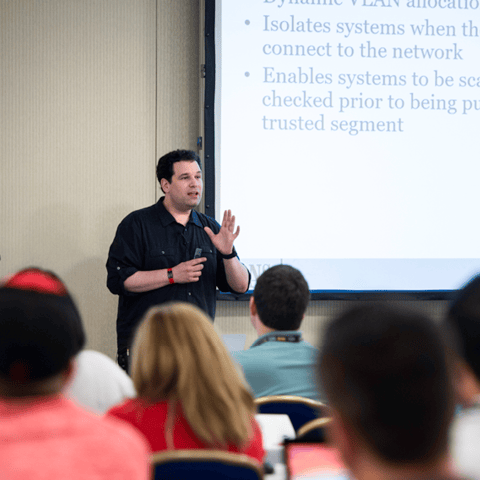
Bryan Simon: Teacher Standing Next to Smartboard and Explaining Concept

Get feedback from the world’s best cybersecurity experts and instructors
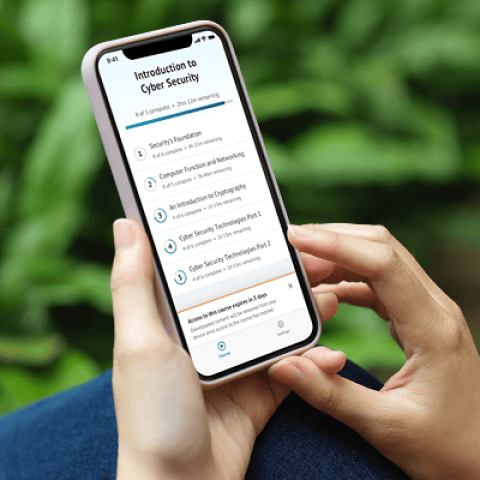
OnDemand Mobile App

Choose how you want to learn - online, on demand, or at our live in-person training events

Close Up of Woman Holding a Pen and Documents

Get access to our range of industry-leading courses and resources