Group Purchasing
Group Purchasing
AI SKILLSMAJOR UPDATES

FOR585: Smartphone Forensic Analysis In-Depth

FOR585Digital Forensics and Incident Response, Artificial Intelligence
  • 6 Days (Instructor-Led)
  • 36 Hours (Self-Paced)
Course authored by:
Heather BarnhartDomenica (Lee) Crognale
Heather Barnhart & Domenica (Lee) Crognale
FOR585: Smartphone Forensic Analysis In-Depth
Course authored by:
Heather BarnhartDomenica (Lee) Crognale
Heather Barnhart & Domenica (Lee) Crognale
  • GIAC Advanced Smartphone Forensics (GASF)
  • 36 CPEs

    Apply your credits to renew your certifications

  • In-Person, Virtual or Self-Paced

    Attend a live, instructor-led class at a location near you or remotely, or train on your time over 4 months

  • Essential Skill Level

    Course material is for individuals with an understanding of IT or cyber security concepts

  • 22 Hands-On Lab(s)

    Apply what you learn with hands-on exercises and labs

Your forensic tools report data—but they cannot determine if the user created it. Learn to validate mobile artifacts, recover evidence tools miss, and testify with confidence in court.

Course Overview

FOR585 delivers advanced iOS and Android forensics focused on artifact interpretation—not just tool operation. Master location data validation, recovery of deleted records tools miss, manual decoding of unsupported applications, and determination of whether evidence was user-created or generated automatically by the operating system.

Why Artifact Interpretation Changes Everything

A smartphone lands on your desk. Commercial forensic tools extract gigabytes of structured data and present GPS coordinates placing the device at your crime scene on the date in question. The timestamps align. The location data looks solid. Case closed?

Not yet. That location artifact might be a traffic prediction the operating system cached—one the user never acted on and may never have seen. The timestamp could reflect when iOS or Android wrote data to the database, not when the user was physically present. The "user activity" your tool flagged with high confidence might be AI-generated content from a third-party app, data synced automatically from another device, cloud-cached information, or application prefetch that never involved human interaction at all.

Commercial forensic tools parse what exists on the device. They extract, decode, and present data in readable formats. What they cannot do is determine intent, context, or origin. They cannot tell you whether a human being created that artifact or whether the smartphone's operating system generated it autonomously. That interpretation is your job—and making that determination correctly is what separates competent examiners from expert witnesses whose testimony withstands cross-examination.

This course teaches you how to make those determinations with confidence and defend them in court.

What Makes FOR585 Different From Other Mobile Forensics Training

Most mobile forensics courses teach tool operation: push buttons, generate reports, trust the output. FOR585 takes a fundamentally different approach. We prioritize interpretation over extraction because extraction without understanding produces dangerous conclusions.

You will learn which artifacts on iOS and Android devices you can actually trust—and which ones forensic tools routinely misinterpret. You will build test datasets to validate your tools against known ground truth. You will discover when commercial products report data incorrectly, misattribute system activity to users, or miss critical evidence entirely.

We cover the file formats that commercial tools struggle with most: protobuf structures in Android applications, levelDB key-value stores, iOS SEGB files, SQLite WAL journals containing deleted records, and REALM databases used by secure messaging applications. When your commercial tools fail to parse these formats—and they will fail regularly—you will know how to recover and decode the data manually.

You will write SQLite queries from scratch, joining tables across databases to surface relationships tools don't expose. You will leverage Python scripts and open-source parsers including ALEAPP, iLEAPP, and ArtEx to validate commercial tool output and recover artifacts those tools never found. You will learn to use AI assistants safely to generate custom parsing scripts without exposing sensitive case data to public systems.

Hands-On Labs and Practical Application

FOR585 includes 22 hands-on labs, 2 optional bonus labs, and a comprehensive capstone CTF exercise. Every lab teaches a technique you will apply to real casework the week you return to your organization.

Labs cover the full spectrum of smartphone forensic challenges:

  • Android and iOS artifact recovery from full file system extractions, not filtered tool outputs
  • Third-party application parsing when commercial tools provide no support whatsoever
  • Location artifact validation including identification of false positives before you report them
  • Mobile malware detection, isolation, decompilation, and behavioral analysis
  • Evidence destruction detection on devices where users attempted to delete, wipe, or hide data
  • AI-generated content identification using operating system metadata and multi-tool validation
  • AI-assisted forensic scripting to accelerate analysis without compromising case integrity

Each lab uses real device extractions with complete file systems. You will work with the same messy, complex data you encounter in actual investigations—not sanitized training datasets designed to make tools look good.

Commercial Tool Licenses Included With Course Registration

Students receive substantial commercial tool access to continue learning after the course concludes. Your registration includes a 120-day Cellebrite Inseyets Physical Analyzer license, a 90-day Magnet AXIOM license, and Elcomsoft licenses for cloud data extraction and password recovery. These tools complement the open-source solutions taught throughout the course.

Continuous Updates Reflecting Current Device Behavior

FOR585 undergoes continuous revision to address new iOS and Android releases, emerging third-party applications, and evolving file format structures. The artifacts that mattered two years ago may be deprecated today. The applications dominating current investigations may not have existed when other courses were written.

When you take FOR585, you learn current device behavior from instructors who actively work cases and contribute to the forensic research community. Your training reflects what devices do today, not outdated assumptions from legacy course materials.

Who Should Take This Course

FOR585 serves both new and experienced mobile forensic examiners. If you are new to smartphone forensics, this course provides the foundational knowledge and hands-on skills required to conduct competent examinations. If you are experienced, this course will expose gaps in your current methodology, introduce techniques your tools cannot replicate, and significantly expand your manual analysis capabilities.

Law enforcement investigators, federal agents, military forensic examiners, incident responders, corporate security professionals, and litigation support specialists all benefit from the skills taught in FOR585. If smartphones appear in your investigations—and they appear in virtually all investigations today—this course makes you significantly more effective.

What You'll Learn

  • Locate critical evidence on iOS and Android and determine exactly how data got there
  • Recover deleted, unparsed, and obfuscated mobile data that commercial tools miss
  • Manually decode third-party application artifacts when tools provide zero support
  • Validate location artifacts and confidently identify false positives before court
  • Detect, isolate, decompile, and analyze mobile malware and commercial spyware apps
  • Leverage AI assistants safely to build Python scripts and SQL queries for analysis
  • Extract evidence from locked devices, encrypted containers, and secure messaging

Business Takeaways

  • In-house smartphone forensic capability eliminates outsourcing delays and reduces costs
  • Time to evidence is critical—volatile mobile data can purge within hours of seizure
  • Open-source tools taught in class supplement or replace expensive commercial licenses
  • Examiners who validate findings produce court-ready reports that withstand scrutiny
  • Mobile malware analysis skills prepare incident response teams for emerging threats
  • Staff trained on manual recovery techniques extract evidence when tools fail entirely

Course Syllabus

Explore the course syllabus below to view the full range of topics covered in FOR585: Smartphone Forensic Analysis In-Depth.

Section 1Smartphone Overview, Fundamentals of Analysis, and SQLite Forensics

Build the foundation for advanced smartphone analysis: proper device handling for hot and cold acquisition states, acquisition terminology explained, and SQLite query development from scratch. Write complex table joins, parse databases manually, and learn exactly when tools report data incorrectly. Labs cover SD cards, Physical Analyzer, AXIOM, and SQL.

Topics covered

  • Device handling and evidence preservation for HOT and COLD acquisition states
  • SQLite database internals including query syntax development and table joins
  • Cellebrite Physical Analyzer advanced analysis techniques and key features
  • Magnet AXIOM examination workflows including logical and keyword searching
  • WAL file forensics for recovering temporary storage and uncommitted data

Labs

  • SD card forensic examination and linking extracted evidence to devices
  • Cellebrite Physical Analyzer deep dive with Android extraction dataset
  • Magnet AXIOM iOS backup extraction including artifact review workflows
  • SQLite query development from basic SELECT to advanced multi-table joins
  • WAL file modification exercise demonstrating temporary data persistence

Overview

Smartphone data from iOS and Android devices will be the focus of this course. We quickly review smartphone concepts and the forensic implications of each. We provide approaches for dealing with common challenges such as encryption, passwords, and unsupported devices. Students will be taught methodologies for handling devices in different states, such as HOT or COLD devices, and what this means for access to files of interest. We will discuss how to process and decode data on mobile devices from a forensic perspective, then learn tactics to recover information that even forensic tools may not always be able to retrieve.

Forensic examiners must understand the concept of interpreting and analyzing information on a variety of smartphones, in a variety of file formats, as well as the limitations of existing methods for extracting data from these devices. This course day is packed full of knowledge and covers how to handle Android and iOS devices, SIM cards, SD cards, common file formats, and SQLite overview, query language, and table joins.

The FOR585 Virtual Machine used in class has been specifically loaded with a set of smartphone forensic tools that will be your primary toolkit and working environment for the week.

Full Lab Details

  • FOR585 Virtual Machine Setup and Lab Data Integration
  • Hands-on demonstrations and familiarization with smartphone forensic tools
  • Smartphone Components Lab
  • Familiarization with Inseyets Physical Analyzer with an android extraction
  • Familiarization with AXIOM with an iOS backup extraction
  • Introduction to SQLite database forensics and drafting of simple SQL queries
  • Advanced SQLite database forensics with table joins and complex queries
  • A bonus lab on understanding how SQLite databases use a .wal file for temporary storage

Full Topic Details

  • Course esources
  • The FOR585 VM
  • Smartphone Fundamentals
    • Smartphone Components and Identifiers
    • Assessing Artifacts of Interest of Evidence Devices
    • Common File Systems
    • Data Storage Broken Down and Defined
    • Cellular Technology
    • Encryption Explained
    • SIM Card Overview
    • SD Card Handling and Examination
  • Smartphone Handling and Acquisition Terminology
    • Preserving Smartphone Evidence
    • Preventing Data Destruction
    • How to Handle HOT and COLD Devices
    • Logical Acquisition
    • File System Acquisition
    • Full File System Acquisition
    • Physical Acquisition
  • Cellebrite Physical Analyzer Fundamentals
    • Physical, Advanced, and Global Keyword Searching
    • Key Features
    • Tips and Tricks
    • Learning how to dive Beyond the Surface Within the Tool
  • AXIOM Fundamentals
    • All Content and Logical Keyword Searching
    • Key Features
    • Tips and Tricks
    • Learning How to Dive Beyond the Surface Within the Tool
  • File Formats Overview
    • Understanding common file formats stored on Android and iOS devices
    • How to Examine and Decode Data from These Files
  • SQLite Overview
    • How SQLite Databases Function
    • How Data are Stored in These Files
    • How to Examine SQLite Databases
    • How to Create Queries and Table Joins to Parse Information of Interest
  • Bonus Materials
    • Modify an SQLite Database and Learn How Data Exists in a .WAL vs the Database
    • Relevant White Papers and Guides
    • Smartphone Cheat Sheets

Section 2Android Forensics

Examine Android file system structures, encryption implementations, and native application artifacts in depth. Parse third-party applications manually when tools fail, validate location data against ground truth, and leverage ALEAPP for rapid triage of large extractions. All labs use full file system acquisitions ensuring access to complete datasets.

Topics covered

  • Android file system architecture including partition layouts and encryption
  • Native Google and Samsung application artifacts and database locations
  • Location artifact validation including carving and false positive detection
  • System logs and connection data analysis for network activity tracking
  • Google Cloud account data extraction and Takeout package examination

Labs

  • Full file system extraction analysis covering all major artifact categories
  • Third-party application manual parsing for data tools do not support
  • Location artifact recovery with validation and false positive detection
  • ALEAPP automated triage followed by manual system log examination
  • Google Takeout cloud data extraction with device artifact correlation

Focus

Android devices are among the most widely used smartphones in the world, which means they surely will be part of an investigation that comes across your desk. Android devices contain substantial amounts of data that can be decoded and interpreted into useful information. However, without honing the appropriate skills to correctly interpret the data stored on them, you will be unprepared for the rapidly evolving world of smartphone forensics. Android data acquired using tools may exist in various formats. Often data will be missing if a Full File System acquisition is not obtained. Smartphone examiners need to understand the file structures and how to parse the data to ensure files containing the truth of the device usage are not overlooked.

Overview

Digital forensic examiners must understand the file system structures of Android devices and how they store data in order to extract and interpret the information they contain. On this course day we will delve into the file system layout on Android devices and discuss common areas containing files of evidentiary value. Traces of user activities on Android devices are covered, as is the recovery of deleted data residing in SQLite records and raw data files. The level of encryption and database VACUUM will determine what is recoverable and for how long. Some artifacts are perishable and only retain data for as little as a few hours. Time to evidence matters and FOR585 will get you there.

During hands-on exercises, you will use smartphone forensic tools to carve, decode, and analyze a wide variety of information from Android devices. You will use the SQLite examination skills you learned in the first course section to draft queries to parse information that commercial tools cannot support. When all else fails and the tools cannot extract information from Android devices, we will use ADB to manually interact and extract data of interest. We'll demonstrate methods to help you say who, what, where, when, and how data was created on an Android device.

Full Lab Details

  • Manually decoding and extracting information from a Full File System acquisition
  • Manually parsing third-party applications and conducting deep-dive decoding and recovery of user activities on Android devices
  • Manually decoding and interpreting data associated to device locations
  • Leveraging scripts and free tools to triage large extractions from Android devices
  • Analyzing log files to identify device syncing and Cloud activity
  • Uncovering activity of interest from Android Health data and Google Takeout

Full Topic Details

  • Android Overview and Acquisition Considerations
    • Android Architecture and Components
    • Android File System Overview
    • Full Disk Encryption vs. File-based Encryption
    • Data Storage Formats
    • Security Options on Android
    • Practical Tips for Accessing Locked Android Devices
  • Basic Device Information
    • Device Identifiers
    • SIM Usage
    • Other Common Files that Store Identifiers of Interest
  • Native Applications
    • Common Google Applications of Interest
    • Samsung Applications of Interest
    • Android Applications of Interest
  • Location Artifacts
    • Location Artifacts You Can Trust and Why
  • How to Carve for Location Artifacts
    • How to Correlate Artifacts to Key Evidence
    • Why Validating Carved Locations Matter
  • Native Logs and Advanced Analysis
    • Using Android Artifacts to Examine Traces of User Activity
    • Connection Data
    • System Logs of Interest
    • Uncovering Traces Left Behind
    • Salvaging Deleted SQLite Records
    • Salvaging Deleted Data from Raw Images on Android Devices
    • Putting the pieces together for Android artifacts
  • Android Fitness and Health Applications
    • Understanding Android Health Data and Common Applications
    • Dive Into Artifacts Containing Android Health Artifacts
  • Google Cloud and Takeout
    • Methods for Collecting Cloud Data
    • Uncovering artifacts of interest from Cloud
  • Bonus Materials
    • Android Cheat Sheets
    • Location Cheat Sheets
    • Android Acquisition Methods
    • Relevant White Papers and Guides

Section 3iOS Device Forensics

Master iOS file system structures, backup encryption mechanisms, and jailbreak-based full file system extraction techniques. Decode native Apple applications, validate location artifacts against known positions, and leverage iLEAPP and ArtEx for rapid triage. Labs include full file system analysis, Photos.sqlite deep dives, and artifact attribution.

Topics covered

  • iOS file system architecture including encryption and key management
  • Backup collection methods with encryption handling and decryption steps
  • Native Apple application artifacts including iOS version differences
  • Location artifact sources with validation against known ground truth
  • System logging analysis including Sysdiagnose and Unified Log parsing

Labs

  • iOS full file system extraction examination covering all key artifacts
  • Photos.sqlite deep analysis for location data and user activity traces
  • Third-party app manual parsing including deleted record recovery work
  • iLEAPP and ArtEx automated triage with manual validation workflows
  • Artifact attribution exercise demonstrating user placement on device

Focus

Apple iOS devices contain substantial amounts of data that can be decoded and interpreted into useful information. Proper examination skills are needed to extract information from iOS devices and correctly interpret the data. This course section will cover extraction techniques using jailbreaks and exploits to obtain a Full File System acquisition. With proper iOS instruction, you will be prepared to deal with the iOS device that will likely be a major component in a forensic investigation.

Overview

This section dives right into iOS devices. Digital forensic examiners must understand the file system structures and data layouts of iOS devices in order to extract and interpret the information they contain. To learn how to do this, we delve into the file system layout on iOS devices and discuss common areas containing files of evidentiary value. We'll cover encryption, decryption, file parsing, and traces of user activities in detail.

During hands-on exercises, students will use smartphone forensic tools, ArtEx and other open source tools to extract and analyze a wide variety of information from iOS devices. Students will also be required to manually decode data that were marked for deletion or are unrecoverable using smartphone forensic tools and scripts supporting iOS device forensics.

Full Lab Details

  • Manually decoding and extracting information from iOS file system acquisition
  • Extracting information from a Full File System extraction
  • Modifying queries to parse data from Photos.sqlite to uncover traces of user activity
  • Leveraging community scripts and free tools to quickly analyze and timeline a Full File System extraction from an iOS device
  • Manually parsing third-party applications and conducting deep-dive decoding and recovery of user activities on iOS devices
  • Placing the user behind the artifact based on location information and other traces found on file system dumps from iOS devices

Full Topic Details

  • iOS Overview and Device Acquisition Considerations
    • iOS Architecture and Components
    • iOS File Systems
    • iOS Versions
    • iOS Encryption
    • Interacting live on jailbroken devices
    • Data Storage Formats
    • Practical Tips for Accessing Locked iOS Devices
    • IOS backup file collection and creation
    • IOS backup encryption
  • Basic Device Information
    • Device Identifiers
    • eSIM Usage
    • Other Common Files that Store Identifiers of Interest
  • Native Applications
    • Diving into Applications Common on iOS Devices
    • Understanding File Path Changes
    • Understanding How Data are Stored
  • Native Logs
    • Primary Evidentiary Locations
    • Native Applications that Track User Activity
    • Apple Watch Forensics
    • Manual Decoding of Files of Interest
  • Location Artifacts
    • Location Artifacts You Can Trust and Why
    • How to Carve for Location Artifacts
    • How to Correlate Artifacts to Key Evidence
  • Advanced Analysis
    • Deep Dive into Data Structures on iOS Devices
    • Putting the pieces together for iOS artifacts
    • System Logs of Interest
    • Piecing the Puzzle Together
  • Bonus Materials
    • iOS Cheat Sheet
    • Location Cheat Sheet
    • iOS Acquisition Methods
    • Relevant White Papers and Guides

Section 4AI Impact on Mobile Forensics, Malware/Spyware Forensics, and Detecting Evidence Destruction

Identify AI-generated content using operating system metadata combined with commercial tool capabilities. Use AI assistants safely to generate forensic analysis scripts without exposing case data. Detect, decompile, and analyze mobile malware samples. Recover evidence from devices where users deleted, wiped, or concealed data. Five intensive labs.

Topics covered

  • AI-generated content detection using file metadata and multi-tool analysis
  • Safe AI-assisted script generation for forensic automation workflows
  • Mobile malware classification with detection and isolation procedures
  • Android APK decompilation including reverse engineering methodologies
  • Evidence destruction detection with recovery techniques and validation

Labs

  • AI-generated image detection on iOS using metadata and tool comparison
  • AI-assisted Python script development for custom artifact parsing work
  • Android malware hunting exercise using full file system extraction data
  • APK static analysis with decompilation and behavioral review exercise
  • Tampered device examination with deleted and hidden data recovery work

Focus

Generative AI is on the rise, and mobile devices are often the origin of many of these artifacts, thanks to the popularity and availability of AI capable applications in our application stores. As mobile examiners, we are often tasked with determining the authenticity of the artifacts that we have come to rely upon for investigations, so this section aims to explore our current tool capabilities combined with artifacts generated by the operating system to best identify the true source of the data. This section covers malware and evidence destruction as well, as no smartphone platform is immune to malware. We will examine various types of malware, how it exists on smartphones, and how to identify and analyze it. Most commercial smartphone tools help you identify malware, but none of them will allow you to tear down the malware to the level we cover in this class. We'll conduct five labs on this day alone! The day ends with students challenging themselves using tools and methods learned throughout the week to recover user data from intentionally altered smartphone data (deleting, wiping, and hiding of data).

Overview

This section relies upon techniques gained in the previous sections on how to examine OS-level databases to provide pivotal metadata associated with multimedia files as a way to assist in identifying generative AI on mobile devices. While no solution is perfect, used in tandem with solutions provided by our forensic tools and other available options, this provides a holistic option for AI-detection. While mobile examiners are often tasked with making the determination of real or AI-generated artifacts, we will also explore the safe use of AI assistance for source code generation to expand our analytical capabilities. In addition to the plethora of artifacts that are present on mobile devices, examiners today must address the existence of malware on smartphones. Often the only questions relating to an investigation may be whether a given smartphone was compromised, how, and what can be done to fix it. It is important for examiners to understand malware and how to identify its existence on the smartphone.

During hands-on exercises, students will use smartphone forensic tools and other methods to identify AI-generated images found on an iOS device, utilize ChatGPT to assist in analysis of mobile artifacts, examine an Android device containing mobile malware, and a device that was intentionally manipulated by the user. Students will be required to manually decode data that were wiped, encrypted, or deleted, or that are unrecoverable using smartphone forensic tools.

Full Lab Details

  • Examination of multimedia files on an AI-capable iOS 26 device to determine the source of image creation – is it AI or is it REAL?
  • Utilizing AI for source code generation to safely analyze and report on relevant findings without exposing sensitive case-related details/artifacts
  • Two malware labs: Malware detection and analysis on a Full File System Android extraction and unpacking and analyzing .apk malware file
  • Recovering any traces of user activity from a device where data was tampered with or destroyed

Full Topic Details

  • AI Applications and Related Artifacts
    • How successful are our current tools in determining AI vs Human data creation when the artifact was created on the device vs on a different source media
    • Exploring OS-specific files and how they track AI-related artifacts to supplement your tool findings
    • Utilizing AI for source code generation using natural language
  • Malware and Spyware Forensics
    • Different Types of Common Malware
    • Common Locations on Smartphones
    • How to Determine a Compromise
      • How to Recover from a Compromise
      • What Was Affected?
      • How to Isolate?
    • How to Analyze Using Reverse-Engineering Methodologies
  • Detecting Evidence Destruction
    • Different Types of Destruction Methods
    • Determining When the Destruction Occurred
    • Understanding What Happens When Data Are Destroyed
  • Bonus Materials
    • Smartphone Cheat Sheets
    • Malware/Spyware Cheat Sheet
    • APK Decompiling Cheat Sheet
    • Relevant White Papers and Guides

Section 5Third-Party Application Analysis

Decode secure messaging applications, payment platforms, file sharing services, and mobile browsers across iOS and Android platforms. Write SQLite queries to recover deleted chat messages and media attachments. Parse Tor browser and incognito session artifacts. Master techniques that commercial tools miss and recover that critical evidence yourself.

Topics covered

  • Secure messaging app database structures with deleted artifact recovery
  • Payment application and mobile wallet forensic artifacts and locations
  • Mobile browser analysis including private and incognito session traces
  • File sharing application data with MDM and MAM policy artifact review
  • Advanced SQL query development for chat and attachment extraction work

Labs

  • Cross-platform third-party application decoding covering iOS and Android
  • Secure chat deletion analysis with attachment recovery and validation
  • Tor browser and incognito browsing artifact analysis across platforms
  • SQL query development for recovering chat history and media artifacts
  • Vacuumed database artifact recovery using methods beyond free pages

Focus

This course day starts with third-party applications across all smartphones and is designed to teach students how to leverage third-party application data and preference files to support an investigation. The rest of the day focuses heavily on secure chat applications, recovery of deleted application data and attachments, mobile browser artifacts, and knock-off phone forensics. The skills learned in this section will provide students with advanced methods for decoding data stored in third-party applications across all smartphones. We will show you what the commercial tools miss and teach you how to recover these artifacts yourself.

Overview

During hands-on exercises, students will use smartphone forensic tools to extract and analyze third-party application files of interest, and then manually dig and recover data that are missed. Students will be required to manually decode data that were deleted or are unrecoverable using smartphone forensic tools and custom SQLite queries that they write themselves. The hands-on exercises will be a compilation of everything students have learned up until now in the course and will require the manual decoding of third-party application data from multiple smartphones. When this section ends, you will have proven that you have the skill set to recover artifacts that the forensic tools cannot recover.

Full Lab Details

  • Advanced third-party application exercise requiring students to use skills learned during the first four days of the course to manually decode communications stored in third-party application files across multiple smartphones
  • Browser analysis exercise requiring students to manually examine third-party browser activity (tor, private browsing, and incognito) that the commercial tools may not parse
  • It is becoming more common for applications to vacuum their associated databases. Examine other files for evidence of deleted artifacts crucial to your investigations.

Full Topic Details

  • Third-Party Application Overview
    • Common Applications Across Smartphones
  • Geolocation Artifacts
    • How to Locate
    • Data Format
    • Manual Recovery
    • Decoding Methods
  • MDM and MAM
    • How to Locate
    • Data Format
    • Manual Recovery
    • Decoding Methods
  • File Sharing Artifacts
    • How to Locate
    • Data Format
    • Manual Recovery
    • Decoding Methods
  • Payment Apps and Mobile Wallets
    • How to Locate
    • Data Format
    • Manual Recovery
    • Decoding Methods
  • Messaging Applications
    • How to Locate
    • Data Format
    • Manual Recovery
    • Decoding Methods
    • SQL Query Development
  • Mobile Browsers
    • Third-Party Browser Overview
    • How to Locate
    • Data Format
    • Manual Recovery
  • Forensic CTF/Capstone Prep

Section 6Smartphone Forensic Capstone Exercise

Apply every technique learned throughout the week in a gamified CTF environment using prior lab datasets plus new cold case evidence from multiple smartphone devices. Work individually or in teams answering investigation questions covering identification, attribution, timeline, and motive. Prove you can decode complex data under real pressure.

Topics covered

  • Investigation identification and scoping methodology for mobile cases
  • Cross-device artifact correlation with timeline reconstruction methods
  • Communication pattern reconstruction across multiple platform sources
  • Evidence of user concealment including deletion and tampering traces
  • Investigation hypothesis development with supporting documentation

Labs

  • Multi-device cold case investigation spanning both iOS and Android
  • Samsung Android health and fitness application data examination work
  • Cross-platform secure messaging analysis with communication mapping
  • Location and activity timeline reconstruction from multiple sources
  • Gamified CTF competition environment with live team scoring server

Overview

By requiring students to answer a variety of questions at different skill levels, this capstone exercise will test the students' understanding of the techniques taught during the week. OnDemand students have the opportunity to participate in the CTF just as students in Live classes do.

Full Lab Details

Each group will be asked to answer the key questions listed below during the capstone exercise, just as they would during a real-world digital investigation.

  • Identification and Scoping
    • Who is responsible for the crime?
    • What devices are involved?
    • Which individuals are involved?
  • Forensic Examination
    • What are the key communications between individuals?
    • What methods were used to secure the communication?
    • Where were the suspects at specific times of interest?
    • Were any mobile devices compromised by malware?
    • Were cloud data involved?
    • Did the users attempt to conceal or delete artifacts or data?
  • Forensic Reconstruction
    • What is the motive?

Things You Need To Know

Important! Bring your own system configured according to these instructions. You will need 350 GB of free space to fit the VM and phone images for the course. We recommend bringing an external SSD to help with space issues you may experience.

A properly configured system is required to fully participate in this course. If you do not carefully read and follow these instructions, you will not be able to fully participate in hands-on exercises in the course. Therefore, please arrive with a system meeting all of the specified requirements.

Back up your system before class. Better yet, use a system without any sensitive/critical data. SANS is not responsible for your system or data.

Mandatory System Hardware Requirements

  • CPU: 64-bit Intel i5/i7 (8th generation or newer), or AMD equivalent. A x64 bit, 2.0+ GHz or newer processor is mandatory for this class.
  • CRITICAL: Apple Silicon devices cannot perform the necessary virtualization and therefore cannot in any way be used for this course.
  • BIOS settings must be set to enable virtualization technology, such as "Intel-VTx" or "AMD-V" extensions. Be absolutely certain you can access your BIOS if it is password protected, in case changes are necessary.
  • 32GB of RAM or more is required. You will not have a good experience if you cannot allocate at least 16 GB of RAM for the VM.
  • 350GB of free storage space or more is required. Bringing an external SSD drive is recommended.
  • At least one available USB 3.0 Type-A port. A Type-C to Type-A adapter may be necessary for newer laptops. Some endpoint protection software prevents the use of USB devices, so test your system with a USB drive before class.
  • Wireless networking (802.11 standard) is required. There is no wired Internet access in the classroom.

Mandatory Host Configuration And Software Requirements

  • Your host operating system must be the latest version of Windows 10, Windows 11, or macOS 10.15.x or newer.
  • Fully update your host operating system prior to the class to ensure you have the right drivers and patches installed.
  • Linux hosts are not supported in the classroom due to their numerous variations. If you choose to use Linux as your host, you are solely responsible for configuring it to work with the course materials and/or VMs.
  • Local Administrator Access is required. (Yes, this is absolutely required. Don't let your IT team tell you otherwise.) If your company will not permit this access for the duration of the course, then you should make arrangements to bring a different laptop.
  • You should ensure that antivirus or endpoint protection software is disabled, fully removed, or that you have the administrative privileges to do so. Many of our courses require full administrative access to the operating system and these products can prevent you from accomplishing the labs.
  • Any filtering of egress traffic may prevent accomplishing the labs in your course. Firewalls should be disabled or you must have the administrative privileges to disable it.
  • Download and install the latest version of VMware Workstation Pro for Windows hosts, or VMWare Fusion Pro for Intel-based macOS hosts, prior to class beginning of class. Note that Workstation Pro and Fusion Pro are now available for free for both personal and commercial use from Broadcom.
  • On Windows hosts, VMware products might not coexist with the Hyper-V hypervisor. For the best experience, ensure VMware can boot a virtual machine. This may require disabling Hyper-V. Instructions for disabling Hyper-V, Device Guard, and Credential Guard are contained in the setup documentation that accompanies your course materials.
  • Download and install 7-Zip (for Windows Hosts) or Keka (for macOS hosts). Your course media is delivered via download. The media files for class are large. You need to allow plenty of time for the download to complete. Internet connections and speed vary greatly and are dependent on many different factors. Therefore, it is not possible to give an estimate of the length of time it will take to download your materials. Please start your course media downloads as soon as you get the link. You will need your course media immediately on the first day of class. Do not wait until the night before class to start downloading these files. You will need all three .iso files to start Section 1 of the course.

Your course materials include a "Setup Instructions" document that details important steps you must take before you travel to a live class event or start an online class. It may take 30 minutes or more to complete these instructions.

Your class uses an electronic workbook for its lab instructions. In this new environment, a second monitor and/or a tablet device can be useful for keeping class materials visible while you are working on your course's labs.

If you have additional questions about the laptop specifications, please contact customer service.

FOR585 is designed for students who are both new to and experienced with smartphone and mobile device forensics. The course provides the core knowledge and hands-on skills that a digital forensic investigator needs to process smartphones and other mobile devices. The course is a must for:

  • Both new and experienced digital forensic examiners who want to extend their knowledge and experience to forensic analysis of smartphones
  • Media exploitation analysts who need to master Tactical Exploitation or Document and Media Exploitation operations on smartphones by learning how individuals used their smartphones, who they communicated with, and what files they accessed
  • Information security professionals who respond to data breach incidents and intrusions involving smartphones
  • Incident response teams tasked with identifying the role that smartphones played in a breach
  • Law enforcement officers, federal agents, and detectives who want to master smartphone forensics and expand their investigative skills beyond traditional host-based digital forensics
  • Accident reconstruction investigators who need to determine how a phone was accessed or used during specific periods of time
  • IT auditors who want to learn how smartphones can expose sensitive information
  • Graduates of SANS SEC575, FOR498, FOR500, FOR508, FOR528, FOR572, FOR577, FOR589, FOR610, or FOR518 who want to take their skills to the next level

The GIAC Advanced Smartphone Forensics (GASF) certified professionals have demonstrated that they are qualified to perform forensic examinations on devices such as mobile phones and tablets. Candidates are required to demonstrate an understanding of the fundamentals of mobile forensics, device file system analysis, mobile application behavior, event artifact analysis, and the identification and analysis of mobile device malware.

  • Fundamentals of mobile forensics and conducting forensic exams
  • Device file system analysis and mobile application behavior
  • Event artifact analysis and the identification and analysis of mobile device malware

More Certification Details

  • A FOR585 Windows virtual machine (Smartphone Version) is used with all hands-on exercises to teach students how to examine and investigate information on smartphones. The FOR585 virtual machine designed for this course contains free and open-source tools, custom and community scripts, commercial tools used in the class as well as bonus tools that may aid in your investigations.
  • Cellebrite Inseyets Physical Analyzer License - 120 days
  • Magnet AXIOM License - 90 days
  • Elcomsoft Cloud eXplorer License
  • Elcomsoft Phone Password Breaker License
  • Elcomsoft Phone Viewer License
  • Open-Source Tools
  • Three (3) - 64 GB Course USBs/ISO Images
  • Class repository of bonus documentation, tips, and more
  • Forensic Capstone dataset
  • SANS Smartphone Forensic Analysis In-Depth eWorkbook and lab walkthrough videos
  • The course exercise book (eWorkbook) is packed full of questions and scenarios and contains detailed step-by step instructions and examples to help you become a better smartphone examiner.

There is no prerequisite for this course, but a basic understanding of digital forensic terminology will help the student grasp topics that are more advanced. Previous vendor training in mobile device forensic acquisition is also useful but not required. We do not teach basic acquisition methods in class. This class focuses on analysis, advanced access methods and understanding smartphone artifacts.

The FOR585 course is a part of the “Digital Forensics, Malware Analysis, and Threat Intelligence” Learning Path, which aims to equip cybersecurity professionals with specialized investigative skills.

Depending on your current or desired future role, one of these courses is a great next step in your cybersecurity journey:

Smartphone forensics is the process of recovering, analyzing, and interpreting digital data from mobile devices for investigative purposes. This specialized branch of digital forensics focuses on extracting information such as messages, call logs, emails, photos, app data, and location history, often to support legal or security investigations. It includes:

  • Examining or analyzing data from mobile devices
  • Creating a pattern of life from mobile device extractions
  • Placing a person or device at a location and state what was happening on the device at that moment in time

Why it’s important:

  • Critical evidence
  • Smartphones hold vast amounts of personal data, often providing insights into a suspect's or victim's activities, relationships, and location.
  • Crime resolution
  • Evidence from smartphones can be pivotal in solving crimes, from theft and fraud to serious offenses like terrorism or cybercrime.
  • Data integrity
  • Forensic techniques ensure data recovery without tampering, preserving its admissibility in court.
  • Evolving technology
  • With smartphones constantly advancing, forensic expertise is essential to keep up with new challenges like encryption, hidden data, and malware.

Smartphone forensics bridges technology and justice, playing a crucial role in modern investigations.

Training in smartphone forensics can significantly enhance your career by equipping you with specialized skills that are in high demand across industries. Here’s how this course can benefit you:

  • Gain expertise in a niche field that is crucial for law enforcement, cybersecurity, legal investigations, and private consulting.
  • Learn cutting-edge tools, techniques, and methodologies to handle constantly evolving smartphone technologies and security challenges.
  • Open doors to roles in digital forensics, cybercrime investigation, corporate security, and litigation support.
  • Earn GIAC certification, showcasing your proficiency to employers and clients.
  • Gain hands-on experience with tools like Cellebrite, AXIOM, and advanced data analysis techniques, enhancing your ability to solve complex cases.
  • Play a critical role in investigations as you uncover key evidence that can solve crimes or protect organizations from security breaches.

FOR585 boosts your technical capabilities while enhancing your marketability in a growing field.
Relevant Job Roles

Digital Forensics (DGFS)

Skills Framework for the Information Age

Retrieval and interpretation of data from devices and networks to support incident response, compliance investigations, and legal cases. Work focuses on evidence integrity, validated methods, and attacker attribution.

Explore learning path

Malware Analyst

Digital Forensics and Incident Response

Malware analysts face attackers’ capabilities head-on, ensuring the fastest and most effective response to and containment of a cyber-attack. You look deep inside malicious software to understand the nature of the threat – how it got in, what flaw it exploited, and what it has done, is trying to do, or has the potential to achieve.

Explore learning path

Insider Threat Analysis

NICE: Protection and Defense

Responsible for identifying and assessing the capabilities and activities of cybersecurity insider threats; produces findings to help initialize and support law enforcement and counterintelligence activities and investigations.

Explore learning path

Digital Forensic Analyst Training, Salary, and Career Path

Digital Forensics and Incident Response

This expert applies digital forensic skills to a plethora of media that encompass an investigation. The practice of being a digital forensic examiner requires several skill sets, including evidence collection, computer, smartphone, cloud, and network forensics, and an investigative mindset. These experts analyze compromised systems or digital media involved in an investigation that can be used to determine what really happened. Digital media contain footprints that physical forensic data and the crime scene may not include.

Explore learning path

Digital Forensics (OPM 212)

NICE: Protection and Defense

Responsible for analyzing digital evidence from computer security incidents to derive useful information in support of system and network vulnerability mitigation.

Explore learning path

Cybercrime Investigator Training, Salary, and Career Path (OPM 221)

NICE: Investigation

Cybercrime Investigators navigate dark web forums, trace cybercriminal activity, and conduct covert investigations. They follow forensic and legal standards to gather evidence and respond to cybercrimes.

Explore learning path

Military Operations / Law Enforcement Agents

Digital Forensics and Incident Response

Execute digital forensic operations under demanding conditions, rapidly extracting critical intelligence from diverse devices. Leverage advanced threat hunting and malware analysis skills to neutralize sophisticated cyber adversaries.

Explore learning path

Media Exploitation Analyst

Digital Forensics and Incident Response

This expert applies digital forensic skills to a plethora of media that encompasses an investigation. If investigating computer crime excites you, and you want to make a career of recovering file systems that have been hacked, damaged or used in a crime, this may be the path for you. In this position, you will assist in the forensic examinations of computers and media from a variety of sources, in view of developing forensically sound evidence.

Explore learning path

Course Schedule and Pricing

Have Questions?Contact Us
Showing 10 of 11

Benefits of Learning with SANS

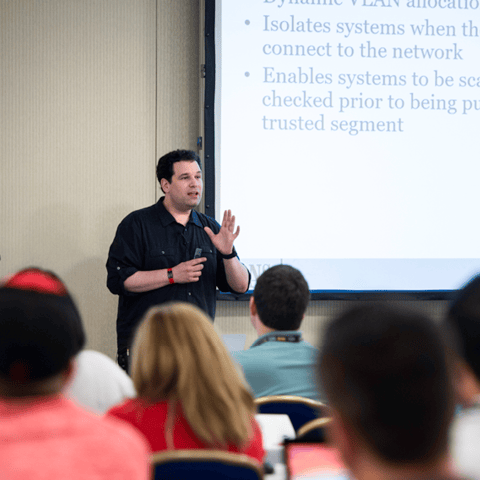
Bryan Simon: Teacher Standing Next to Smartboard and Explaining Concept

Get feedback from the world’s best cybersecurity experts and instructors
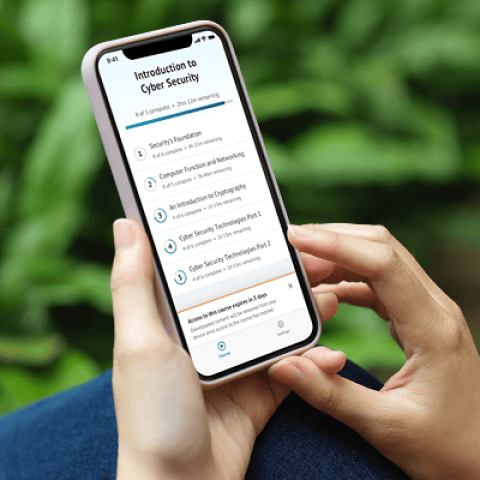
OnDemand Mobile App

Choose how you want to learn - online, on demand, or at our live in-person training events
Close Up of Woman Holding a Pen and Documents

Get access to our range of industry-leading courses and resources