Group Purchasing
Group Purchasing
UPDATED

FOR518: Mac and iOS Forensic Analysis and Incident Response

FOR518Digital Forensics and Incident Response
  • 6 Days (Instructor-Led)
  • 36 Hours (Self-Paced)
Course authored by:
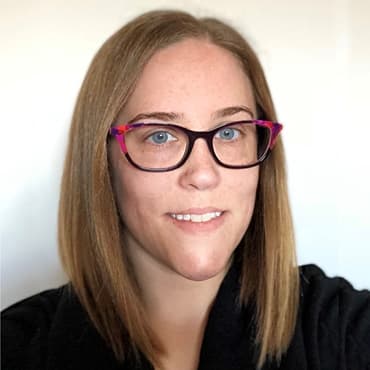
Sarah Edwards
Sarah Edwards
FOR518: Mac and iOS Forensic Analysis and Incident Response
Course authored by:
Sarah Edwards
Sarah Edwards
  • GIAC iOS and macOS Examiner (GIME)
  • 36 CPEs

    Apply your credits to renew your certifications

  • In-Person, Virtual or Self-Paced

    Attend a live, instructor-led class at a location near you or remotely, or train on your time over 4 months

  • Intermediate Skill Level

    Course material is geared for cyber security professionals with hands-on experience

  • 23 Hands-On Lab(s)

    Apply what you learn with hands-on exercises and labs

Conduct detailed, in-depth analysis on raw data from Mac and iOS cases. Gain confidence in your forensic analysis and incident response skills with hands-on labs.

Course Overview

FOR518 is the first non-vendor-based Mac and iOS incident response and forensics course that focuses students on the raw data, in-depth detailed analysis, and how to get the most out of their Mac and iOS cases. The intense hands-on forensic analysis and incident response skills taught in the course will enable analysts to broaden their capabilities and gain the confidence and knowledge to comfortably analyze any Mac or iOS device. The course includes 23 hands-on labs.

Digital forensic and incident response investigators have traditionally dealt with Windows machines, but what if they find themselves in front of a new Apple Mac or iOS device? The increasing popularity of Apple devices can be seen everywhere, from coffee shops to corporate boardrooms. Dealing with these devices as an investigator is no longer a niche skill - every analyst must have the core skills necessary to investigate the Apple devices they encounter.

This consistently updated FOR518 course provides the techniques and skills necessary to take on any Mac or iOS case without hesitation. The intense hands-on forensic analysis and incident response skills taught in the course will enable analysts to broaden their capabilities and gain the confidence and knowledge to comfortably analyze any Mac or iOS device. In addition to traditional investigations, the course presents intrusion and incident response scenarios to help analysts learn ways to identify and hunt down attackers that have compromised Apple devices.

Hands-On macOS and iOS Forensics Training

The hands-on portion of FOR518 is unique and especially suited to those who love to dig into the data. The labs were created to show how Apple data is stored and how to interpret it without the need for an expensive commercial utility. These labs will allow a student to get a hands-on perspective of the data that is shown in the class presentations and apply the concepts to the course dataset. The labs in this course are a major component of the learning experience and enables the student to increase their success in applying various analysis course topics after they leave the classroom.

Syllabus Summary

  • Section 1: An introduction to the Apple platforms including data storage, file analysis, and data interpretation.
  • Section 2: Log analysis and review of various user and system settings.
  • Section 3: It's all about the metadata stored within multiple file system artifacts.
  • Section 4: Every application is different, review how each app stores it's data.
  • Section 5: All other things; from pattern of life analysis, to password cracking, to malware, and "one more thing!"
  • Section 6: The Apple Forensics Challenge, take what you learn in class and compete in a CTF-style challenge against others.

Course Topics

  • Advanced Computer Forensics Methodology
  • Apple Specific Acquisition and Live Response Collection
  • File System Data Analysis
  • Metadata Analysis
  • Recovery of Key Mac and iOS Files
  • Database Analysis
  • Volume and Disk Image Analysis
  • Analysis of Mac Technologies, including Time Machine, Spotlight, and FileVault
  • Analysis of Apple Devices including AirTags, Apple Watch, FindMy, HomeKit as they interact with the macOS and iOS counterparts
  • Advanced Log Analysis and Correlation
  • In-Depth APFS File System Examination

Author Statement

“This course is designed to enable an analyst comfortable in Windows-based forensics to perform just as well on a Mac. The Mac and iOS market share is ever-increasing, and the Apple is now a popular platform for many companies and government entities. I believe a well-rounded forensic analyst is an extremely well-prepared and employable individual in a Windows forensics world. Windows analysis is the base education in the competitive field of digital forensics, but any additional skills you can acquire can set you apart from the crowd, whether it is Mac, mobile, memory, or malware analysis.

“Mac and iOS forensics is truly a passion of mine that I genuinely want to share with the forensics community. While you may not work on a Mac or iOS investigation every day, the tools and techniques you learn in this course will help you with other investigations including Windows, Linux, and mobile.”

- Sarah Edwards

What You’ll Learn

  • Understand macOS and iOS file systems and data layout
  • Explore cross-device Apple ecosystem for investigations (AirTags, VisionPro, Apple Watch, HomeKit)
  • Analyze usage patterns, app preferences, and personal settings
  • Correlate data and logs for timeline analysis
  • Investigate encrypted containers, FileVault, keychain, and Mac password cracking
  • Identify backups, disk images, connected devices, and communications (Messages, FaceTime, SSH, AirDrop)
  • Examine macOS metadata and app data (Spotlight, Time Machine, Safari, Mail)

Business Takeaways

  • Empower employees to investigate various crimes such as computer misuse, malicious device intrusions, corporate espionage, insider threats, and fraud.
  • Learn how various Apple data is stored and how to analyze using tool agnostic methods without the requirement for expensive commercial forensic tools.
  • Identify different forensic artifacts and nuances between the Apple platforms (macOS and iOS).
  • Understand the wealth of user related information that can show how a device was used or abused.
  • Learn the differences of performing forensics and security assessments when Apple devices are involved versus other industry-standard operating systems.

Course Syllabus

Explore the course syllabus below to view the full range of topics covered in FOR518: Mac and iOS Forensic Analysis and Incident Response.

Section 1Mac and iOS Essentials

This section introduces the student to Mac and iOS essentials such as acquisition, timestamps, logical file system, and disk structure. Acquisition fundamentals are the same with Mac and iOS devices, but there are a few tips and tricks that can be used to successfully collect Mac and iOS systems for analysis.

Topics covered

  • Apple Essentials, Device Security, Disks, and Volumes
  • macOS Acquisition Tools and Methods
  • iOS Acquisition Tools and Methods
  • Data Organization, Triage, and iCloud

Labs

  • Course Lab Setup
  • Disks and Volumes
  • Mount and Review Acquisitions
  • Triage

Overview

Students comfortable with Windows forensic analysis can easily learn the slight differences on a Mac system - the data are the same, only the format differs.

Full Topic Details

  • Apple Essentials and Device Security
    • Platform and Versions
    • Timestamps
    • File Types
    • Security Concepts
  • Disks and Volumes
    • Disk and Volume Structures
    • GPT and other partitioning schemes
    • FileVault & Hardware Encryption
    • Disk Images
    • APFS Containers
  • macOS Acquisition Tools and Methods
    • Acquisition Pitfalls and Considerations
    • Commercial and Free Tools
    • Volatile Data
    • Memory Acquisition & Analysis
  • iOS Acquisition Tools and Methods
    • Commercial and Free Tools
    • Jailbreaks
    • Acquisition Types and Differences
    • Local and iCloud Backups
    • Sysdiagnose Files
    • Tools for Acquisition and Analysis
  • Data Organization, Triage, and iCloud
    • Domain Organization of Data
    • Containers and Sandboxing
    • iOS Backup Normalization
    • Application Data Structure
    • Triage Analysis
    • Accounts
    • iCloud

Section 2Log Analysis, User Data, and System Configuration

This section explores how system settings, configurations, and log analysis on macOS and iOS devices can reveal user activity and support forensic investigations.

Topics covered

  • Forensic Testing
  • Log Analysis
  • User Account
  • Network Device Configuration

Labs

  • Forensic Testing
  • Parsing System Logs
  • User Artifacts and Interface
  • Volumes, Printing, and System State
  • Network and Bluetooth

Overview

Mac and iOS devices contain many system settings that can show how a device was used (or abused). A user of the device may change a specific configuration that can provide useful forensic insight. Often these configuration actions can be also found in the logs and provide historical context to create a detailed story of how the device was used.

This section focuses on system and data configurations alongside log analysis. These devices have many different types of logs each with their own method for analysis and content. The log entries can be correlated with user and system data found on the system to create an in-depth timeline that can be used to solve cases quickly and efficiently.

Full Topic Details

  • Forensic Testing
    • Device Setup
    • Tools - Corellium, Free, and Open-source
    • SQLite Database Queries
    • Database Structures
  • Parsing System Logs
    • Log Basics
    • Log Types (Unix, BSM Audit, Apple System Logs (ASL) and Unified)
    • Log Configuration
    • Analysis Methods and Parsing Tools
  • User Account
    • Deleted Users
    • User Logins
    • Privilege Escalation
    • Most Recently Used Items (MRUs)
    • NSKeyedArchiver Plist Files
    • Managed Users
  • User Interface
    • Keyboard
    • Notifications
    • iOS Springboard
    • macOS Finder
    • Saved Application State
  • Volumes
    • Log and File Analysis
    • Connected Devices
    • Network Shares
  • Printing
    • Control Files
    • Data Files
  • System State
    • Log and File Analysis
  • Network
    • Device Configuration
    • Cellular Data
    • Wi-Fi Access Point Connections
    • Remote Access
    • Log and File Analysis
  • Bluetooth
    • Device Connections
    • Apple Continuity Technology
    • AirDrop
    • Log and File Analysis

Section 3File Systems and Related Artifacts

This section provides an in-depth exploration of the Apple File System (APFS), examining its unique structures, artifacts, and forensic value through hands-on analysis and comparison with other file systems.

Topics covered

  • APFS Overview
  • Extended Attributes
  • Practical Queries
  • Document Versions Metadata
  • File System Events Store Database

Labs

  • Parsing APFS (Bonus)
  • Disk and Volume Artifacts
  • Extended Attributes
  • Spotlight
  • Document Versions and FSEvents

Overview

After a review of how APFS works, students will look at a variety of fascinating artifacts that are used by the file system and that are quite different from other operating systems students have seen in the past. This includes many artifacts that contain metadata and can provide more context into investigations.

In an additional bonus lab students will learn the building blocks of Mac and iOS forensics with a thorough deep-dive understanding of the Apple File system (APFS). Utilizing a hex editor, students will learn the basic structures of the primary file system implemented on MacOS and iOS systems.

Full Topic Details

  • Volume File System Artifacts
    • Overview of APFS
    • Data Structures
    • APFS Benefits and Caveats
    • APFS Clones
    • APFS Snapshots
    • Artifacts Left Behind by Macs
    • Differences from Various File Systems
    • DS_Store Files
    • APFS analysis with The Sleuth Kit (TSK)
  • Extended Attributes
    • Contents
    • Analysis
    • Forensically Useful Attributes
  • Spotlight
    • Indexed Items
    • Analysis Methods and Tools
    • Practical Queries
  • Document Versions
    • Versions Metadata
    • Versions Database
    • Generations
    • Chunk Storage
  • File System Events Store Database (FSEvents)
    • Usage
    • Parsing with Tools
    • Practical Analysis

Section 4Application Data Analysis

This section delves into user data generated by native Apple applications, teaching students how to manually analyze key artifacts like emails, messages, photos, and location data to support forensic investigations.

Topics covered

  • Mach-O ExecutablesBrowser History and Cache
  • Messaging and Calling files
  • Notes, Photos, and Maps Analysis

Labs

  • Application Fundamentals
  • Safari and Wallet
  • Mail and Communication
  • Notes, Photos, Maps

Overview

In addition to all the configuration and preference information found in the User Domain, the user can interact with a variety of native Apple applications, including the Internet, email, communication, photos, locational data, and others. These data can provide analysts with the who, what, where, why, and how for any investigation.

This section will explore the various databases and other files where data are being stored. The student will be able to parse this information by hand without the help of a commercial tool parser.

Full Topic Details

  • Application Fundamentals
    • Application Bundles
    • Mach-O Executables
    • Extensions
    • Software Updates
    • iOS Application Snapshots
    • Permissions
  • Safari Browser
    • History
    • Cache
    • Session Data
  • Wallet
    • Cards
    • Passes
    • Transactions
  • Mail
    • Email Files
    • Attachments
    • Downloaded Items
  • Communication
    • Messages
    • FaceTime
    • Call History
    • Voicemail
  • Notes
    • Database Analysis
    • Protobufs
  • Photos
    • Media Analysis
    • Photo Metadata
  • Maps
    • Database Analysis
    • Protobufs

Section 5Advanced Analysis Topics

This section covers advanced Apple-specific forensic topics, including pattern of life analysis, password cracking, malware detection, and various proprietary technologies like FindMy, Time Machine, and AirTags to support comprehensive investigations.

Topics covered

  • Pattern of Life
  • Cracking Passwords
  • Malware Examples and Firewall Settings
  • Other Apple Technology

Labs

  • Pattern of Life
  • Password Cracking
  • Malware and Live Response
  • One More Thing

Overview

Apple systems implement some technologies that are available only to those with Mac and iOS devices. In this section, students will learn about a variety of topics that can be used in a variety of investigations. Topics such as pattern of life will detail very specific user and device activities which can determine which app was being used at precise time, how many steps did they walk, was the device unlocked, or where the device was. Other advanced topics include cracking into data hidden in encrypted containers, indicators of compromise, security enhancements, and all other Apple "things" including FindMy, AirTags, TimeMachine and more!

Full Topic Details

  • Pattern of Life
    • Screen Time
    • KnowledgeC
    • Biomes
    • Power Logs
    • Application Usage
    • Media Usage
    • Device Status
    • Health
    • Location Data
  • Password Cracking
    • Password Shadow Files
    • Cracking Passwords
    • Keychains
    • FileVault
    • Dictionary Files
    • Encrypted Disk Images
  • Malware and Live Response
    • Malware Examples
    • File Quarantine
    • XProtect
    • Gatekeeper
    • Notarization
    • Autoruns
    • Firewall Settings
    • Velociraptor
  • One More Thing
    • Time Machine
    • Apple Watch
    • CarPlay
    • FindMy
    • AirTags
    • HomeKit
    • VisionPro

Section 6Mac Forensics & Incident Response Challenge

In this final course section, students will put their new All-Things-Apple forensic skills to the test by running through a real-life scenario.

Topics covered

  • In-Depth File System Examination and Analysis
  • Advanced Computer Forensics Methodology
  • Metadata and Database Analysis
  • Volume and Disk Image Analysis
  • Analysis of Apple-specific Technologies

Full Topic Details

  • In-Depth File System Examination
  • File System Timeline Analysis
  • Advanced Computer Forensics Methodology
  • File System Data Analysis
  • Metadata Analysis
  • Recovering Key Mac Files
  • Database Analysis
  • Volume and Disk Image Analysis
  • Analysis of Apple-specific Technologies
  • Advanced Log Analysis and Correlation

Things You Need To Know

Important! Bring your own system configured according to these instructions.

A properly configured system is required to fully participate in this course. If you do not carefully read and follow these instructions, you will not be able to fully participate in hands-on exercises in your course. Therefore, please arrive with a system meeting all of the specified requirements.

Back up your system before class. Better yet, use a system without any sensitive/critical data. SANS is not responsible for your system or data.

Apple Silicon (M*) Mac hardware is required for this course. The labs cannot be performed on anything other than native Mac hardware

Mandatory System Hardware Requirements

  • Apple Silicon (M*) System
  • 16GB of RAM or more is required.
  • 200GB of free internal storage space or more is required. (Downloaded ISO files (approx. 130GB) can be stored on external media until Setup - Lab 0 is completed.)
  • At least one available USB 3.0 Type-A port. A Type-C to Type-A adapter may be necessary. Some endpoint protection software prevents the use of USB devices, so test your system with a USB drive before class.

Additional requirements for this course:

  • Apple MacOS 14 or newer is required.

Mandatory Host Configuration And Software Requirements

  • Local Administrator Access is required. (Yes, this is absolutely required. Don't let your IT team tell you otherwise.) If your company will not permit this access for the duration of the course, then you should make arrangements to bring a different laptop.
  • You should ensure that antivirus or endpoint protection software is disabled, fully removed, or that you have the administrative privileges to do so. Many of our courses require full administrative access to the operating system and these products can prevent you from accomplishing the labs.

Your course media is delivered via download. The media files for class can be large. Many are in the 40-50GB range, with some over 100GB. You need to allow plenty of time for the download to complete. Internet connections and speed vary greatly and are dependent on many different factors. Therefore, it is not possible to give an estimate of the length of time it will take to download your materials. Please start your course media downloads as soon as you get the link. You will need your course media immediately on the first day of class. Do not wait until the night before class to start downloading these files.

Your course materials include a "Setup Instructions" document that details important steps you must take before you travel to a live class event or start an online class. It may take 30 minutes or more to complete these instructions.

If you have additional questions about the laptop specifications, please contact customer service.

FOR518 training is recommended for a diverse range of individuals, including:

  • Experienced Digital Forensic Analysts who want to consolidate and expand their understanding of file system forensics and advanced Mac analysis.
  • Law Enforcement Officers, Federal Agents, and Detectives who want to master advanced computer forensics and expand their investigative skill set.
  • Media Exploitation Analysts who need to know where to find the critical data they need from a Mac system.
  • Incident Response Team Members who are responding to complex security incidents/intrusions from sophisticated adversaries and need to know what to do when examining a compromised system.
  • Information Security Professionals who want to become knowledgeable about MacOS and iOS system internals.
  • SANS FOR500, FOR508, SEC575, and FOR585 Alumni looking to round out their forensic skills.

The GIAC iOS and macOS Examiner (GIME) certification validates a practitioner's knowledge of Mac and iOS computer forensic analysis and incident response skills. GIME-certified professionals are well-versed in traditional investigations as well as intrusion analysis scenarios for compromised Apple devices.

  • Mac and iOS File Systems, System Triage, and Application Data
  • Mac and iOS Incident Response, Malware, and Intrusion Analysis
  • Mac and iOS User Data and Timeline Analysis

More Certification Details

  • Course ISOs loaded with dataset and tools
  • MP3 audio files of the complete course lecture
  • Digital and physical copies of course books and workbook
  • Relevant SANS Posters

Working knowledge of forensics and the Unix command line is very useful! You can familiarize yourself with the Unix command line with these tutorials:

The FOR518 course is a part of the “Digital Forensics, Malware Analysis, & Threat Intelligence” Learning Path, which aims to equip cybersecurity professionals with specialized investigative skills.

Depending on your current or desired future role, one of these courses is a great next step in your cybersecurity journey:

Mac and iOS forensic analysis involves extracting, examining, and interpreting data from Apple devices to uncover evidence for investigations. This specialized field is critical due to the widespread use of Apple products, which store a wealth of personal and professional data, including communications, browsing history, location information, and app usage.

Why it’s important:

  • Apple devices use proprietary technologies (e.g., APFS, Keychain, iCloud) that require tailored forensic techniques.
  • Analysts can retrieve deleted files, uncover encrypted data, and analyze metadata for valuable insights.
  • Mac and iOS forensics play a key role in solving crimes, corporate disputes, and cybersecurity incidents.
  • Forensics helps identify compromises and mitigate threats on Apple devices.
  • With Apple’s growing presence, mastering these skills is essential for modern forensic investigators.

As Apple devices dominate the tech landscape, organizations increasingly require specialists who can investigate and respond to incidents involving macOS and iOS systems.

Here are some key benefits of taking FOR518: Mac and iOS Forensic Analysis and Incident Response:
  • Gain in-depth knowledge of Apple ecosystems, including file systems, metadata, and app artifacts, which are critical in modern investigations.
  • Equip yourself with skills to tackle complex cases, making you a valuable asset in roles such as forensic analyst, incident responder, or cybersecurity consultant.
  • Open doors to industries like law enforcement, corporate security, and government, where Apple device expertise is in high demand.
  • Learn practical techniques, from analyzing encrypted data to conducting malware investigations, boosting your professional capabilities.
  • This course provides the tools and knowledge needed to stay ahead in the field of digital forensics and incident response, ensuring long-term career growth.

Relevant Job Roles

Digital Forensics (DGFS)

Skills Framework for the Information Age

Retrieval and interpretation of data from devices and networks to support incident response, compliance investigations, and legal cases. Work focuses on evidence integrity, validated methods, and attacker attribution.

Explore learning path

Malware Analyst

Digital Forensics and Incident Response

Malware analysts face attackers’ capabilities head-on, ensuring the fastest and most effective response to and containment of a cyber-attack. You look deep inside malicious software to understand the nature of the threat – how it got in, what flaw it exploited, and what it has done, is trying to do, or has the potential to achieve.

Explore learning path

Cyber Incident Responder Training, Salary, and Career Path

European Cybersecurity Skills Framework

Monitor the organisation’s cybersecurity state, handle incidents during cyber-attacks and assure the continued operations of ICT systems.

Explore learning path

Insider Threat Analysis

NICE: Protection and Defense

Responsible for identifying and assessing the capabilities and activities of cybersecurity insider threats; produces findings to help initialize and support law enforcement and counterintelligence activities and investigations.

Explore learning path

Digital Forensic Analyst Training, Salary, and Career Path

Digital Forensics and Incident Response

This expert applies digital forensic skills to a plethora of media that encompass an investigation. The practice of being a digital forensic examiner requires several skill sets, including evidence collection, computer, smartphone, cloud, and network forensics, and an investigative mindset. These experts analyze compromised systems or digital media involved in an investigation that can be used to determine what really happened. Digital media contain footprints that physical forensic data and the crime scene may not include.

Explore learning path

Digital Forensics (OPM 212)

NICE: Protection and Defense

Responsible for analyzing digital evidence from computer security incidents to derive useful information in support of system and network vulnerability mitigation.

Explore learning path

Military Operations / Law Enforcement Agents

Digital Forensics and Incident Response

Execute digital forensic operations under demanding conditions, rapidly extracting critical intelligence from diverse devices. Leverage advanced threat hunting and malware analysis skills to neutralize sophisticated cyber adversaries.

Explore learning path

Media Exploitation Analyst

Digital Forensics and Incident Response

This expert applies digital forensic skills to a plethora of media that encompasses an investigation. If investigating computer crime excites you, and you want to make a career of recovering file systems that have been hacked, damaged or used in a crime, this may be the path for you. In this position, you will assist in the forensic examinations of computers and media from a variety of sources, in view of developing forensically sound evidence.

Explore learning path

Course Schedule and Pricing

Have Questions?Contact Us
Showing 6 of 6

Benefits of Learning with SANS

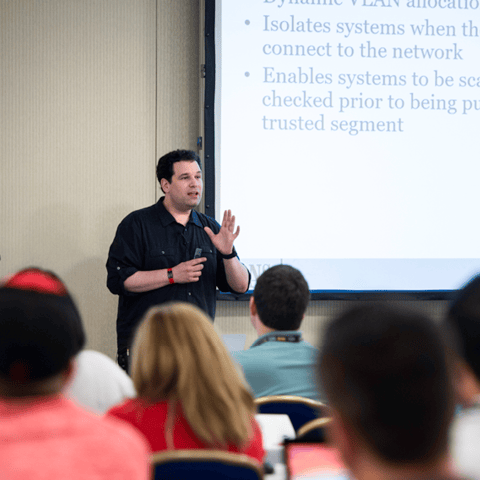
Bryan Simon: Teacher Standing Next to Smartboard and Explaining Concept

Get feedback from the world’s best cybersecurity experts and instructors
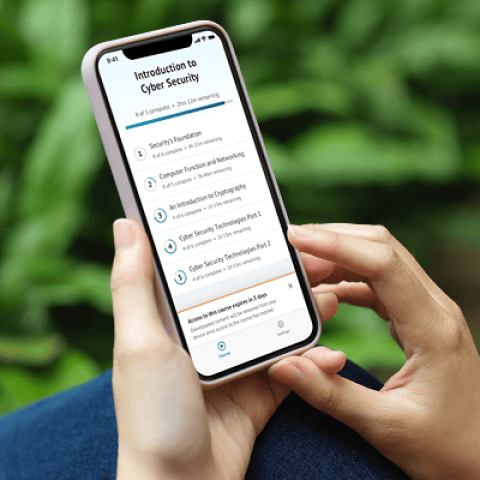
OnDemand Mobile App

Choose how you want to learn - online, on demand, or at our live in-person training events
Close Up of Woman Holding a Pen and Documents

Get access to our range of industry-leading courses and resources