Group Purchasing
Group Purchasing

SEC542: Web App Penetration Testing and Ethical Hacking

SEC542Offensive Operations
  • 6 Days (Instructor-Led)
  • 36 Hours (Self-Paced)
Course authored by:
Eric ConradTimothy McKenzieBojan Zdrnja
Eric Conrad, Timothy McKenzie & Bojan Zdrnja
Course authored by:
Eric ConradTimothy McKenzieBojan Zdrnja
Eric Conrad, Timothy McKenzie & Bojan Zdrnja
  • GIAC Web Application Penetration Tester (GWAPT)
  • 36 CPEs

    Apply your credits to renew your certifications

  • In-Person, Virtual or Self-Paced

    Attend a live, instructor-led class at a location near you or remotely, or train on your time over 4 months

  • Intermediate Skill Level

    Course material is geared for cyber security professionals with hands-on experience

  • 35 Hands-On Lab(s)

    Apply what you learn with hands-on exercises and labs

Build real-world web app offensive skills with a hands-on, repeatable process for finding, exploiting, and clearly proving the vulnerabilities that matter.

Course Overview

If an organization does not properly test and secure its web applications, adversaries can compromise critical systems, steal data, disrupt operations, and trigger regulatory fallout. Many still rely only on vulnerability scanners and assume these tools will reliably uncover real-world flaws.

SEC542 shows you how to move beyond push-button tools and perform focused, high-value web application penetration tests. You will learn a repeatable methodology to assess both Internet-facing and internal business applications that support sensitive workflows and data.

Through hands-on labs, you will practice finding and exploiting vulnerabilities such as SQL injection, XSS, deserialization bugs, SSRF, and file inclusion, then communicate business impact to stakeholders. This course lays a practical foundation in web application security; it will not make you an expert in a week, but it gives you the skills, process, and mindset to keep improving long after class ends.

SEC542 Web App Penetration Testing builds a complete methodology for testing modern web applications. Rather than teaching isolated tricks, the course walks students from reconnaissance and mapping through exploitation and reporting, using the OWASP Web Security Testing Guide as a backbone and a rich set of hands-on labs.

Early sections focus on understanding how the web actually works. Students review HTTP requests and responses, headers, cookies, and HTTP methods, then study how TLS and certificate configuration affect security. Using intercepting proxies such as Burp Suite and OWASP ZAP, they learn to profile targets, enumerate attack surface, and spot configuration weaknesses that scanners and simple browsing often miss.

The course then moves into fuzzing, scanning, and APIs. Students practice input fuzzing with tools like ffuf and proxy-based scanners to discover hidden content and parameter-driven behavior. They work with web APIs, OpenAPI definitions, and tools such as Bruno to understand how API design and authentication create a new attack surface. Along the way, they analyze common authentication mechanisms and identity protocols, including JSON Web Tokens, and see where implementation patterns introduce risk.

Identity and access control weaknesses receive dedicated attention. Students perform username harvesting, blind and non-blind, and tie that work to password spraying and account lockout testing. They explore authentication bypass flaws such as parameter tampering and direct page access, then move into authorization issues, including broken object-level and function-level authorization and both vertical and horizontal privilege escalation. Client-side attacks complement these themes, with coverage of DOM behavior, browser developer tools, DOM-based XSS, and the Browser Exploitation Framework BeEF.

Subsequent sections dive into server-side exploitation. Students investigate prototype pollution and see how manipulating JavaScript inheritance can lead to business logic abuse. They perform error-based SQL injection, blind techniques, and out-of-band database injection, then apply comparable techniques to NoSQL injection. Labs combine Burp Suite, sqlmap, curl, John the Ripper, and CeWL to automate exploitation, steal sensitive data such as credit card numbers, dump hashes, and crack high-value credentials. Command injection labs cover both visible and blind scenarios, using Burp Collaborator, DNS-based exfiltration techniques, and custom Python tools built with the help of ChatGPT.

The course also addresses SSRF and XML External Entity vulnerabilities. Students use fuzzing and error analysis to drive SSRF attacks that lead to database identification and retrieval of selected columns. XXE labs show how misconfigured XML handling can expose local files, retrieve remote content, and execute system commands, reinforcing the importance of secure parser configuration.

Students write Python scripts that use the Requests and httpx libraries to automate common testing tasks, such as inspecting response headers and brute forcing directories. Insecure deserialization labs cover Java deserialization and Python pickling, showing how chained information leakage, file inclusion, and serialization flaws can be combined to read secret files and achieve remote code execution. Server-side template injection is explored through hands-on proof-of-concept work that escalates from simple template output to file access and code execution.

Client-side trust boundaries are reinforced in Cross Site Request Forgery labs, where students create, weaponize, and automate CSRF exploits that change administrative passwords and other settings. Additional exercises focus on file upload handling and web shells, where students bypass upload controls and deploy server-side payloads. A Metasploit Framework lab introduces practical use of msfconsole, exploitation of a WordPress plugin vulnerability, interaction with a PHP Meterpreter payload, and saving looted files from the compromised target.

Finally, SEC542 ties the technical content back to real pentesting work. Students discuss security logging and monitoring failures, examine issues that can lead to logic flaws in web applications, and look at the OWASP Top 10 for LLM applications to understand how large language model components change risk profiles. Business-focused material on penetration testing preparation and post-assessment activities helps students plan and scope engagements, define rules of engagement, communicate with stakeholders, and turn technical findings into clear reports, executive summaries, and debriefs that support follow-up and continuous improvement.

By the end of the course, students have a repeatable process for assessing web applications and a deep catalog of hands-on experience across the vulnerabilities that matter in modern environments. SEC542 is designed to build practical skills rather than offer shortcuts, and it equips students with the mindset and workflow needed to continue sharpening their web application testing abilities long after class finishes.

Author Statement

Students routinely show up to SEC542 having been demoralized by their organization's web application vulnerability scanner. Sitting on the business end of these scanners, students regularly attest to 1,000+ pages of output littered with false positives. One of the most rewarding aspects of teaching SEC542 is seeing and hearing those very same students' enthusiasm for applying the skills they have learned throughout the week to the applications they are responsible for securing. They intrinsically knew the push-button approach to penetration testing was failing them, but lacked the knowledge and skill to ably and efficiently perform any other style of assessment. We are happy to say that SEC542 remedies this problem. Students walk away from class with a deep knowledge of key web application flaws and how to discover and exploit them, as well as how to present these findings in an impactful way.

- Eric Conrad, Timothy McKenzie, and Bojan Zdrnja

What You’ll Learn

  • Apply a structured OWASP-based web app testing methodology
  • Map and probe web apps and APIs with modern tooling
  • Exploit critical flaws, including injection, XSS, CSRF, SSRF, XXE, SSTI
  • Chain smaller issues into remote code execution and data theft
  • Automate testing with Python, Requests/httpx, and custom scripts
  • Use Burp Suite, ZAP, ffuf, sqlmap, BeEF, and Metasploit effectively
  • Assess authentication and access control, including bypass and privilege escalation

Business Takeaways

  • Build a repeatable, defensible web application testing process
  • Go beyond scanners to uncover real, exploitable attack paths
  • Communicate technical findings clearly in business and risk terms
  • Provide developers with focused, actionable remediation guidance
  • Strengthen monitoring by recognizing logging and detection gaps
  • Deliver professional reports, executive summaries, and debriefs for stakeholders
  • Demonstrate how web app security supports overall organizational defense

Course Syllabus

Explore the course syllabus below to view the full range of topics covered in SEC542: Web App Penetration Testing and Ethical Hacking.

Section 1Introduction and Information Gathering

This first section of the web application penetration testing course covers essential techniques such as interception proxies, HTTP basics, information gathering, virtual host discovery, target profiling, HTTPS testing, and content spidering. Labs include configuring Burp Suite and conducting thorough assessments.

Topics covered

  • Web application penetration testing methodologies
  • Interception Proxies
  • HTTP basics: protocols, requests and responses
  • Virtual host discovery, spidering, and target profiling
  • Security testing fundamentals

Labs

  • Setting up Burp Suite for intercepting web traffic
  • Hands-on experience with HTTP basics
  • Techniques to identify additional hosts on a server
  • Analyzing configurations and weak ciphers
  • Using tools to discover and map out web application content

Overview

Successful web application penetration testing requires understanding the attacker’s perspective. This course begins with an in-depth look at foundational web technologies, covering protocols, languages, clients, and server architectures. Special emphasis is placed on DNS reconnaissance techniques, including virtual host discovery and analysis of HTTP response headers, cookie security controls, and HTTP methods.

The course leverages the OWASP Web Security Testing Guide (WSTG) methodology to deliver high-quality assessments. Essential tools in a penetration tester’s toolkit are discussed, with a focus on interception proxies like BurpSuite Professional, Zed Attack Proxy (ZAP) and Caido. Students learn how to configure these tools for intercepting SSL traffic and exploring web applications.

Section one also delves into the intricacies of Secure Sockets Layer (SSL) configurations, highlighting common weaknesses. It guides students through target discovery and profiling using tools like cURL, nmap, and testssl.sh to gather configuration details and perform content discovery via spidering/crawling of web applications. Hands-on labs provide practical experience in reconnaissance to identify potential configuration flaws and build a comprehensive profile of each server.

Full Lab Details

  • Configuring Interception Proxies
    • Configuring Burp Suite License
      • Activating the Burp Suite Professional license
        • Obtaining the license key from the SANS portal
        • Installing and activating the license within Burp Suite on the SEC542 VM
    • Setting Up Firefox to Intercept SSL for Burp, ZAP, and Caido
      • Importing Burp Pro's Root CA Certificate into Firefox and verifying that it's working
      • Importing ZAP's Root CA Certificate into Firefox and verifying that it's working
      • Importing Caido's Root CA Certificate into Firefox and verifying that it's working
    • Setting Up Access to the SANS ChatGPT Educational Workspace
      • Creating a new project in the SANS ChatGPT workspace
      • Configuring the project to help ChatGPT decide to assist with pentesting tasks.
  • Introducing Interception Proxies
    • Objectives:
      • Learn common features of interception proxies (Burp Suite Professional and ZAP)
      • Solve the "Snake Challenge" by hacking the scoring server of a popular game
    • Key Exercises:
      • Configuring and using interception proxies effectively
      • Identifying and manipulating specific parameters within requests and responses to gain an advantage over security mechanisms
    • Tools Showcased: Burp Suite Professional, ZAP, ChatGPT, and WolframAlpha
  • Virtual Host Discovery
    • Lab Overview:
      • Virtual Host Discovery is a key component in finding "hidden" applications on a web server.
      • In network-based assessments, discovering virtual hosts can lead to excellent web application penetration testing results.
      • The lab focuses on using multiple techniques for discovery, including active DNS queries, DNS zone transfer, online DNS databases, and certificate transparency logs.
    • Objectives:
      • Discover names that may be associated with virtual hosts in a target environment
      • Use multiple techniques for discovery (active DNS queries, DNS zone transfer, online DNS databases, and certificate transparency logs)
      • Identify potential web applications or services hosted on the same server as the primary domain
    • Key Exercises:
      • Perform active DNS queries using the dig command to search records with type "ANY" against target domains
      • Attempt a DNS zone transfer for target domains using tools like DNSRecon or Nmap
      • Explore online DNS databases such as crt.sh and dnsdumpster.com to discover any current x.509 certificates associated with target domains
      • Use brute-forcing methods to uncover additional subdomains using tools like dnsrecon.py and Nmap's dns-brute script
      • Analyze Certificate Transparency (CT) logs to identify SSL/TLS-protected virtual hosts
    • Tools Showcased: dig, DNSRecon, Nmap, crt.sh, dnsdumpster.com
  • Gathering Server Information and Testing HTTPS
    • Lab Overview:
      • Gathering server information using Nmap NSE scripts
      • Testing HTTPS configurations and assessing cipher strength
      • Using various tools to analyze website security
    • Objectives:
      • Leverage Nmap NSE scripts for server information gathering
      • Review response headers from within an interception proxy
      • Identify outdated components using the Retire.js plugin
      • Take screenshots of websites using GoWitness
      • Test HTTPS configurations and identify misconfigured certificates, as well as weak protocols and ciphers
    • Key Exercises:
      • Use Nmap to gather server information and test cipher strength
      • Analyze response headers within an interception proxy
      • Identify outdated components using the Retire.js plugin
      • Take screenshots of websites using GoWitness
      • Assess HTTPS configurations and identify weak ciphers
      • Compare the security configurations of multiple websites
    • Tools Showcased: GoWitness, Nmap, Burp Pro, testssl.sh, Retire.js
  • Web Spidering
    • Using wget for web spidering
    • Discovering accessible and linked application entry points with Burp Suite
      • Using Burp Suite's Spider feature to crawl the site
      • Analyzing the output for potential entry points or hidden directories
      • Verifying discovered URLs manually to confirm accessibility
    • Exploring web applications using ZAP
      • Launching ZAP and configuring it as an interception proxy
      • Setting up the site map in ZAP to discover linked application entry points
      • Analyzing traffic patterns and considering potential vulnerabilities
    • Building wordlists from web pages using CeWL

Full Topic Details

  • Why the Web?
    • Web applications are ubiquitous and critical for businesses, but often lack proper security attention; this section explains why understanding their security assessment through penetration testing is essential.
  • Application Assessment Methodologies
    • Learn how to conduct thorough web application assessments with a focus on finding vulnerabilities within defined scope and testing windows.
    • Understand the importance of structured methodologies like the OWASP Web Security Testing Guide (WSTG) for consistent, rigorous, and quality-controlled testing processes.
    • Gain insights into building a comprehensive toolkit for effective web application penetration testing, including attack platforms, scanners, browsers, and interception proxies.
  • Web Application Pen Tester's Toolkit
    • Understand the key components of a web application pen tester’s toolkit, including attack platforms, dynamic web application security scanners, browsers, and interception proxies.
  • Interception Proxies
    • Gain hands-on experience with interception proxies like ZAP and Burp Suite to intercept, inspect, and manipulate HTTP requests and responses.
    • Understand the role of interception proxies in facilitating efficient analysis of web applications, enabling pen testers to identify vulnerabilities that might be overlooked through automated scanning alone.
  • HTTP Syntax and Semantics
    • Understanding HTTP syntax and semantics is crucial for crafting effective web application penetration test requests that can uncover hidden vulnerabilities.
    • Mastery of HTTP request methods such as GET, POST, PUT, DELETE, etc., allows pen testers to identify potential security issues and understand how applications handle different types of data.
    • Knowledge of HTTP headers enables targeted testing for weaknesses related to authentication, content type handling, and more, ensuring a comprehensive assessment of web application security.
  • Information Gathering
    • Learn how to gather critical information about web applications to inform penetration testing efforts, including identifying entry points and potential vulnerabilities.
  • Virtual Host Discovery
    • Identify and enumerate virtual hosts associated with web servers, a crucial step in understanding the infrastructure behind web applications.
  • Target Profiling
    • Target profiling is essential for web application penetration testing as it allows pen testers to gather detailed information about the target system’s configuration and technology stack, enabling them to focus their attacks on specific vulnerabilities.
  • HTTPS and Testing for Weak Ciphers
    • Understanding how to identify and test weak ciphers used in HTTPS communication is crucial for effective web application penetration testing, as it allows for the exploitation of vulnerabilities that could lead to unauthorized access or data interception.
  • Content Discovery—Spidering
    • Content discovery through spidering is vital in web application penetration testing as it enables pen testers to identify and map out all referenced resources within a target application.

Section 2Fuzzing, Scanning, APIs, and Authentication

Section 2 focuses on advanced web application security techniques, including fuzzing for vulnerability detection, information leakage analysis, and using Nuclei and Burp Suite Pro scanners. It also covers forced browsing for content discovery, API exploitation, various authentication methods, and federated identity protocols.

Topics covered

  • Master techniques like fuzzing and information leakage detection
  • Utilize advanced scanning tools like Burp Suite Pro
  • Use forced browsing to find unlinked content
  • Identify and exploit API vulnerabilities using tools like Bruno
  • Federated Identity and Access Protocols

Labs

  • Gain experience with fuzzing techniques
  • Explore configuration options for dynamic vulnerability scanning
  • Learn how forced browsing complements crawling/spidering
  • Interact directly with APIs using Bruno/OpenAPI
  • Explore Flask session cookies and JSON Web Tokens (JWT)

Overview

In this section of the SEC542 Web App Penetration Testing course, students dive into fuzzing, API testing, vulnerability scanning, and major web authentication methods. They are introduced to Burp Suite Professional Scanner and learn how its scanning capabilities help identify real-world vulnerabilities in web applications.

The section opens with fuzzing as a core technique used by both automated scanners and human testers. The instructor demonstrates multiple fuzzing techniques using tools such as the Nuclei Vulnerability Scanner and Burp Suite Pro Scanner, showing how systematically exercising all inputs in a web application uncovers flaws that simple browsing will miss. Students also examine information leakage issues and how leaked data can accelerate the exploitation of other vulnerabilities. They learn the importance of wordlists in contextual scanning, and how carefully chosen, context-specific wordlists can reveal previously undiscovered content and functionality through forced browsing.

Next, the course turns to APIs and their central role in modern web applications. Students explore different approaches to API testing, including hands-on Bruno and OpenAPI labs, and practice identifying and exploiting vulnerabilities within API endpoints. The instructor then surveys key authentication mechanisms such as Basic, Digest, Integrated Windows, and Forms-based authentication, as well as federated identity and access protocols such as SAML, OAuth, and OpenID Connect. The focus is on how these mechanisms work in practice and where common implementation patterns create an attack surface and potential attack vectors, preparing students to recognize weaknesses.

Throughout the section, students work through multiple labs focused on practical skills: fuzzing inputs, running vulnerability scans, performing content discovery through forced browsing, and attacking JSON Web Tokens as a concrete example of authentication-related weaknesses. By the end, they will have gained hands-on experience with fuzzing techniques, vulnerability identification, content discovery, and modern authentication mechanisms and attack surface, providing a solid foundation for deeper web application security testing and penetration methodologies in later sections.

Full Lab Details

  • Intro to Fuzzing
    • Objectives:
      • Gain experience with Burp Intruder
      • Understand Intruder positions and payload
      • Use Burp to attack the password input of an authentication form
    • Key Exercises:
      • Seed Burp with a failed login attempt
      • Use Burp Intruder to fuzz the password field
      • Analyze results and verify successful requests
  • Vulnerability Scanning
    • Objectives:
      • Explore configuration options for Burp Pro’s dynamic scanner
      • Identify vulnerabilities in a web application using Burp Suite
    • Key Exercises:
      • Configure and run a vulnerability scan on a target application
      • Review and analyze the results of the scan to identify potential issues
    • Tools Showcased: Burp Suite Pro
  • ffuf Forced Browse
    • Objectives:
      • Build upon hosts found via DNS brute forcing
      • Discover unlinked content in applications
      • Gain hands-on experience with ffuf
      • Understand how forced browsing complements crawling/spidering
    • Key Exercises:
      • Use ffuf to fuzz URLs and discover hidden content on a target application
      • Analyze the results of the forced browse to identify new entry points or sensitive information
    • Tools Showcased: ffuf
  • Bruno/OpenAPI
    • Objectives:
      • Gain experience interacting directly with APIs
      • Work with Bruno
      • Use ffuf for API-focused fuzzing
      • Utilize Burp Suite Pro for web application security testing
    • Key Exercises:
      • Import an OpenAPI definition into Bruno
      • Perform brute force fuzzing against an API endpoint to discover hidden functionality or vulnerabilities using ffuf
      • Integrate and use Burp Suite Pro for additional web application security testing tasks
    • Tools Showcased: Bruno, ffuf, Burp Suite Pro
  • Flask Session Cookies
    • Objectives:
      • Explore the technical details of Flask session cookies
      • Use flask-unsign to forge a new session cookie with an enhanced role
    • Key Exercises:
      • Forge a Flask session cookie with an owner role using flask-unsign
      • Utilize the forged session cookie to access restricted areas of a web application
    • Tools Showcased: flask-unsign, Burp Suite Pro
  • Attacking JSON Web Tokens
    • Objectives:
      • Explore the technical details of JSON Web Tokens (JWT)
      • Crack a JWT and recover the signing key using Burp Suite Pro
      • Use Burp Suite Pro’s JWT editor to forge a new JWT with an enhanced role
    • Key Exercises:
      • Utilize Burp Suite Pro to analyze, and John-the-Ripper (JtR) to crack, a sample JWT
      • Forge a new JWT with an owner role using Burp Suite Pro’s JWT editor
    • Tools Showcased: Burp Suite Pro, JWT Editor, John-the-Ripper (JtR)

Full Topic Details

  • Fuzzing
    • Students will master the technique of inputting unexpected data into web applications to identify hidden vulnerabilities, learning how to analyze unusual application behavior that could indicate security flaws.
  • Information Leakage
    • Through this module, students will understand how to detect unintended exposures of sensitive information within web applications, gaining insights into potential security risks and learning strategies for uncovering hidden details that inform attack planning.
  • Nuclei Vulnerability Scanner
    • Students will learn how to efficiently scan multiple targets using customizable templates with the Nuclei scanner, enhancing their ability to identify vulnerabilities across various web applications quickly and accurately.
  • Burp Suite Pro Scanner
    • In this module, students will gain comprehensive knowledge of using the Burp Suite Pro Scanner for web application penetration testing, learning active and passive scanning techniques that provide detailed security insights through automated analysis and reporting.
  • Content Discovery—Forced Browsing
    • Master directory brute-forcing and parameter fuzzing to uncover hidden endpoints that developers never intended to expose, dramatically expanding the attack surface during real engagements.
  • APIs
    • Students learn to identify and exploit vulnerabilities within APIs using tools like Bruno, enabling them to manipulate backend systems and extract sensitive data.
    • Explore a comprehensive range of web services and APIs, including RESTful and SOAP interfaces, GraphQL queries, and OpenAPI specifications.
    • Through hands-on labs, students discover how to bypass authentication mechanisms in APIs, allowing them to access restricted functionality and uncover hidden capabilities.
  • Authentication
    • Students review the intricacies of HTTP Basic, Digest, Integrated Windows, and Form-based authentication.
  • Federated Identity and Access Protocols
    • Learn how federated identity management mechanisms, such as OAuth, OpenID Connect, and SAML, function within modern applications.
    • Students master the intricacies of token-based authentication methods, including JSON Web Tokens (JWT), which are widely adopted in modern web applications for session management and access control.

Section 3Identity, AuthN/AuthZ Bypass, and Client-Side Attacks

This section moves from username harvesting and blind password spraying through session management and authentication and authorization bypass, then into stored, reflected, and DOM-based XSS, payload construction, data exfiltration, and browser exploitation using tools such as Burp Suite, ffuf, DOM Invader, and BeEF.

Topics covered

  • Username Harvesting
  • Session management and token randomness analysis
  • Authentication and authorization bypass
  • Cross-Site Scripting overview and impacts
  • Client-side testing, DOM, AJAX, browser developer tools

Labs

  • Use ffuf to test for valid usernames
  • Perform blind username harvesting and password spraying
  • Use Burp Sequencer to analyze session tokens
  • Enumerate accounts and exploit authentication bypass
  • Discover and exploit stored, reflected, and DOM-based XSS

Overview

This section brings together a full set of labs that walk participants from initial username discovery through advanced client-side exploitation. The labs start with username harvesting, where participants interact with authentication mechanisms and learn to spot cues that reveal valid accounts. Using ZAP and ffuf, they fuzz first initials and last names to build candidate username lists, then use programmatic methods to distinguish legitimate users when differences in HTML responses are visible.

The next lab introduces blind username harvesting and password spraying. Participants refine their techniques for discerning valid usernames even when HTML responses do not differ in obvious ways. They then use Burp Suite Pro to perform password spraying with common passwords and to test for account lockout, reinforcing the connection between username harvesting and later authentication attacks.

Session management is explored through focused work with Burp Suite’s Sequencer tool. Participants analyze session token randomness for an application using strong session identifiers and then compare those results to a simulated set of weak session tokens. Along the way, they review session tamper protection controls and test logout and expiration behavior, seeing how predictable or poorly invalidated tokens can enable unauthorized access.

Authentication and authorization bypass topics build on this foundation. Participants examine flaws such as parameter tampering, direct page access, SQL injection, and session fixation, then turn to authorization weaknesses, including Broken Object Level Authorization and Broken Function Level Authorization. Using Burp Suite, they enumerate valid user accounts with Burp Intruder, determine the uid of a student account, infer another user’s uid from HTTP History, and use Grep Extract to pull usernames from responses, illustrating both vertical and horizontal privilege escalation paths.

The labs then shift to client-side attacks. A set of exercises on stored and reflected Cross Site Scripting introduces a practical methodology for discovering XSS and building proof-of-concept payloads. Participants demonstrate the impact of a stored XSS vulnerability in the Order Lookup flow of the lab target at https://restaurant.sec542.net and use JavaScript to produce specific deliverables for an educational prompt related to credential re-authentication. Additional work on XSS payload construction and delivery shows how XSS can be used to exfiltrate sensitive data by constructing keystroke-capturing payloads with ChatGPT and sending captured data to an out-of-band interaction endpoint such as Burp Collaborator. Participants deliver, and test reflected XSS payloads, analyze the reach and persistence of stored XSS in the Order Lookup feature, and design credential theft style prompts with ChatGPT, using Burp Suite, Collaborator, Python, and ChatGPT as supporting tools.

Finally, the focus moves to DOM-based XSS and browser exploitation. Participants study pure, reflected, and stored DOM XSS variants, craft payloads that use elements such as URL fragments and reflected JSON for client-side injection, and rely on browser developer tools and PortSwigger’s DOM Invader to trace sources, sinks, and execution paths. After testing these payloads in the browser context, they transition to the Browser Exploitation Framework BeEF, explore different XSS payloads, and see how BeEF can redirect browsers, steal credentials, and trigger alerts, tying together the overall impact of client-side vulnerabilities.

Full Lab Details

  • Username Harvesting
    • Objectives:
      • Understand username harvesting techniques
      • Use programmatic methods to discern legitimate users
      • Discern valid usernames when differences are observable in HTML responses
      • Explore advanced features of ffuf
    • Key Exercises:
      • Fuzz first initials and last names to discover potentially valid usernames using ffuf
    • Tools Showcased: ZAP, ffuf
  • Blind Username Harvesting and Password Spraying
    • Objectives:
      • Understand blind username harvesting techniques
      • Use programmatic methods to discern legitimate users
      • Discern valid usernames when differences are not observable in HTML responses
    • Key Exercises:
      • Perform blind username harvesting
      • Perform password spraying using Burp Suite Pro and common passwords
      • Test for account lockout
    • Tools Showcased: Burp Suite Pro
  • Burp Sequencer: Analyzing Session Tokens
    • Objectives:
      • Work with Burp’s Sequencer function
      • Review analysis results from an application using strong session tokens
      • Review analysis results from a simulation of collecting weak session tokens
    • Key Exercises:
      • Use the Burp Sequencer to analyze the randomness of session token values collected from PHPBB
      • Generate a set of insecure session tokens and analyze them with the Sequencer tool
    • Tools Showcased: Burp Suite Sequencer
  • Authentication Bypass
    • Objectives:
      • Exploit authentication bypass in an application.
      • Use Burp Intruder to enumerate all valid user accounts.
    • Key Exercises:
      • Determine the uid of the student account and infer the uid of dadams using HTTP History in Burp.
      • Use Burp's Grep - Extract to extract usernames from responses.
    • Tools Showcased: Burp Suite
  • Stored and Reflected XSS
    • Objectives:
      • Understand the differences between Reflected and Stored Cross Site Scripting.
      • Learn how to discover XSS and build a proof-of-concept payload.
      • Explore building payloads with ChatGPT to demonstrate the impact of XSS.
    • Key Exercises:
      • Demonstrate the impact of a Stored XSS in the Order Lookup flow of the lab target (https://restaurant.sec542.net).
      • Use JavaScript to produce specific deliverables for an educational prompt related to credential re-authentication.
    • Tools Showcased: Burp Suite
  • XSS Payload Construction and Delivery
    • Objectives:
      • Understand how Cross-Site Scripting (XSS) can be used to exfiltrate sensitive data.
      • Learn how to construct a JavaScript payload that captures keystrokes and sends them securely to an out-of-band interaction server.
      • Practice creating and delivering XSS payloads in a controlled lab environment.
    • Key Exercises:
      • Deliver and test Reflected XSS payloads.
      • Construct a basic XSS payload using ChatGPT that captures keystrokes and sends the data to an out-of-band interaction endpoint such as Burp Collaborator.
      • Analyze the impact of a stored XSS vulnerability in an Order Lookup feature, focusing on reach, persistence, and potential data exposure.
      • Design an educational proof of concept for a credential theft prompt using ChatGPT.
    • Tools Showcased: Burp Suite, Collaborator, Python, ChatGPT
  • DOM-Based XSS
    • Objectives:
      • Understand client-side mechanisms of DOM-based XSS.
      • Differentiate between pure, stored, and reflected DOM-XSS variants through hands-on exercises.
      • Craft payloads for each type of DOM-XSS, such as using URL fragments for pure XSS or reflected JSON for client-side injection.
      • Learn to use browser-based tools like Developer Tools and DOM Invader to discover DOM-XSS vulnerabilities.
    • Key Exercises:
      • Use the browser’s developer tools and Portswigger’s DOM Invader to analyze source and sink locations, then debug JavaScript to discover DOM-XSS vulnerabilities.
      • Test the crafted payload by triggering its execution within the browser context.
    • Tools Showcased: Burp Suite, DOM Invader, Browser Developer Tools
  • BeEF
    • Objectives:
      • Become familiar with BeEF and its zombie-controlling awesomeness
      • Explore various XSS payloads to cause a variety of impacts
      • Learn how to redirect browsers, steal credentials, and trigger alerts using BeEF
    • Tools Showcased: Browser Exploitation Framework (BeEF)

Full Topic Details

  • Username Harvesting
    • Students learn to identify valid usernames through targeted interactions with web application authentication mechanisms, uncovering potential entry points for further exploitation.
    • By leveraging username harvesting techniques, students can develop a comprehensive list of candidate usernames, significantly enhancing the efficiency and effectiveness of subsequent password-guessing attacks.
  • Session Management
    • Students learn to identify predictable session identifiers and review tamper protection controls.
    • Explore how to test session expiration and logout mechanisms, ensuring that web applications properly invalidate session IDs when users log out or the session times out.
    • Through hands-on exercises with Burp Suite’s Sequencer tool, students analyze session token predictability, identifying vulnerabilities in session management that could lead to unauthorized access and session hijacking.
  • Authentication and Authorization Bypass
    • This topic examines authentication bypass flaws, including parameter tampering, direct page access, SQL injection, and session fixation.
    • It then moves into authorization weaknesses such as Broken Object Level Authorization and Broken Function Level Authorization, along with both vertical and horizontal privilege escalation scenarios.
  • DOM
    • Brief introduction to the Document Object Model (DOM) and the Same Origin Policy.
  • Web Developer Tools
    • Overview of built-in browser developer tools.
    • Introduction to using PortSwigger’s DOM Invader to inspect and manipulate client-side behavior.
  • DOM / Client-Side / AJAX
    • Exploration of how JavaScript can modify the DOM in the browser.
    • Review of example Asynchronous JavaScript and XML (AJAX) interactions.
    • Discussion of Cross-Origin Resource Sharing (CORS) and its impact on client-side security.
  • XSS
    • Explanation of what Cross-Site Scripting (XSS) is and a practical methodology for discovering it.
    • Coverage of the main categories of XSS, with a focus on reflected and stored variants.
    • Hands-on exploitation of reflected and stored XSS in the associated lab.
  • DOM-Based XSS
    • Introduction to pure DOM-based XSS and how it appears in client-side logic.
    • Examination of reflected DOM-XSS and stored DOM-XSS as important subcategories.
    • Labs where students identify and exploit cases where JavaScript writes user-controlled data into the DOM and triggers script execution.
  • The Browser Exploitation Framework
    • Use of the Browser Exploitation Framework (BeEF) to execute payloads in hooked browsers.
    • Demonstration of how XSS can be leveraged to gain control over victim browsers in real web applications.

Section 4Prototype Pollution, Database and Command Injection, SSRF, and XXE

Students progress from prototype pollution and database injection (SQL and NoSQL) through command injection, SSRF, and XML external entities, learning to move from input-level flaws to full data access and system impact using tools like Burp Suite and sqlmap.

Topics covered

  • Prototype pollution and abuse of JavaScript's inheritance model
  • SQL and NoSQL injection techniques, categories, and impact
  • Database injection tooling and automation with Burp Suite
  • Command injection and Collaborator-based probing
  • SSRF and XXE attacks

Labs

  • Use Burp to find and exploit prototype pollution
  • Manually discover and exploit error-based SQLi and NoSQLi
  • Combine sqlmap and Burp Suite to exploit SQLi
  • Perform inline and blind command injection, use Burp Collaborator
  • Identify and exploit SSRF and XXE exploring deep impact exploits

Overview

This section immerses students in a series of labs that move from client-side abuse to deep server-side compromise, with a strong focus on real-world data and control impact. It begins with prototype pollution, where students exploit vulnerabilities in JavaScript’s inheritance model to inject malicious properties into objects. Using Burp Suite’s scanner to crawl and audit, they gain hands-on experience manipulating application behavior and even use protocol pollution to submit an approved vacation leave request, illustrating how subtle client-side flaws can drive serious business logic issues.

The focus then shifts to database injection across both SQL and NoSQL technologies. In the error-based SQL injection lab, students manually discover SQL injection flaws, elicit database error messages, and refine their syntax to avoid errors while still achieving data exfiltration, with and without SQL comments. The NoSQL injection lab extends these skills to modern data stores as students identify NoSQL injection vulnerabilities, determine proper NoSQL syntax, and enumerate all entries in a NoSQL database using Burp Suite to support the workflow. Building on this foundation, a combined sqlmap and Burp lab shows how to bypass client-side JavaScript, use Burp’s Active Scanner, and drive automated exploitation with sqlmap. Students manually exploit a SQL injection flaw, steal credit card numbers, dump user-defined hashes, and crack the password of a user with an owner role using John the Ripper, while also leveraging curl and CeWL. Throughout the database injection modules, students learn to use error messages for non-blind SQL injection, apply indirect techniques for blind SQL injection, and explore error based, union based, blind, and out of band database injection categories. They tie this to concrete impact by examining how database injection affects data integrity and confidentiality and how it can be extended to system level command execution and full system compromise, with sqlmap and Burp Suite as primary tooling.

Command injection is addressed in a dedicated sequence of labs and topics. Students practice identifying and exploiting non blind command injection by injecting commands that produce visible output or errors, and they learn to detect blind command injection using techniques such as ping and DNS queries. Burp Collaborator is used to detect blind command injection and exfiltrate data by triggering network requests to collaborator-controlled endpoints. Students also learn to leverage command line symbols such as semicolons and pipes to inject multiple commands on the target system. A lab on command injection combines Burp Suite, Collaborator, Python, and ChatGPT, where students perform command injection against web applications, use Burp features for reconnaissance and exploitation, and build a DNS exfiltration tool with the help of ChatGPT.

The section continues with server-side request forgery and XML external entities. In the SSRF material, students learn to identify and exploit SSRF vulnerabilities by manipulating input parameters that control server-side requests. They see the impact of SSRF in cloud environments where internal resources can be accessed through metadata endpoints and service APIs. Finally, the XXE content and lab give students hands-on experience with XML external entity vulnerabilities, showing how improper XML handling allows reading variables and local files, fetching and displaying remote content, and executing system commands. They learn techniques that include retrieving local files and performing remote code execution via PHP’s expect:// module and differentiate between blind and non-blind XXE attacks, understanding how to infer information or trigger actions even without direct feedback.

Full Lab Details

  • Prototype Pollution
    • Objectives:
      • Gain hands-on experience with Prototype Pollution
      • Use Burp's scanner to crawl and audit
      • Use protocol pollution to send an approved vacation leave request.
    • Tools Showcased: Burp Suite
  • Error-Based SQLi
    • Objectives:
      • Get hands-on experience with SQL injection flaws and attacks
      • Manually discover SQLi flaws
      • Elicit DB error messages
      • Determine proper syntax to avoid errors
      • Perform Data exfiltration both with and without employing SQL comments
    • Key Exercises:
      • Discovering SQL Injection vulnerabilities in a web application
      • Exploiting SQL injection to retrieve data
  • NoSQLi
    • Objectives:
      • Get hands-on experience with NoSQL injection flaws and attacks
      • Manually discover NoSQLi flaws
      • Determine proper NoSQLi syntax
      • Enumerate all entries in a NoSQL database
    • Key Exercises:
      • Discovering NoSQL Injection vulnerabilities in a web application
      • Exploiting NoSQL databases for data retrieval and manipulation
    • Tools Showcased: Burp Suite
  • sqlmap + Burp
    • Objectives:
      • Bypass client-side JavaScript
      • Leverage sqlmap and Burp together to exploit a SQLi flaw
      • Use Burp's Active Scanner
      • Manually exploit a SQL injection flaw
      • Steal credit card numbers via SQL injection
      • Dump user-defined hashes via SQL injection
      • Crack the password of a user with an owner role with john
      • Gain understanding of many sqlmap capabilities
    • Key Exercises:
      • Using sqlmap and Burp Suite to identify and exploit SQL Injection vulnerabilities
      • Leveraging tools like curl, john, and CeWL for further exploitation and cracking
    • Tools Showcased: sqlmap, Burp Suite, curl, John the Ripper, and CeWL
  • Command Injection
    • Objectives:
      • Become familiar with inline (visible) and blind command injection attacks
      • Use Burp Collaborator to perform blind command injection
      • Use Burp Collaborator to exfiltrate data
      • Gain experience using ChatGPT to build advanced attack payloads
    • Key Exercises:
      • Performing command injection attacks on web applications
      • Utilizing Burp Suite's features for reconnaissance and exploitation
      • Build a DNS Exfiltration tool using ChatGPT
    • Tools Showcased: Burp Suite, Collaborator, Python, and ChatGPT
  • Server-Side Request Forgery (SSRF)
    • Objectives:
      • Get familiar with following attack techniques: SSRF, Fuzzing, Analysis of error codes, Authorization bypass, Injection
      • Chain multiple vulnerabilities to identify the database and fetch contents of the owner column from the owners table
    • Key Exercises:
      • Identifying and exploiting Server-Side Request Forgery (SSRF) vulnerabilities in web applications
      • Leveraging fuzzing techniques for reconnaissance and vulnerability discovery
    • Tools Showcased: Burp Suite, curl, sqlmap
  • XML External Entities (XXE)
    • Objectives
      • Gain hands-on experience with XXE (XML external entities)
      • Leverage XXE flaws to read variables and local files, fetch and display remote content, and execute system commands.
    • Tools Showcased: Burp Suite, curl

Full Topic Details

  • Prototype Pollution
    • Students learn to exploit prototype pollution vulnerabilities, manipulating JavaScript’s inheritance model to inject malicious properties into objects, potentially leading to unexpected behavior and security breaches in web applications
  • Database Injection
    • Students master techniques to identify and exploit SQL injection vulnerabilities by injecting malicious SQL code into web applications.
    • They understand the importance of input validation and parameterized queries in preventing SQL injection attacks.
    • They discover how to leverage specific database commands and functions in NoSQL environments.
  • Database Injection Categories
    • They discover how to use error messages from the database to identify non-blind SQL injection vulnerabilities.
    • Students explore indirect methods to infer database information through blind SQL injection when no errors are returned.
    • Students examine categories of database injection such as error-based, union-based, and blind SQL injection and compare their characteristics.
    • They learn out-of-band techniques for database injection that can bypass traditional input validation mechanisms.
  • Database Injection Impact
    • They understand the impact of database injection on an organization’s data integrity and confidentiality.
    • Students explore alternative impact demonstrations that lead to further exploitation opportunities.
    • They learn how database injection can be used to execute system-level commands within the database, potentially leading to full system compromise.
  • Database Injection Tools
    • Students gain hands-on experience with tools like sqlmap and Burp Suite to automate the process of identifying and exploiting database vulnerabilities.
  • Command Injection
    • Students learn to identify and exploit non-blind command injection vulnerabilities by injecting commands that produce visible output or errors.
    • They master techniques for detecting blind command injection using tools like ping and DNS queries to observe system interactions with remote systems.
    • Students explore methods to use Burp Collaborator to detect blind command injection by triggering network requests to collaborator-controlled endpoints.
    • They understand how to leverage command line symbols (e.g., semicolons, pipes) to inject and execute multiple commands on the target system
  • Server-Side Request Forgery
    • Students learn to identify and exploit Server-Side Request Forgery (SSRF) vulnerabilities by manipulating input parameters to control server-side requests.
    • They explore the impact of SSRF attacks in cloud environments, where internal resources can be accessed through metadata endpoints and service APIs.
    • Students discover various exploitation options beyond data retrieval.
  • XML External Entities
    • Students learn to identify XML External Entity (XXE) vulnerabilities by analyzing web applications for improper handling of XML.
    • They master techniques to exploit XXE vulnerabilities, such as retrieving local files and performing remote code execution via PHP’s expect:// module.
    • Students differentiate between blind and non-blind XXE attacks, understanding how to infer information or trigger actions without direct feedback in blind scenarios.

Section 5CSRF, Serialization, SSTI, and Advanced Tools

This section advances from insecure deserialization, file inclusion, Python automation, SSTI, CSRF, and file upload exploitation to Metasploit-driven post-exploitation and the business side of penetration testing, tying technical attacks to logging, logic flaws, LLM risk, and reporting.

Topics covered

  • File inclusion and insecure deserialization
  • Python scripting and pickling for automating web app testing
  • Server-side template injection
  • Security logging and monitoring failures
  • Metasploit Framework usage

Labs

  • Chain Java deserialization, information leakage, and file inclusion
  • Write Python scripts using Requests and httpx
  • Find vulnerabilities, discover new API paths, and achieve remote code execution
  • Discover and exploit SSTI and CSRF by auditing with Burp or ZAP
  • Explore file upload to deploy a web shell for remote code execution

Overview

This section brings together advanced web application exploitation techniques with practical scripting and real-world consulting skills. Students begin by investigating an insecure Java deserialization vulnerability. Using Burp Suite and curl, they identify an information leakage issue that exposes local paths, then exploit the Java deserialization flaw with ysomap to steal a secret file. They complete the chain by abusing a file inclusion vulnerability, leaked through the earlier information disclosure, to read the file’s contents. Along the way, they see how insecure deserialization and file inclusion expose sensitive files such as configuration data and source code and how both Local and Remote File Inclusion can lead to remote code execution with the webserver’s privileges.

The section then reinforces automation skills through Python. Students write simple but powerful scripts using the Requests and httpx libraries, reading HTTP response headers and writing them to standard out, and building a basic directory brute forcing script. This supports the broader goal of using Python scripting to automate web application penetration testing, improving efficiency and accuracy in vulnerability discovery. A dedicated Python Pickling lab extends the deserialization theme: students use Burp Suite Professional to analyze an application, scan for vulnerabilities, and review an OpenAPI definition to identify new API paths. They upload and manipulate pickled objects to achieve remote code execution, learning how manipulating serialized data can expose hidden entry points and demonstrate the severe risks of unsecured serialization processes, with Python and Visual Studio Code supporting their workflow.

Server-side template injection is addressed through a focused SSTI lab. Students use Burp’s scanner to audit the website, discover SSTI, and build a proof-of-concept payload. They then demonstrate the impact by accessing the contents of a file on the web server and obtaining remote code execution, directly reflecting the broader topic coverage of server-side template injection and its potential for local file access and code execution.

Cross-Site Request Forgery is tackled through a hands-on CSRF lab using ZAP Proxy. Students gain practical experience with CSRF attacks as they create and execute proof-of-concept code, weaponize a CSRF exploit to change an administrator’s password, and automate exploitation with JavaScript that submits the form for the victim. This ties into the conceptual treatment of CSRF, where they learn techniques to discover CSRF and see how exploitation allows unauthorized actions on behalf of authenticated users, such as transferring funds or modifying settings.

Additional labs and topics expand the view of post-exploitation and professional practice. A file upload and web shell lab has students explore file upload functionality, upload a proof-of-concept payload while circumventing basic controls, and finally upload a web shell to achieve remote code execution using Burp Suite. A Metasploit lab gives hands-on experience with the Metasploit Framework: students navigate msfconsole, exploit a WordPress plugin vulnerability, work with a PHP Meterpreter payload, and save looted files from the compromised target, complementing a high-level module on using Metasploit to demonstrate the impact of public exploits in web applications. Rounding out the section, students consider security logging and monitoring failures, examine issues that lead to logic flaws, learn which items from the OWASP Top 10 for LLM applications matter for web testing, and develop business skills for penetration testing by planning and scoping engagements and turning technical results into impactful reports, executive summaries, and debriefs that support follow-up and continuous improvement.

Full Lab Details

  • Insecure Deserialization
    • Objectives:
      • Investigate a Java Deserialization vulnerability.
      • Identify an information leakage vulnerability in the same application that leaks local paths.
      • Exploit the identified Java Deserialization vulnerability with ysomap to steal a secret file stored in /secret.txt.
      • Read contents of the file by exploiting a file inclusion vulnerability leaked through the previously identified information leakage vulnerability.
    • Key Exercises:
      • Use Burp Suite and cURL to exploit the identified vulnerabilities.
      • Chain all found vulnerabilities to retrieve the contents of a secret file.
    • Tools Showcased: ysomap, curl, Burp Suite
  • Python
    • Objectives:
      • Write simple but powerful Python scripts that use the Requests and httpx libraries.
      • Use Python to read HTTP Response headers and write them to standard out.
      • Write a simple directory brute forcing script.
    • Tools Showcased: Python
  • Python Pickling
    • Objectives:
      • Identify and exploit vulnerabilities through manual inspection and automated scanning.
      • Understand how to use OpenAPI definitions for API exploration.
      • Execute proof-of-concept attacks using Python scripts and HTTP requests.
    • Key Exercises:
      • Use Burp Pro to analyze an application and scan for vulnerabilities.
      • Analyze the OpenAPI definition to identify new API paths.
      • Upload and manipulate pickled objects to achieve remote code execution.
    • Tools Showcased: Burp Suite Professional, Python, Visual Studio Code
  • Server-Side Template Injection (SSTI)
    • Objectives:
      • Gain hands-on experience with Server-Side Template Injection (SSTI)
      • Use Burp's scanner to audit the website
      • Discover and exploit SSTI
    • Key Exercises:
      • Build an SSTI proof-of-concept
      • Demonstrate impact of SSTI through accessing the contents of a file on the web server and by obtaining remote code execution.
    • Tools Showcased: Burp Suite
  • Cross-Site Request Forgery (CSRF)
    • Objectives:
      • Gain hands-on experience with Cross-Site Request Forgery (CSRF) attacks
      • Create and execute a PoC code for a CSRF vulnerability
      • Weaponize the CSRF exploit to change admin's password
      • Automate the exploitation using JavaScript to submit the form for the victim
    • Tools Showcased: ZAP Proxy
  • File Upload and Web Shell
    • Objectives:
      • Explore the file upload function in a web application
      • Upload a proof of concept (PoC) payload and circumvent basic file upload controls
      • Upload a web shell to the web server and achieve remote code execution
    • Tools Showcased: Burp Suite
  • Metasploit Lab
    • Objectives:
      • Gain hands-on experience with Metasploit Framework for application testing
      • Learn to navigate msfconsole and use Metasploit to exploit a Wordpress plugin vulnerability
      • Work with the PHP Meterpreter payload
    • Key Exercises:
      • Search for and exploit a matching Wordpress plugin vulnerability using Metasploit
      • Save looted files from the compromised target
    • Tools Showcased: Metasploit Framework

Full Topic Details

  • File Inclusion
    • Discover Local and Remote File Inclusion (LFI/RFI) vulnerabilities and see how they expose sensitive files such as configuration data and source code, revealing core application weaknesses.
    • Explore how both LFI and RFI can lead to remote code execution, potentially granting full control over the target system with the webserver’s privileges.
  • Testing for Insecure Deserialization
    • Uncover insecure deserialization vulnerabilities by testing how serialized data is handled, revealing potential entry points for attackers.
    • Discover how deserialization flaws can allow attackers to manipulate data or achieve remote code execution.
  • Python for Web App Pen Testers
    • Students explore Python scripting to automate web application penetration testing, enhancing efficiency and accuracy in vulnerability discovery and providing a powerful toolkit for advanced web app security assessments.
  • Python Pickling
    • Learn to identify insecure deserialization vulnerabilities by manipulating pickled objects and uncover hidden entry points for attackers.
    • Master the impact of data manipulation through Python pickling to achieve remote code execution, demonstrating the severe risks of unsecured serialization processes.
  • Server-Side Template Injection
    • Discover server-side template injection vulnerabilities and learn how to demonstrate impact through local file access and remote code execution.
  • Cross-Site Request Forgery
    • Master the techniques to discover Cross-Site Request Forgery (CSRF).
    • See how exploiting CSRF flaws allows unauthorized actions on behalf of authenticated users, such as transferring funds or modifying settings.
  • Security Logging and Monitoring Failures
    • Students consider the goals of logging and monitoring web applications and explore the components of application security observation.
  • Logic Flaws
    • A brief inspection of the kinds of issues that can lead to logic flaws within web applications.
  • OWASP Top 10 for LLM Applications
    • Students will learn which of the LLM Top 10 are applicable to web application penetration testing and explore considerations when an LLM is coupled with an application.
  • Metasploit Penetration Testing Framework
    • This module is a brief, high-level overview of how Metasploit can be effective at demonstrating the impact of public exploits in web applications.
  • Business of Penetration Testing: Preparation
    • Students learn to plan and scope engagements with detailed schedules, clear scope documents, rules of engagement, and communication plans that align expectations and authorized actions with stakeholders.
  • Business of Penetration Testing: Post Assessment
    • Students practice turning technical results into impactful reports and executive summaries, delivering effective debriefs for different audiences and supporting follow-up and continuous monitoring for long-term security improvements.

Section 6Capture the Flag

During section six, students compete in teams in the ranges.io platform, a powered web application penetration testing tournament. This Capture-the-Flag exercise lets them wield new or sharpened skills to answer questions, complete missions, exfiltrate data, and tackle progressive challenges with hints that support all skill levels and reinforce learning.

Things You Need To Know

Important! Bring your own system configured according to these instructions.

A properly configured system is required to fully participate in this course. If you do not carefully read and follow these instructions, you will likely leave the class unsatisfied because you will not be able to participate in hands-on exercises that are essential to this course. Therefore, we strongly urge you to arrive with a system that meets all the requirements specified for the course.

It is critical that you back up your system before class. It is also strongly advised that you do not bring a system storing any sensitive data.

Baseline Hardware Requirements

  • CPU: 64-bit Intel i5/i7 2.0+ GHz processor (CANNOT BE ARM-based M* MacBooks)
  • BIOS: Enabled "Intel-VT"
  • USB: 3.0 Type-A Port
  • RAM: 16GB RAM
  • Hard Drive Free Space: 130 GB Free Space
  • Operating System: Latest version of Windows 10, Windows11, macOS 10.15.x or later, or Linux that can also install and run VMware virtualization products described below.
  • Note: Apple systems using the M* processors cannot perform the necessary virtualization at this time and cannot be used for this course.

Additional Hardware Requirements

The requirements below are in addition to the baseline requirements provided above. Prior to the start of class, you must install virtualization software and meet additional hardware and software requirements as described below. If you do not carefully read and follow these instructions, you will leave the class unsatisfied because you will not be able to participate in hands-on exercises that are essential to this course.

Network, Wireless Connection: A wireless 82.11 B, G, N, or AC network adapter is required.

Additional Software Requirements

  • Download and install either VMware Workstation or Fusion version 25H2 or higher versions before class.
  • Other virtualization software, such as VirtualBox and Hyper-V, are not appropriate because of compatibility and troubleshooting problems you might encounter during class.
  • VMware Workstation on Windows 10 is not compatible with Windows 10 Credential Guard and Device Guard technologies. Please disable these capabilities for the duration of the class, if they're enabled on your system, by following the instructions in this document.

Your course media will now be delivered via download. The media files for class can be large, some in the 40 - 50 GB range. You need to allow plenty of time for the download to complete. Internet connections and speed vary greatly and are dependent on many different factors. Therefore, it is not possible to give an estimate of the length of time it will take to download your materials. Please start your course media downloads as you get the link. You will need your course media immediately on the first day of class. Waiting until the night before the class starts to begin your download has a high probability of failure.

SANS has begun providing printed materials in PDF form. Additionally, certain classes are using an electronic workbook in addition to the PDFs. The number of classes using eWorkbooks will grow quickly. In this new environment, we have found that a second monitor and/or a tablet device can be useful by keeping the class materials visible while the instructor is presenting or while you are working on lab exercises.

If you have additional questions about the laptop specifications, please contact customer service.

SEC542 training is recommended for a diverse range of individuals, including:

  • General security practitioners
  • Penetration testers
  • Ethical hackers
  • Web application developers
  • Website designers, architects, and developers

The GIAC Web Application Penetration Tester (GWAPT) certification validates a practitioner's ability to better secure organizations through penetration testing and a thorough understanding of web application security issues. GWAPT certification holders have demonstrated knowledge of web application exploits and penetration testing methodology.

  • Web application overview, authentication attacks, and configuration testing
  • Web application session management, SQL injection attacks, and testing tools
  • Cross site request forgery and scripting, client injection attack, reconnaissance and mapping

More Certification Details

  • Course Books
  • Course Labs – Persist in the provided course Virtual Machine for “unlimited” practice for up to 4 months
  • BurpSuite Pro License for 4 months

SEC542 assumes students have a basic working knowledge of the Linux command line.

Courses that lead into SEC542:

Courses that are good follow-ups to SEC542:

The SEC542 course is part of the Offensive Operations Focus Area. Alongside SEC560: Enterprise Penetration Testing, SEC542 is considered one of two courses that together encompass material that every offensive practitioner should know. After completing SEC542, students could continue to gain specialized skills and focused offensive techniques, including Product Security Testing and Kill Chain Defenses, for example.

Web application penetration testing is the practice of simulating real-world attacks against a web application to identify security flaws that could be exploited by adversaries. This includes testing authentication mechanisms, input validation, session management, and business logic, which are all common places where serious vulnerabilities hide.

Using a structured methodology, such as the OWASP Web Security Testing Guide and the OWASP Top 10, security professionals systematically attempt to find and exploit weaknesses the way an attacker would. The goal is not just to break in, but to understand how the attack works, what it exposes, and how to fix the underlying issue.

Because web applications are a primary attack vector in many breaches, proactive testing is essential to a modern security program. Effective web application penetration testing supports compliance, reduces risk, and helps protect both critical data and brand trust.

Taking SEC542 will benefit your career in a number of ways. Here are the top five.

  • Gain Job-Ready Offensive Skills: Learn how to find and exploit real-world web app vulnerabilities that scanners miss—skills every red and blue team needs.
  • Follow a Proven Methodology: Master a repeatable, professional testing process mapped to the OWASP Top 10—critical for AppSec success.
  • Earn a Respected Credential (GWAPT): Validate your skills with the GIAC Web App Penetration Tester (GWAPT)—a recognized and trusted industry certification.
  • Boost Career Mobility & Pay: Stand out for roles like penetration tester, AppSec engineer, or red team lead—positions with high demand and top salaries.
  • Join the Global SANS Network: Access expert instructors, alumni mentorship, and a lifelong community committed to ethical security and learning.

Relevant Job Roles

Vulnerability Assessment

SCyWF: Protection And Defense

This role tests IT systems and networks and assesses their threats and vulnerabilities. Find the SANS courses that map to the Vulnerability Assessment SCyWF Work Role.

Explore learning path

Vulnerability Assessment (VUAS)

Skills Framework for the Information Age

Identification and classification of vulnerabilities across systems, applications, and networks. Findings are used to guide patching, mitigation, and security control enhancements.

Explore learning path

Software Security Assessment (OPM 622)

NICE: Design and Development

Responsible for analyzing the security of new or existing computer applications, software, or specialized utility programs and delivering actionable results.

Explore learning path

Secure Systems Development (OPM 631)

NICE: Design and Development

Responsible for the secure design, development, and testing of systems and the evaluation of system security throughout the systems development life cycle.

Explore learning path

Solution Architecture (ARCH)

Skills Framework for the Information Age

Definition of technology solutions that meet functional and non-functional requirements while aligning with strategic goals. Designs integrate security, scalability, and cost-effectiveness.

Explore learning path

Vulnerability Analysis (OPM 541)

NICE: Protection and Defense

Responsible for assessing systems and networks to identify deviations from acceptable configurations, enclave policy, or local policy. Measure effectiveness of defense-in-depth architecture against known vulnerabilities.

Explore learning path

Application Pen Tester

Offensive Operations

Application penetration testers probe the security integrity of a company’s applications and defenses by evaluating the attack surface of all in-scope vulnerable web-based services, clientside applications, servers-side processes, and more. Mimicking a malicious attacker, app pen testers work to bypass security barriers in order to gain access to sensitive information or enter a company’s internal systems through techniques such as pivoting or lateral movement.

Explore learning path

Secure Software Development (OPM 621)

NICE: Design and Development

Responsible for developing, creating, modifying, and maintaining computer applications, software, or specialized utility programs.

Explore learning path

Course Schedule and Pricing

Have Questions?Contact Us
Showing 10 of 12

Benefits of Learning with SANS

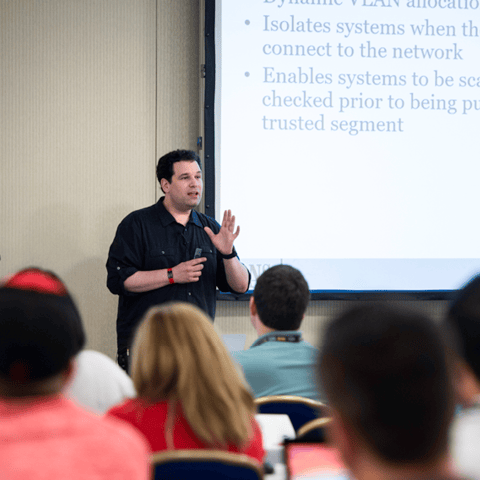
Bryan Simon: Teacher Standing Next to Smartboard and Explaining Concept

Get feedback from the world’s best cybersecurity experts and instructors
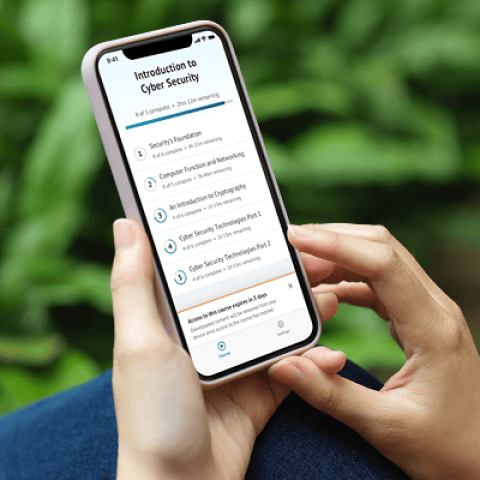
OnDemand Mobile App

Choose how you want to learn - online, on demand, or at our live in-person training events

Close Up of Woman Holding a Pen and Documents

Get access to our range of industry-leading courses and resources