Group Purchasing
Group Purchasing

SEC575: iOS and Android Application Security Analysis and Penetration Testing

SEC575Offensive Operations
  • 6 Days (Instructor-Led)
  • 36 Hours (Self-Paced)
Course authored by:
Jeroen Beckers
Jeroen Beckers
SEC575: iOS and Android Application Security Analysis and Penetration Testing
Course authored by:
Jeroen Beckers
Jeroen Beckers
  • GIAC Mobile Device Security Analyst (GMOB)
  • 36 CPEs

    Apply your credits to renew your certifications

  • In-Person, Virtual or Self-Paced

    Attend a live, instructor-led class at a location near you or remotely, or train on your time over 4 months

  • Intermediate Skill Level

    Course material is geared for cyber security professionals with hands-on experience

  • 20 Hands-On Lab(s)

    Apply what you learn with hands-on exercises and labs

Learn to comprehensively assess and test the security of iOS and Android devices and applications through hands-on analysis and penetration testing techniques.

Course Overview

This intensive mobile pen test course equips security professionals with advanced skills to evaluate and test mobile device security across iOS and Android platforms. Through hands-on exercises using the Corellium platform, you'll learn to analyze applications, identify vulnerabilities, and conduct thorough penetration testing specific to mobile devices. The course covers everything from platform architecture and security controls to advanced dynamic analysis techniques and malware assessment. You'll gain practical experience with industry-standard tools and methodologies, including OWASP MASVS, while learning to effectively communicate risks to stakeholders. Whether you're assessing built-in features or third-party applications, you'll develop the expertise needed to protect your organization's mobile infrastructure.

Mobile Application Security Analysis: iOS and Android Penetration Testing

Imagine an attack surface that is spread across your organization and in the hands of every user. It moves regularly from place to place, stores highly sensitive and critical data, and sports numerous, different wireless technologies all ripe for attack. Unfortunately, such a surface already exists today: mobile devices. These devices constitute the biggest attack surface in most organizations, yet these same organizations often don't have the skills needed to assess them.

SEC575: iOS and Android Application Security Analysis and Penetration Testing is designed to give you the skills to understand the security strengths and weaknesses of Apple iOS and Android devices, including Android 14 and iOS 17. This is a leading mobile pentest course that prepares students to assess real-world mobile environments and uncover vulnerabilities. Mobile devices are no longer a convenience technology – they are an essential tool carried or worn by users worldwide, often displacing conventional computers for everyday enterprise data needs. You can see this trend in corporations, hospitals, banks, schools, and retail stores across the world. Users rely on mobile devices today more than ever before – we know it, and the bad guys do too. SEC575 examines the full gamut of these devices and aligns directly with the requirements of the GMOB certification (GIAC Mobile Device Security Analyst).

Learn How to Pen Test the Biggest Attack Surface in Your Entire Organization

With the skills you acquire in SEC575, you will be able to evaluate the security weaknesses of built-in and third-party applications. You'll learn how to bypass platform encryption and manipulate apps to circumvent client-side security techniques. You'll leverage automated and manual mobile application analysis tools to identify deficiencies in mobile app network traffic, file system storage, and inter-app communication channels. You'll safely work with mobile malware samples to understand the data exposure and access threats affecting Android and iOS devices, and you'll learn how to bypass locked screens to exploit lost or stolen devices.

Corellium for Android and iOS Emulation

Throughout the course, students will use the innovative Corellium platform to experience iOS and Android penetration testing in a realistic environment. Corellium allows users to create virtualized iOS and Android devices with full root access even on the latest versions. By using this platform, SEC575 students can immediately test their skills right in their own browser, while still having full SSH/ADB capabilities and access to a range of powerful tools.

Take a Deep Dive into Evaluating Mobile Applications and Operating Systems and Their Associated Infrastructure

Understanding and identifying vulnerabilities and threats to mobile devices is a valuable skill, but it must be paired with the ability to communicate the associated risks. Throughout the course, you'll review ways to effectively communicate threats to key stakeholders. You'll learn how to use industry standards such as the OWASP Mobile Application Security Verification Standard (MASVS) to assess an application and understand all the risks so that you can characterize threats for managers and decision-makers. These skills are also reinforced in the GMOB certification exam, for which this course serves as a primary preparation path.

Your Mobile Devices Are Going to Come Under Attack: Help Your Organization Prepare for the Onslaught

Mobile device deployments introduce new threats to organizations, including advanced malware, data leakage, and the disclosure to attackers of enterprise secrets, intellectual property, and personally identifiable information assets. Further complicating matters, there simply are not enough professionals with the security skills needed to identify and manage secure mobile phone and tablet deployments. By completing this course, you'll be able to differentiate yourself as someone prepared to evaluate the security of mobile devices, effectively assess and identify flaws in mobile applications, and conduct a mobile device penetration test. These are all critical skills to protect and defend mobile device deployments.

Author Statement

The first iPhone was released in 2007, and it is considered by many to be the starting point of the smartphone era. Over the past decade, we have seen smartphones grow from rather simplistic into incredibly powerful devices with advanced features such as biometrics, facial recognition, GPS, hardware-backed encryption, and beautiful high-definition screens. While many different smartphone platforms have been developed over the years, it is quite obvious that Android and iOS have come out victorious.

While smartphones provide a solid experience right out of the box, the app ecosystem is probably the most powerful aspect of any mobile operating system. Both the Google Play and Apple App stores have countless applications that increase the usefulness of their platforms and include everything from games to financial apps, navigation, movies, music, and other offerings.

However, many smartphones also contain an incredible amount of data about both the personal and professional lives of people. Keeping those data secure should be a primary concern for both the operating system and the mobile application developer. Yet, many companies today have implemented a bring-your-own-device policy that allows smartphones onto their network. These devices are often not managed and thus bring a new set of security threats to the company.

This course will teach you about all the different aspects of mobile security, both at a high level and down into the nitty-gritty details. You will learn how to analyze mobile applications, attack smartphone devices on the network, man-in-the-middle either yourself or others, and root/jailbreak your device. You will also learn what kind of malware may pose a threat to your company and your employees.

Mobile security is a lot of fun, and I hope you will join us for this course so that we can share our enthusiasm with you!

- Jeroen Beckers

What You’ll Learn

  • Assess iOS and Android devices through Corellium's virtualized environment
  • Perform static and dynamic analysis to identify mobile app vulnerabilities
  • Bypass platform security controls and encryption mechanisms
  • Execute penetration tests on mobile infrastructure and backends
  • Analyze malware impact across Android and iOS platforms
  • Apply OWASP MASVS standards to evaluate application security
  • Communicate mobile security risks effectively to stakeholders

Course Syllabus

Explore the course syllabus below to view the full range of topics covered in SEC575: iOS and Android Application Security Analysis and Penetration Testing.

Section 1iOS

This section provides a comprehensive examination of iOS security architecture and penetration testing methodologies. Using Corellium's virtualized environment, students gain hands-on experience analyzing iOS security controls, application data storage, and inter-app communications. We also cover jailbreaking techniques and malware threat assessment.

Topics covered

  • iOS security architecture & core controls
  • Data protection & encryption mechanisms
  • App sandbox implementation & limitations
  • Jailbreak detection & bypass techniques
  • File system structure & data recovery

Labs

  • Configure and utilize the Corellium platform for iOS testing
  • Implement jailbreaking techniques and essential security testing tools
  • Analyze application data storage patterns and backup contents
  • Examine inter-application communication vulnerabilities
  • Assess iOS malware threats and attack patterns

Overview

The first section of SEC575 looks at the iOS platform. In examining the structure of iOS, we will see that it has many security controls built in by default, and that Apple has a very tight grip on both the hardware and software. Next, we will discuss ways to disable different security controls by jailbreaking a device, which allows us to install various tools that can help us during our penetration tests. Since mobile devices contain a lot of sensitive information, we take a look at the internal file structure of both iOS and any installed applications in order to identify issues such as insecure storage of sensitive information, or examine interesting information to be used during a full penetration test. Of course, applications can also be attacked by other applications, which is why we will examine application interaction on iOS. Finally, we will take a look at iOS malware to see how malicious actors try to attack both the platform and the end user.

Hands-on exercises will use Corellium to interact with iOS devices running in a virtualized environment, including low-level access to installed application services and application data.

Full Topic Details

  • Mobile Problems and Opportunities
    • Challenges and opportunities for secure mobile phone deployments
    • Weaknesses in mobile devices
  • iOS Architecture
    • Architecture of iOS devices
    • Analysis of implemented security controls
    • iOS application development and publication
    • Apples update policy
  • Jailbreaking iOS Devices
    • Legal issues with jailbreaking
    • Jailbreaking iOS
    • Connecting to jailbroken iOS devices
    • Using a jailbroken device effectively: Tools you must have!
  • iOS Data Storage and File System Architecture
    • iOS file system structure
    • iOS application data storage
    • Examining typical file types on iOS
    • Extracting data from iOS backups
  • iOS Application Interaction
    • iOS application interaction through schemes, universal links, and extensions
  • iOS Malware Threats
    • Trends and popularity of mobile device malware
    • Analysis of iOS malware targeting non-jailbroken devices
    • Examining advanced attacks by nation state actors
  • iOS Labs
    • Using the Corellium platform
    • Installing tools on your jailbroken device
    • Analyzing file storage on iOS
    • Analyzing application interaction

Section 2Android

Section two delves into Android's open-source architecture and varied security landscape. Students learn Android's unique inter-app communication methods, including services, intents, and content providers. Participants gain experience with root access techniques, filesystem analysis, and malware investigation, including ransomware and banking trojans.

Topics covered

  • Android security model fundamentals
  • Runtime environments & app execution
  • Root access methods & implications
  • Storage encryption & data protection
  • Intent-based app communication risks

Labs

  • Set up Corellium for Android testing environments
  • Implement root access through various techniques
  • Analyze application data storage and backup systems
  • Test inter-app communication security
  • Examine Android malware samples and attack patterns

Overview

Android is by far the most popular mobile operating system. Devices with Android come in many shapes and sizes, which leads to a lot of fragmentation. In this course section we will take a look at Android internals and all the different security controls that are implemented to keep the user safe. In contrast to iOS, Android is open-source. It also gives developers many different ways to let their applications interact with other applications, including services, intents, broadcast receivers, and content providers. As these interactions define the attack surface of the application, we will take a close look at how they can be properly protected and exploited. Android can give us shell access through Android Debug Bridge tools, but if we really want full access, we still need to root the device by unlocking the bootloader or using a device-specific exploit. Once rooted, we will take a look at the internal file structure of both a typical Android device and installed applications to identify useful information. Finally, we will examine Android malware, which includes many different malware types such as ransomware, mobile banking Trojans, and spyware.

Full Topic Details

  • Android Architecture
    • Architecture of Android devices
    • Analysis of implemented security controls
    • Android app execution: Android Runtime vs. Android Dalvik virtual machine
    • Android application development and publication
    • Androids update policy
  • Rooting Android Devices
    • Examine different ways to obtain root, including unlocking the bootloader and using exploits
    • Installing custom ROMs, bootloaders, and recoveries
    • Installing Magisk systemless root
  • Android Data Storage and File System Architecture
    • Android file system structure
    • Android application data storage
    • Examining typical file types on Android
    • Extracting data from Android backups
  • Android Application Interaction
    • Android application interaction through activities, intents, services, and broadcasts
    • Protection of application components through permissions and signatures
  • Android Malware Threats
    • Trends and popularity of mobile device malware
    • Analysis of Android malware, including ransomware, mobile banking Trojans, and spyware
  • Android Labs
    • Using the Corellium platform
    • Android mobile application analysis with Android Debug Bridge (ADB) tools
    • Uploading, downloading, and installing applications with ADB
    • Analyzing file storage on Android
    • Analyzing application interaction
  • Android Platform Analysis
    • iOS and Android permission management models
    • Code signing weaknesses on Android
    • Android app execution: Android Runtime vs. Android Dalvik virtual machine
    • Latest Android and iOS security enhancements

Section 3Static Application Analysis

This section focuses on evaluating mobile application risks through static analysis techniques. Students learn to use both automated and manual assessment tools for iOS and Android apps, progressing from simple to obfuscated applications. Special attention is given to analyzing various application frameworks and their specific security challenges.

Topics covered

  • Mobile app reverse engineering tools
  • Decompilation & code analysis methods
  • Anti-debugging bypass techniques
  • Framework-specific security concerns
  • Code obfuscation countermeasures

Labs

  • Decompile and analyze Android applications
  • Bypass iOS application encryption
  • Analyze obfuscated applications
  • Evaluate applications built with common frameworks
  • Implement automated analysis tools like MobSF

Overview

One of the core skills you need as a mobile security analyst is the ability to evaluate the risks and threats a mobile app introduces to your organization. The lectures and hands-on exercises presented in this course section will enable you to use your analysis skills to evaluate critical mobile applications to determine the type of access threats and information disclosure threats they represent. We will use automated and manual application assessment tools to statically evaluate iOS and Android apps. Initially, the applications will be easy to understand, but towards the end of the section we will dig into obfuscated applications that are far more difficult to dissect. Finally, we will examine different kinds of application frameworks and how they can be analyzed with specialized tools.

Full Topic Details

  • Static Application Analysis
    • Retrieving iOS and Android apps for reverse engineering analysis
    • Decompiling Android applications
    • Circumventing iOS app encryption
    • Header analysis and Objective-C disassembly
    • Accelerating iOS disassembly: Hopper and IDA Pro
    • Swift iOS apps and reverse-engineering tools
    • Android application analysis with MobSF
  • Reverse-Engineering Obfuscated Applications
    • Identifying obfuscation techniques
    • Decompiling obfuscated applications
    • Effectively annotating reconstructed code with Android Studio
    • Decrypting obfuscated content with Simplify
    • Third-Party Application Frameworks
  • Examining .NET-based Xamarin and Unity applications
    • Examining HTML5-based PhoneGap applications
    • Examining Flutter and React-Native applications

Section 4Dynamic Mobile Application Analysis and Manipulation

Building on static analysis skills, this section explores runtime application analysis and modification. Students learn to use advanced instrumentation frameworks for both Android and iOS, including Cycript, Frida, and Objection. The section concludes with implementing the OWASP MASVS standard for comprehensive security assessment.

Topics covered

  • Runtime manipulation with Frida hooks
  • Method swizzling attack vectors
  • Secure storage implementation flaws
  • Application integrity verification
  • Dynamic analysis methodology

Labs

  • Implement runtime manipulation techniques
  • Use instrumentation frameworks for security testing
  • Perform method hooking and swizzling
  • Extract sensitive data from secure storage
  • Apply MASVS standards in security assessments

Overview

After performing static analysis on applications in the previous course section, we now move on to dynamic analysis. A skilled analyst combines static and dynamic analysis to evaluate the security posture of an application. Using dynamic instrumentation frameworks, we see how applications can be modified at runtime, how method calls can be intercepted and modified, and how we can gain direct access to the native memory of the device. We will learn about Cycript, Frida, Objection, and method swizzling to fully instrument and examine both Android and iOS applications. The section ends with a look at a consistent system for evaluating and grading the security of mobile applications using the OWASP Mobile Application Security Verification (MASVS) Standard. By identifying these flaws, we can evaluate the mobile phone deployment risk to the organization with practical and useful risk metrics. Whether your role is to implement the penetration test or to source and evaluate the penetration tests of others, understanding these techniques will help you and your organization identify and resolve vulnerabilities before they become incidents.

Full Topic Details

  • Manipulating and Analyzing iOS Applications
    • Runtime iOS application manipulation with Cycript and Frida
    • iOS method swizzling
    • iOS application vulnerability analysis with Objection
    • Tracing iOS application behavior and API use
    • Extracting secrets with KeychainDumper
    • Method hooking with Frida and Objection
  • Manipulating and Analyzing Android Applications
    • Android application manipulation with Apktool
    • Reading and modifying Dalvik bytecode
    • Adding Android application functionality, from Java to Dalvik bytecode
    • Method hooking with Frida and Objection
  • Mobile Application Security Verification Standard
    • Step-by-step recommendations for application analysis
    • Taking a methodical approach to application security verification
    • Common pitfalls while assessing applications
    • Detailed recommendations for jailbreak detection, certificate pinning, and application integrity verification
    • Android and iOS critical data storage: Keychain and Keystore recommendations

Section 5Penetration Testing

The final technical section's topic focuses on comprehensive mobile penetration testing, including back-end server assessment and man-in-the-middle attacks. Students learn to bypass security controls, access locked devices, and create sophisticated Remote Access Trojans for red team engagements.

Topics covered

  • MITM attack implementation methods
  • Certificate pinning bypass techniques
  • Device authentication weaknesses
  • Remote access payload development
  • Social engineering attack vectors

Labs

  • Execute man-in-the-middle attacks against mobile traffic
  • Bypass SSL pinning and transport security
  • Test device lock mechanisms and biometric security
  • Develop and deploy mobile RAT applications
  • Implement mobile phishing attack scenarios

Overview

After analyzing the applications both statically and dynamically, one component is still left untouched: the back-end server. This course section will examine how you can perform Address Resolution Protocol spoofing attacks on a network in order to obtain a man-in-the-middle position, and how Android and iOS try to protect users from having their sensitive information intercepted. We will examine how you can set up a test device to purposely intercept the traffic in order to find vulnerabilities on the back-end server. In some engagements, we will need to access someone elses device, so we will examine whether we can break into a mobile device thats protected with a pin code or biometrics. We will end the section by creating a Remote Access Trojan (RAT) application that can be installed either on a remotely compromised device or on a physically acquired device during a red team engagement in order to target users and gain access to internal networks.

Full Topic Details

  • Intercepting TLS Traffic
    • Exploiting HTTPS transactions with man-in-the-middle attacks
    • Integrating man-in-the-middle tools with Burp Suite for effective HTTP manipulation attacks
    • Bypassing Android NetworkSecurityConfig and Apple Transport Security
    • Bypassing SSL pinning
  • Man-in-the-Middle Troubleshooting
    • Analyzing common issues when performing a man-in-the-middle attack
    • Using different setups to obtain a man-in-the-middle position
    • Creating custom Frida hooks to bypass SSL pinning
  • Accessing Locked Devices
    • Bruteforcing pincodes on Android and iOS
    • Bypassing bruteforce protection
    • Abusing Siri to acquire information
    • Bypassing biometric authentication
  • Using Mobile Device Remote Access Trojans
    • Building RAT tools for mobile device attacks
    • Hiding RATs in legitimate Android apps
    • Customizing RATs to evade anti-virus tools
    • Integrating the Metasploit Framework into your mobile pen test
    • Effective deployment tactics for mobile device Phishing attacks

Section 6Hands-on Capture-the-Flag Event

This culminating section integrates all course concepts into a comprehensive practical challenge. Students analyze multiple applications and forensic images, identifying vulnerabilities and sensitive data exposure while applying real-world mobile security assessment techniques.

Overview

In this final section we will pull together all the concepts and technology covered throughout the course in a comprehensive Capture-the-Flag event. In this hands-on mobile security challenge, you will examine multiple applications and forensic images to identify weaknesses and sources of sensitive information disclosure, and analyze obfuscated malware samples to understand how they work. Youll put the skills you have learned into practice in order to evaluate systems and applications, simulating the realistic environment you will be need to protect when you get back to the office.

Things You Need To Know

Important! Bring your own system configured according to these instructions.

A properly configured system is required to fully participate in this course. If you do not carefully read and follow these instructions, you will not be able to fully participate in hands-on exercises in your course. Therefore, please arrive with a system meeting all of the specified requirements.

Back up your system before class. Better yet, use a system without any sensitive/critical data. SANS is not responsible for your system or data.

Mandatory System Hardware Requirements

  • CPU: 64-bit Intel i5/i7 (8th generation or newer), or AMD equivalent. A x64 bit, 2.0+ GHz or newer processor is mandatory for this class.
  • CRITICAL: Apple Silicon devices cannot perform the necessary virtualization and therefore cannot in any way be used for this course.
  • BIOS settings must be set to enable virtualization technology, such as "Intel-VTx" or "AMD-V" extensions. Be absolutely certain you can access your BIOS if it is password protected, in case changes are necessary.
  • 8GB of RAM or more is required.
  • 50GB of free storage space or more is required.
  • At least one available USB 3.0 Type-A port. A Type-C to Type-A adapter may be necessary for newer laptops. Some endpoint protection software prevents the use of USB devices, so test your system with a USB drive before class.
  • Wireless networking (802.11 standard) is required. There is no wired Internet access in the classroom.

Mandatory Host Configuration And Software Requirements

  • Your host operating system must be the latest version of Windows 10, Windows 11, or macOS 10.15.x or newer.
  • Fully update your host operating system prior to the class to ensure you have the right drivers and patches installed.
  • Linux hosts are not supported in the classroom due to their numerous variations. If you choose to use Linux as your host, you are solely responsible for configuring it to work with the course materials and/or VMs.
  • Local Administrator Access is required. (Yes, this is absolutely required. Don't let your IT team tell you otherwise.) If your company will not permit this access for the duration of the course, then you should make arrangements to bring a different laptop.
  • You should ensure that antivirus or endpoint protection software is disabled, fully removed, or that you have the administrative privileges to do so. Many of our courses require full administrative access to the operating system and these products can prevent you from accomplishing the labs.
  • Any filtering of egress traffic may prevent accomplishing the labs in your course. Firewalls should be disabled or you must have the administrative privileges to disable it.
  • Download and install VMware Workstation Pro 16.2.X+ or VMware Player 16.2.X+ (for Windows 10 hosts), VMware Workstation Pro 17.0.0+ or VMware Player 17.0.0+ (for Windows 11 hosts), or VMWare Fusion Pro 12.2+ or VMware Fusion Player 11.5+ (for macOS hosts) prior to class beginning. If you do not own a licensed copy of VMware Workstation Pro or VMware Fusion Pro, you can download a free 30-day trial copy from VMware. VMware will send you a time-limited serial number if you register for the trial at their website. Also note that VMware Workstation Player offers fewer features than VMware Workstation Pro. For those with Windows host systems, Workstation Pro is recommended for a more seamless student experience.
  • On Windows hosts, VMware products might not coexist with the Hyper-V hypervisor. For the best experience, ensure VMware can boot a virtual machine. This may require disabling Hyper-V. Instructions for disabling Hyper-V, Device Guard, and Credential Guard are contained in the setup documentation that accompanies your course materials.
  • Download and install 7-Zip (for Windows Hosts) or Keka (for macOS hosts). These tools are also included in your downloaded course materials.

Your course media is delivered via download. The media files for class can be large. Many are in the 40-50GB range, with some over 100GB. You need to allow plenty of time for the download to complete. Internet connections and speed vary greatly and are dependent on many different factors. Therefore, it is not possible to give an estimate of the length of time it will take to download your materials. Please start your course media downloads as soon as you get the link. You will need your course media immediately on the first day of class. Do not wait until the night before class to start downloading these files.

Your course materials include a "Setup Instructions" document that details important steps you must take before you travel to a live class event or start an online class. It may take 30 minutes or more to complete these instructions.

Your class uses an electronic workbook for its lab instructions. In this new environment, a second monitor and/or a tablet device can be useful for keeping class materials visible while you are working on your course's labs.

If you have additional questions about the laptop specifications, please contact customer service.

SEC575 training is recommended for a diverse range of individuals, including:

  • Penetration testers
  • Ethical hackers
  • Auditors who need to build deeper technical skills
  • Security personnel whose job involves assessing, deploying, or securing mobile phones and tablets
  • Network and system administrators supporting mobile phones and tablets

  • Printed and digital course books
  • MP3 audio files of the entire course

Experience with programming in any language is highly recommended. At a minimum, students are advised to read up on basic programming concepts such as conditional statements, variables, loops and functions. Ideally, students have some experience with either Java or JavaScript. The basics of programming will not be covered in this course. 

Students should have a basic working experience with Linux and terminal commands. 

Students should have familiarity with penetration testing concepts such as those taught in SANS SEC504: Hacker Tools, Techniques, and Incident Handling.

SEC575: iOS and Android Application Security Analysis and Penetration Testing™ is part of the Specialized Offensive Operations curriculum. Other specialized penetration testing courses that could complement and round out a penetration tester’s skill set include SEC580: Metasploit for Enterprise Penetration Testing™ and SEC556: IoT Penetration Testing™. Alongside these specialized penetration testing courses, you can find training in cloud penetration testing, red team, and purple team.

Mobile security refers to the strategies, practices, and technologies used to protect mobile devices—such as smartphones, tablets, and laptops—from threats like malware, unauthorized access, data breaches, and exploitation of vulnerabilities.

In today's digital world, mobile devices are gateways to sensitive personal, corporate, and governmental data. Whether it’s accessing email, using secure authentication apps, or handling payment and financial transactions, these devices are deeply integrated into our professional and personal lives.

Mobile security matters because today’s devices are constant targets for attackers, exposing sensitive data through app vulnerabilities, insecure networks, and phishing. With BYOD policies and increasing reliance on mobile access, weak mobile defenses can lead to data breaches, compliance violations, and credential theft—making mobile protection essential to any organization’s cybersecurity strategy.

SEC575 training equips you with the hands-on skills to assess, defend, and ethically hack mobile devices—skills that are increasingly critical as mobile becomes the most targeted enterprise endpoint. Whether you're a penetration tester, incident responder, or security architect, SEC575 gives you practical tools to identify mobile threats, analyze apps, bypass protections, and harden both iOS and Android environments.

You'll walk away with immediately applicable experience in using tools like Frida, Burp Suite, and MobSF, as well as a deep understanding of mobile OS internals—positioning you as a go-to mobile security expert within your organization.
Course Schedule and Pricing

Have Questions?Contact Us
  • Location & instructor

    Virtual (OnDemand)

    Instructed by
    Date & Time
    OnDemand (Anytime)Self-Paced, 4 months access
    Course price
    $8,780 USD*Prices exclude applicable local taxes
    Registration Options
  • Location & instructor

    SANS Amsterdam September 2026

    Amsterdam, NL & Virtual (live)

    Instructed by
    Date & Time
    Fetching schedule..
    Course price
    €8,230 EUR*Prices exclude applicable local taxes
    Registration Options
  • Location & instructor

    SANS October Singapore 2026

    Singapore, SG & Virtual (live)

    Instructed by
    Date & Time
    Fetching schedule..
    Course price
    S$11,390 SGD*Prices exclude applicable local taxes
    Registration Options
  • Location & instructor

    SANS Cyber Safari 2026

    Riyadh, SA & Virtual (live)

    Instructed by
    Date & Time
    Fetching schedule..
    Course price
    $8,900 USD*Prices exclude applicable local taxes
    Registration Options
  • Location & instructor

    SANS Tokyo Autumn 2026

    Virtual (live)

    Instructed by
    Date & Time
    Fetching schedule..
    Course price
    ¥1,335,000 JPY*Prices exclude applicable local taxes
    Registration Options
  • Location & instructor

    SANS London November 2026

    London, GB & Virtual (live)

    Instructed by
    Date & Time
    Fetching schedule..
    Course price
    £7,160 GBP*Prices exclude applicable taxes | EUR price available during checkout
    Registration Options
  • Location & instructor

    SANS Dallas 2026

    Virtual (live)

    Instructed by
    Date & Time
    Fetching schedule..
    Course price
    $8,780 USD*Prices exclude applicable local taxes
    Registration Options
  • Location & instructor

    SANS Chicago 2027

    Chicago, IL, US & Virtual (live)

    Date & Time
    Fetching schedule..
    Course price
    $8,780 USD*Prices exclude applicable local taxes
    Registration Options
Showing 8 of 8

Benefits of Learning with SANS

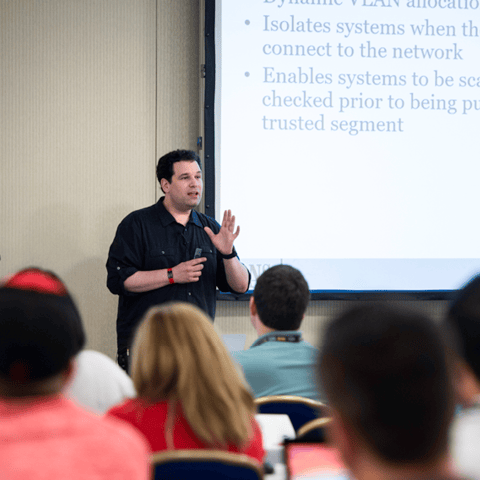
Bryan Simon: Teacher Standing Next to Smartboard and Explaining Concept

Get feedback from the world’s best cybersecurity experts and instructors
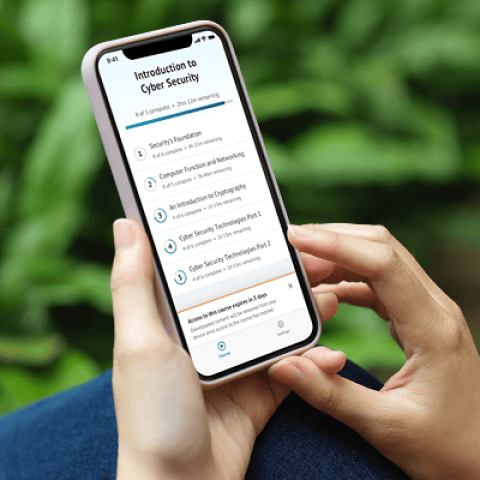
OnDemand Mobile App

Choose how you want to learn - online, on demand, or at our live in-person training events

Close Up of Woman Holding a Pen and Documents

Get access to our range of industry-leading courses and resources