Group Purchasing
Group Purchasing
MAJOR UPDATES

FOR610: Reverse-Engineering Malware: Malware Analysis in the Age of AI

FOR610Digital Forensics and Incident Response
  • 6 Days (Instructor-Led)
  • 36 Hours (Self-Paced)
Course authored by:
Lenny ZeltserRyan Chapman
Lenny Zeltser & Ryan Chapman
FOR610: Reverse-Engineering Malware: Malware Analysis Tools and Techniques
Course authored by:
Lenny ZeltserRyan Chapman
Lenny Zeltser & Ryan Chapman
  • GIAC Reverse Engineering Malware (GREM)
  • 36 CPEs

    Apply your credits to renew your certifications

  • In-Person, Virtual or Self-Paced

    Attend a live, instructor-led class at a location near you or remotely, or train on your time over 4 months

  • Advanced Skill Level

    Course material is geared for cyber security professionals with hands-on experience

  • 42 Hands-On Lab(s)

    Apply what you learn with hands-on exercises and labs

Learn to reverse-engineer malware and assess the threat it poses. Use AI tooling to amplify your reach, validate its findings, and go deeper with hands-on work in your malware analysis lab.

Course Overview

FOR610 equips students with hands-on skills to analyze malware that targets Windows systems. AI tooling is a part of the process, so students will learn to direct AI agents through an investigation and to confirm and expand their findings with rigorous lab work.

Thousands of professionals who analyze malware have gotten their start by taking FOR610: Reverse-Engineering Malware. This practical course is the onramp into this fun and challenging aspect of cybersecurity. It will teach you to dissect malicious software targeting Windows systems by combining expert instruction and immersive hands-on labs.

You’ll learn how to go deeper than ever before with AI tooling. You’ll direct AI to assist with your investigation, validate its findings, fill in its gaps, and arrive at your own conclusions.

The training moves beyond automated tools, showing you how to use disassemblers, debuggers, and monitoring utilities to interpret behavioral patterns, extract indicators of compromise, and gain key insights into malware operations. In addition to focusing on compiled Windows executables, the course covers the analysis of malicious documents, scripts, shellcode, and other artifacts common in modern infections. It also prepares you to counter anti-analysis techniques, such as sandbox evasion and anti-debugging.

With engaging labs and capture-the-flag challenges, FOR610 lets you expand your skills by tackling real-world incident response and forensics investigations that involve malicious software.

In summary, FOR610 malware analysis training will teach you how to:

  • Build an isolated, controlled lab environment to safely analyze the code and behavior of malicious programs.
  • Direct AI tools through a malware investigation and validate their findings in your lab.
  • Use network and system-monitoring tools to investigate malware interactions with files, the registry, networks, and processes in Windows environments.
  • Analyze obfuscated JavaScript and PowerShell scripts often used in attack chains.
  • Intercept network traffic and patch code to control malware behavior during analysis.
  • Employ disassemblers and debuggers to examine the internal workings of malicious executables.
  • Bypass packers and anti-analysis mechanisms designed to hinder and misdirect analysts.
  • Identify common assembly-level patterns like code injection, C2 interactions, and anti-analysis measures.
  • Assess threats from malicious PDF documents and the delivery chains behind them.
  • Extract Indicators of Compromise (IOCs) from malware to enhance threat intelligence and incident response efforts.
  • Reverse-engineer .NET malware designed to evade detection through obfuscation and reflective code loading.
  • Assess the accuracy of AI-derived malware analysis findings by tracing and testing their consequential claims.

Author Statement

“I’m amazed how much information a skilled analyst can derive from the malicious files that find their way onto infected systems. Knowing how to reverse-engineer malware allows you to determine the severity of the intrusion, the context of the attack, the intent of the adversary, the containment steps, and numerous other details that help the organization handle the incident. The FOR610 course is the on-ramp for professionals who wish to acquire such malware analysis skills, building upon the expertise they already have. You’ll learn to think for yourself, direct AI tools through an investigation, and confirm AI’s conclusions with your own lab work.”

- Lenny Zeltser

“These days, malware doesn't sit still long enough for manual analysis alone to keep up. Threat actors are using AI to generate code, obfuscate payloads, and iterate revisions faster than defenders can write signatures. That's exactly why this course pairs core malware triage skills with AI-assisted workflows. You'll learn to reverse-engineer and classify threats the way analysts always have, then use AI tools to accelerate static and dynamic analysis, allowing you to spot patterns a human alone would take hours to find. Knowing how to analyze malware is still the foundation. Knowing how to do it with AI as your force multiplier is what makes you effective at the speed threats now move.”

- Ryan Chapman

What You’ll Learn

  • Set up a secure lab and monitor how malware interacts with its environment.
  • Direct AI tools through an investigation, verify their conclusions, and fill in their gaps with your own analysis.
  • Analyze obfuscated scripts, executables, and other common infection artifacts.
  • Control malware through network interception and code patching.
  • Investigate internals using disassemblers, decompilers, and debuggers.
  • Identify assembly-level patterns like code injection and anti-analysis tactics.
  • Extract IOCs and assess threats from malicious files.

Business Takeaways

  • Enable teams to perform in-house malware analysis, reducing reliance on external resources.
  • Expand analysis capabilities to provide greater value to internal or external stakeholders.
  • Increase efficiency in delivering actionable insights and analysis results.
  • Minimize incident scope and cost with faster response times to security threats.
  • Meet the growing enterprise demand for analysts who use AI to reach senior-level depth.

How FOR610 Prepares You for GREM

FOR610 is built around the exam objectives that make up the GIAC Reverse Engineering Malware (GREM) certification:

  • Section 1, Malware Analysis Fundamentals builds skills tested under Malware Analysis Fundamentals, Static Analysis Fundamentals, and Behavioral Analysis Fundamentals.
  • Section 2, Reversing Malicious Code aligns with Core Reverse Engineering Concepts, Reversing Functions in Assembly, Malware Flow Control and Structures, and Common Malware Patterns.
  • Section 3, Analyzing Malicious Documents and Scripts covers Analyzing Malicious Office Macros, Analyzing Malicious PDFs, and Analyzing Malicious RTF Files.
  • Section 4, In-Depth Malware Analysis builds toward Analyzing Obfuscated Malware, Unpacking and Debugging Packed Malware, and Examining .NET Malware.
  • Section 5, Examining Self-Defending Malware prepares you for Identifying and Bypassing Anti-Analysis Techniques and Overcoming Misdirection Techniques.
  • Section 6, Malware Analysis Tournament applies all of the above in a capstone capture-the-flag exercise against real-world malware.

Across all six sections, 48 hands-on labs and a capstone Malware Analysis Tournament give you the chance to apply each skill against real-world malware before you sit the exam.

Read the full GREM certification overview.

Course Syllabus

Explore the course syllabus below to view the full range of topics covered in FOR610: Reverse-Engineering Malware: Malware Analysis in the Age of AI.

Section 1Malware Analysis Fundamentals

Section 1 teaches you to use AI agents to examine suspicious files and generate initial malware reports. Learn to verify AI findings through hands-on analysis and debugging, identify what malware does, uncover suspicious behavior, and recognize critical details AI may overlook to produce more accurate, reliable investigations.

Topics covered

  • Assembling an AI-enabled toolkit for malware analysis
  • Examining static properties of suspicious programs
  • Performing behavioral analysis of malicious Windows executables
  • Directing an AI agent through analysis and validating its findings
  • Using emulation and a debugger to reveal what a sample conceals

Labs

  • Setting up and using your lab for behavioral analysis
  • Intercepting and examining malicious network traffic
  • Validating an AI agent’s report against your own findings
  • Revealing a hidden configuration with a debugger breakpoint
  • Emulating the execution of malware as a part of the analysis process

Overview

Section 1 lays the groundwork for malware analysis by presenting the key tools and techniques useful for examining malicious programs. You’ll start by handing a suspicious executable to an AI agent and receiving a polished, confident-sounding report. You’ll then learn how to use AI’s findings to conduct your own analysis, so you can validate the findings and go deeper than automation can go on its own.

You’ll examine Windows malware in several phases:

  • Static properties analysis examines metadata and other file attributes to perform triage and determine the next course of action.
  • Behavioral analysis focuses on the program’s interactions with its environment, such as the registry, file system, and network.
  • Code analysis focuses on the sample’s inner workings and makes use of debuggers such as x64dbg.

You will learn how to set up and use a flexible laboratory to perform such an analysis in a controlled manner, becoming familiar with the supplied Windows and Linux (REMnux) virtual machines, along with the AI and other tooling that ships with them. You will then learn how to begin examining malware in your lab—with guidance and explanations from the instructor to reinforce the concepts discussed throughout the section.

Section 2Reversing Malicious Code

Section 2 teaches you to analyze Windows malware at the code level using Ghidra and AI-assisted tools. Learn to interpret disassembled code, trace how malware operates, identify hidden functions and command-and-control activity, and use AI to accelerate analysis while uncovering threats that automated tools may miss.

Topics covered

  • Understanding core assembly concepts for malicious code analysis
  • Identifying key assembly constructs with a disassembler
  • Following program control flow to understand decision points
  • Identifying how malware resolves the Windows APIs it calls at runtime
  • Extending assembly knowledge to cover 32-bit and 64-bit code analysis

Labs

  • Navigating malicious code in Ghidra and pivoting from strings to code
  • Recognizing function components and calling conventions
  • Expediting function analysis with an AI agent and verifying its findings
  • Analyzing 64-bit code and dynamically resolved API calls
  • Following loops and compound expressions behind command and control

Overview

Section 2 focuses on statically examining malicious Windows executables at the assembly level. You will discover approaches for studying inner workings of a sample by looking at it through a disassembler and, at times, with the help of a decompiler. You will use Ghidra for hands-on exercises in this section. You will also use an AI agent to expedite function analysis and trace dynamically resolved API calls, then confirm what it reports against the disassembly yourself. The section begins with an overview of key code-reversing concepts and a primer on essential Intel assembly concepts, such as instructions, function calls, variables, and jumps. You will also learn how to examine common assembly constructs, such as functions, loops, and conditional statements. You’ll understand how malware reaches the Windows APIs it calls, from the import table to dynamic loading at runtime.

Throughout the discussion, you will learn to recognize common characteristics at a code level, including HTTP command and control, string decoding, and credential theft.

Section 3Beyond Traditional Executables

Section 3 teaches you to investigate malicious documents, websites, and scripts to determine how attacks work. Learn to decode hidden commands, trace multi-stage attacks, and analyze .NET malware. Use AI to speed up analysis, verify findings, and identify how systems are compromised so you can better investigate and respond to threats.

Topics covered

  • Triaging malicious PDF lures and delivery chains
  • Investigating suspicious websites and delivery chains
  • Deobfuscating JavaScript and PowerShell scripts
  • Decompiling and analyzing .NET malware
  • Following a multi-artifact infection chain from lure to payload

Labs

  • Examining suspicious PDF documents being used as phishing lures
  • Decoding PowerShell scripts to understand their capabilities and payload
  • Analyzing malicious JavaScript to expose its logic
  • Deobfuscating scripts with and without AI assistance
  • Decoding protected artifacts in .NET malware

Overview

Section 3 explores malware samples and techniques that thrive in the Windows ecosystem but that are not traditional executable files. You will start with a malicious PDF lure and follow its link through a redirect chain to the payload host by analyzing the malicious website. Next, you will deobfuscate the JavaScript droppers behind modern delivery chains and see where automated deobfuscation stops. The centerpiece of the section is a multi-stage infection chain that starts with a fake CAPTCHA and ends in a .NET payload. Along the way, you will decode PowerShell stages that build themselves at runtime and follow a sideloaded DLL into native code. You will decompile the payload, decode its obfuscated strings, and debug a packed assembly to reach the code it loads in memory. Throughout the section, an AI agent will deobfuscate and explain some of the artifacts. You will confirm its findings and build upon them with an independent method in your lab.

Full Topic Details

  • Triaging malicious PDF document lures and delivery chains
  • Malicious website analysis
  • Following multi-stage infection chains
  • Verifying AI-assisted deobfuscation with independent methods
  • Analyzing multi-artifact infection chains from lure to payload
  • Deobfuscating malicious JavaScript scripts
  • Analyzing PowerShell and .NET malware

Section 4Unpacking and In-Memory Execution

Section 4 teaches you to uncover malware designed to evade detection. Learn to unpack hidden code, analyze shellcode, and identify how malware injects itself into legitimate processes. Use AI to accelerate analysis and debugging to verify findings, helping you detect concealed attacks, explain how they operate, and support incident response.

Topics covered

  • Recognizing packed Windows malware
  • Dumping unpacked malware from memory with a debugger
  • Emulating, extracting, and debugging shellcode
  • Recognizing the common process-injection sequence
  • Exploring process hollowing and how malware hides inside other processes

Labs

  • Unpacking a protected sample from packed file to analyzable code
  • Debugging extracted shellcode
  • Observing the process-injection sequence in a debugger
  • Analyzing fileless malware
  • Following process hollowing and recovering the replacement PE

Overview

Section 4 builds on the approaches to behavioral and code analysis introduced earlier in the course, exploring techniques for uncovering additional aspects of the functionality of malicious programs. You will start with a malware sample that employs multiple technologies to conceal its true nature, including the use of the registry, obfuscated JavaScript and PowerShell scripts, and shellcode. You will then explore ways to identify packers and strip away their protection with the help of a debugger and other utilities. You will also repair a dumped image so that Windows runs it and your tools can read it. Finally, you will learn how malware performs code injection to evade detection and interfere with how programs perceive their environment. The AI agent will help you with the process throughout the section, where appropriate, allowing you to go faster and deeper than if you were performing the work without such tooling.

Full Topic Details

  • Recognizing packed Windows malware
  • Getting started with unpacking
  • Using debuggers for dumping packed malware from memory
  • Analyzing multi-technology and “fileless” malware
  • Extracting and debugging shellcode
  • Code injection techniques, including process hollowing

Section 5Examining Self-Defending Malware

Section 5 teaches you to defeat malware techniques that hide malicious activity and prevent analysis. Learn to bypass anti-debugging protections, recover hidden code, and uncover what malware is designed to do. Use AI to automate debugging tasks, identify evasive behavior, and extract critical evidence to support threat detection and incident response.

Topics covered

  • How malware detects debuggers and protects embedded data
  • Using hardware breakpoints and exception settings against resistant malware
  • Bypassing the attempts by malware to detect and evade analysis tools
  • Handling code misdirection through exception handling and TLS callbacks
  • Recovering code that a sample decodes only while it runs

Labs

  • Patching malware to bypass anti-analysis measures
  • Comparing how far a sample runs with and without debugger hiding
  • Skipping a block of environment checks to reach hidden behavior
  • Following a TLS callback and exception handling misdirection in a debugger
  • Automating transient code capture with an AI-written debugger script

Overview

Section 5 takes a close look at the techniques that malware authors commonly use to protect malicious software from being analyzed. You will learn how to recognize and bypass anti-analysis measures designed to slow you down or misdirect you. In the process, you will gain more experience performing static and dynamic analysis of malware that decodes its code only while it runs. You will also expand your understanding of how malware authors safeguard the data that they embed inside malicious executables. As with the other topics covered throughout the course, you will be able to experiment with such techniques during hands-on exercises. This section brings together and expands on many of the tools and techniques covered earlier in the course.

Section 6Malware Analysis Tournament

Section 6 challenges you to apply your malware analysis skills in a hands-on capture-the-flag tournament using real-world malware. Apply static and dynamic analysis, unpack hidden code, and overcome malware defenses to uncover malicious behavior. Strengthen your ability to investigate complex threats, solve real-world cases, and support incident response.

Topics covered

  • Malware analysis fundamentals
  • Reversing malicious code using static and dynamic techniques
  • Analyzing scripts, managed code, and malware delivery chains
  • Unpacking and in-memory execution, including code injection
  • Examining self-defending malware

Overview

Section 6 allows you to internalize, practice, and expand the many aspects of malware analysis you learned in the earlier sections of the course. You will be presented with a variety of hands-on challenges involving real-world malware in the context of a fun tournament. You will be given access to a capture-the-flag (CTF) system that will present to you practical challenges, which you’ll need to address by examining malware in your lab. The system will offer guidance when you need it, so you can cater this game experience to your own skillset and needs. The tournament will help you consolidate your knowledge and shore up skill areas where you might need additional practice.

Things You Need To Know

Important - Bring Your System Configured Using These Directions

To participate in FOR610, you must bring a properly configured system that meets all requirements. Back up your system before class or use a machine without critical data. SANS is not responsible for your system or data.

Mandatory System Hardware Requirements

  • CPU: 64-bit Intel i5/i7 (8th generation or newer) or AMD equivalent, with a minimum 2.0+ GHz processor. (No Apple M devices.)
  • RAM: 16GB or more.
  • Storage: At least 200GB of free space.
  • Wireless Networking: 802.11 Wi-Fi is required as no wired internet access is available in the classroom.
  • Virtualization: Ensure your BIOS settings enable virtualization (e.g., Intel-VTx or AMD-V). Verify you can access BIOS if password protected.
  • Critical Note: Apple Silicon devices (M chips) cannot support necessary virtualization and are not compatible with this course.

Mandatory Host Configuration and Software Requirements

  • Host OS: The latest version of Windows 11. Mac and Linux hosts are not supported.
  • Local Administrator Access: This is required. Ensure you have admin rights or make arrangements for a different laptop if your company restricts access.
  • VMware:
    • Download and install the latest version of VMware Workstation Pro from Broadcom.
    • Ensure VMware runs smoothly and can boot a virtual machine. This may require disabling Hyper-V on Windows hosts.
  • Compression Tools: Install 7-Zip.
  • AI Model Access: During the AI-assisted labs, you will reach a SANS-hosted AI model service over the internet. SANS provides the API key, so you do not need your own AI subscriptions or keys.

Course Media and Setup Instructions

  • Download Course Media: Files can be as large as 20 GB. Start downloads as soon as the link is provided to be ready before your class starts.
  • Setup Instructions: Follow the “Setup Instructions” document included with your course materials. This process may take 30 minutes or more.

If you have additional questions, please contact customer service.

FOR610: Reverse-Engineering Malware: Malware Analysis in the Age of AI is designed for cybersecurity professionals seeking to develop or enhance their malware analysis skills.

The malware analysis process taught in FOR610 helps incident responders and other security professionals assess the severity and repercussions of a situation that involves malicious software so that they can plan recovery steps. Forensics investigators also learn about the key characteristics of malware discovered during the examination, including how to establish Indicators of Compromise and obtain other threat intelligence details for analyzing, scoping, and containing the incident.

What threat does the malicious or suspicious program pose? What do its mechanics reveal about the adversary’s goals and capabilities? How effective are the company’s security controls against such infections? What security measures can strengthen the organization’s infrastructure from future attacks of this nature? This course teaches the skills necessary to answer these and other questions critical to an organization’s ability to handle malware threats and related incidents.

This course is ideal for:

  • Practitioners managing incidents involving malware who need to understand its behavior and impact.
  • Technologists with informal malware analysis experience looking to formalize and expand their expertise.
  • Forensic investigators and IT professionals aiming to strengthen their role in the incident response process.
  • Professionals in roles such as incident response, digital forensics, threat intelligence, or SOC operations who want to deepen their reverse engineering and dynamic analysis capabilities.

The GIAC Reverse Engineering Malware (GREM) certification is designed for technologists who protect the organization from malicious code. GREM-certified technologists possess the knowledge and skills to reverse-engineer malicious software (malware) that targets common platforms, such as Microsoft Windows and web browsers. These individuals know how to examine inner-workings of malware in the context of forensic investigations, incident response, and Windows system administration. Become more valuable to your employer and/or customers by highlighting your cutting-edge malware analysis skills through the GREM certification.

  • Malware Analysis Using Malware Code and Behavioral Analysis Fundamentals
  • Windows Assembly Code Concepts for Reverse Engineering and Common Windows Malware Characteristics in Assembly
  • In-Depth Analysis of Malicious Executables and Self-Defending Malware
  • Analysis of Malicious Document Files, .NET programs, and Protected Executables

More Certification Details

  • Electronic toolkit with essential malware analysis tools
  • Windows REM Workstation VM with analysis tools and a Windows license
  • REMnux Linux VM for malware analysis
  • AI agent tooling on REMnux, with access to a SANS-hosted AI model service during the labs
  • Real-world malware samples for labs
  • MP3 recordings of course lectures
  • Electronic workbook with step-by-step lab instructions

To ensure a successful learning experience in the FOR610: Reverse-Engineering Malware course, attendees should meet the following prerequisites:

  • Laptop Requirements: Bring a system that meets the stated hardware and software requirements, with the necessary pre-class installations completed.
  • Operating System Proficiency: Be familiar with both Windows and Linux environments, including basic troubleshooting of connectivity and setup issues.
  • Basic Programming Concepts: Understand core programming principles such as variables, loops, and functions to grasp relevant concepts quickly, though prior programming experience is not required.

FOR610: Reverse-Engineering Malware is a core component of the Threat Intelligence and Forensics Learning Path. This training complements the skills taught in FOR578: Cyber Threat Intelligence, offering a well-rounded foundation in malware analysis and threat investigation.

Other complementary areas of training include endpoint-focused forensics, network-focused forensics, and media exploitation, enabling practitioners to broaden their expertise in digital forensics and incident response.

Reverse engineering malware means examining malicious software to determine what it does and what threat it poses. This course uses that term and malware analysis interchangeably. Malware is part of many cybersecurity incidents. Knowing how to analyze it lets you take control of the incident and speed up your response.

Why it matters:

  • Threat assessment: Determine what the malware can do and what its mechanics reveal about the adversary’s goals and skill
  • Incident scope: Establish indicators of compromise to find every affected system
  • Eradication and recovery: Know which artifacts to remove and how to contain the incident
  • Stronger defenses: Turn what you learned from the incident into defenses against the next attack
  • AI-assisted analysis: Use an AI agent for a fast first pass and to go deeper and broader than you could alone, then verify its findings with independent methods

FOR610 gives you practical skills that employers can see in your work.
  • Analysis depth: Handle investigations that used to require a senior reverse engineer, with AI tooling extending your reach
  • Accountable conclusions: Verify what automated tools and AI agents report, so you can defend your findings during an incident
  • Broader role: Contribute malware insights to incident response, forensics, threat intelligence, and SOC work
  • Recognition: Prepare for the GIAC Reverse Engineering Malware (GREM) certification

Relevant Job Roles

Threat Hunter Training, Salary, and Career Path

Digital Forensics and Incident Response

This expert applies new threat intelligence against existing evidence to identify attackers that have slipped through real-time detection mechanisms. The practice of threat hunting requires several skill sets, including threat intelligence, system and network forensics, and investigative development processes. This role transitions incident response from a purely reactive investigative process to a proactive one, uncovering adversaries or their footprints based on developing intelligence.

Explore learning path

Digital Forensics (DGFS)

Skills Framework for the Information Age

Retrieval and interpretation of data from devices and networks to support incident response, compliance investigations, and legal cases. Work focuses on evidence integrity, validated methods, and attacker attribution.

Explore learning path

Forensics Analyst (DCWF 211)

DoD 8140: Cyber Enablers

Investigates cybercrimes, analyzing digital media and logs to establish documentary or physical evidence in support of cyber intrusion cases.

Explore learning path

Malware Analyst

Digital Forensics and Incident Response

Malware analysts face attackers’ capabilities head-on, ensuring the fastest and most effective response to and containment of a cyber-attack. You look deep inside malicious software to understand the nature of the threat – how it got in, what flaw it exploited, and what it has done, is trying to do, or has the potential to achieve.

Explore learning path

Insider Threat Analysis

NICE: Protection and Defense

Responsible for identifying and assessing the capabilities and activities of cybersecurity insider threats; produces findings to help initialize and support law enforcement and counterintelligence activities and investigations.

Explore learning path

Digital Forensics (OPM 212)

NICE: Protection and Defense

Responsible for analyzing digital evidence from computer security incidents to derive useful information in support of system and network vulnerability mitigation.

Explore learning path

Cybercrime Investigator Training, Salary, and Career Path (OPM 221)

NICE: Investigation

Cybercrime Investigators navigate dark web forums, trace cybercriminal activity, and conduct covert investigations. They follow forensic and legal standards to gather evidence and respond to cybercrimes.

Explore learning path

Military Operations / Law Enforcement Agents

Digital Forensics and Incident Response

Execute digital forensic operations under demanding conditions, rapidly extracting critical intelligence from diverse devices. Leverage advanced threat hunting and malware analysis skills to neutralize sophisticated cyber adversaries.

Explore learning path

Course Schedule and Pricing

Have Questions?Contact Us
Showing 10 of 11

Benefits of Learning with SANS

Bryan Simon: Teacher Standing Next to Smartboard and Explaining Concept

Get feedback from the world’s best cybersecurity experts and instructors
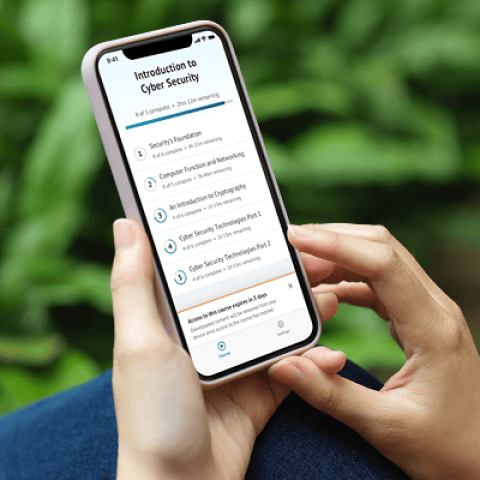
OnDemand Mobile App

Choose how you want to learn - online, on demand, or at our live in-person training events

Close Up of Woman Holding a Pen and Documents

Get access to our range of industry-leading courses and resources