Group Purchasing
Group Purchasing

SEC403: Secrets to Successful Cybersecurity Presentation

SEC403Cybersecurity Leadership
  • 6 Hours (Self-Paced)
Course authored by:
Heather BarnhartJohn HubbardAlan Paller
Heather Barnhart, John Hubbard & Alan Paller
SEC403
Course authored by:
Heather BarnhartJohn HubbardAlan Paller
Heather Barnhart, John Hubbard & Alan Paller
  • 6 CPEs

    Apply your credits to renew your certifications

  • Self-paced

    Train at your own pace from wherever you are

  • Essential Skill Level

    Course material is for individuals with an understanding of IT or cyber security concepts

Elevate security briefings from forgettable data dumps to compelling narratives that drive action and secure stakeholder buy-in with this cybersecurity presentations course.

Course Overview

In the cybersecurity realm, technical prowess alone rarely drives change. SEC403 equips professionals with the precise communication tactics needed to transform technical findings into actionable intelligence that resonates with diverse audiences. This intensive course addresses the critical gap between security expertise and influence, teaching participants to craft messages that capture attention, maintain engagement, and persuade key stakeholders to act.

Participants develop essential cybersecurity presentation frameworks specific to penetration test reports, incident briefings, security assessments, and awareness training, enabling them to project authority, handle challenging questions, and adapt on-the-fly in high-stakes situations. By enhancing these communication capabilities, security professionals significantly amplify their impact, secure resources for critical initiatives, and accelerate their career trajectory while strengthening their organization's security posture.

Communication Arsenal: Transforming Security Insights into Influence

SEC403 shows you how to put together an effective security briefing, secure the interest and engagement of your audience, and confidently deliver presentations to a variety of groups. You will learn effective techniques to secure management approval for new security projects and tools, as well as how to handle the toughest questions and adjust on-the-fly. Designed exclusively for cybersecurity professionals, this course covers best practices for common security presentations such as penetration testing reports, security assessment reports, incident updates, after-action reports, security awareness briefings, and more.

The Ultimate Toolkit to Secure Buy-in, Approvals for Requests, and Career Growth

Whatever your role in cybersecurity, you will likely be called upon to present to technologists, users, and leadership. How well you do that will impact both the effectiveness of your organization's security and the trajectory of your career.

Author Statements

Two statements from security professionals who attended early versions of this course are far more eloquent than I could be in describing why this short course could be a great investment:

"I have seen my people make nearly every one of the mistakes you illustrated, but I either didn't know they were mistakes or didn't know how to coach them to fix it. Now I do. Every one of my security people as well as my marketing folks are going to be taking this course and we will all use the score sheets to build a culture of great presentations." (G. MacArthur, VP, Dell)

"Thank you! Thank you! I just got back to my office from a briefing I had to give to my boss's boss (a 2 star) about a security incident that we experienced. He told my boss it was the best security briefing he had ever seen. I think it was mostly the timeline chart you showed us how to use for incident reporting. Whatever it was, thank you!" (name withheld, U.S. Navy)

- Alan Paller

"While great technical and leadership skills are a requirement for many information security positions, you need more than that to truly excel in your position. A core part of any career is being able to present and communicate information effectively and professionally. Those who do not pay attention to these critical skills may find their efforts in other areas of expertise undermined by an inability to explain and sell your ideas to your coworkers and peers. SEC403 simplifies the key strategies that will help you deliver a strong impactful presentation and get your points across at work, at conferences, and more. Its lessons and exercises will teach you how to clearly present your message and help you connect and collaborate with those around you, whether in-person or online."

- John Hubbard

"Most of us take training to maintain our technical skills, but what about our presentation capabilities? In the technical field of Cyber Security, we are often asked to share our findings, lead teams, and present to groups. Are your methods for presenting sharp enough? Public speaking is not a skill that comes naturally to many. SEC403 is designed to provide you with the tools you need to excel in front of a crowd, whether in person or virtually. You may only have one chance to get your message across to an audience."

- Heather Barnhart

What You'll Learn

  • Project authority that commands attention from any audience
  • Structure security findings for maximum clarity and impact
  • Deliver virtual presentations with professional polish and reach
  • Transform technical data into compelling visual narratives
  • Adapt seamlessly to questions that challenge your position

Business Takeaways

  • Secure leadership buy-in for critical security initiatives
  • Elevate team communication effectiveness across all channels
  • Convert technical findings into business-centric recommendations
  • Accelerate positive security outcomes through improved messaging
  • Strengthen stakeholder trust through clear incident communication
  • Enhance your organization's security awareness training impact
  • Increase your team's value perception among executive leadership

Course Syllabus

Explore the course syllabus below to view the full range of topics covered in SEC403: Secrets to Successful Cybersecurity Presentation.

Section 1Gaining and Keeping the Audience's Attention

Master strategies to capture and hold audience attention through nonverbal communication techniques. Learn to project authority, establish presence, and identify common presentation errors that undermine credibility. Develop practical methods to reduce anxiety, manage unexpected interruptions, and continuously improve.

Topics covered

  • Project authority, energy, and awareness
  • Develop effective non-verbal communication skills
  • Identify common presentation mistakes
  • Develop strategies to reduce anxiety when speaking
  • Effectively manage interruptions

Overview

You can have the best presentation material on the planet, but if your audience is not listening, the material does not matter. Much of your communication is non-verbal, so the effectiveness of a presentation depends on understanding how well you grab and maintain attention.This segment illuminates errors security speakers make and shows you how to avoid them. To help you put these lessons to work, we will also give you a score sheet that will help you anticipate some of the most important errors before you make them.

Section 2Packaging for Impact

Learn frameworks for organizing technical content, building credibility, and keeping your audience engaged. Master visual storytelling for security data and strategies for handling technical and challenging questions with confidence.

Topics covered

  • Create a trust-building opening sequence
  • Develop a strategic information hierarchy
  • Retain focus retention through content structuring
  • Practice voice projection and modulation techniques
  • Learn visual presentation optimization methods

Overview

It is vital that your audience grasp the most important elements of your presentation, remember what you have shared, and act on that information. Your presentation should be interesting, understandable, illuminating, and persuasive. In section two you will learn powerful techniques to focus and engage your audience, understanding how to use tools and visuals effectively and how to handle questions for maximum impact. You will also learn how to apply a proven, step-by-step method to put together a persuasive presentation—it won't transform a bad idea into a good one, but it will make it more likely that your important ideas will be adopted.

You Will Learn To:

  • Set up the presentation to gain audience trust
  • Avoid common errors when opening
  • Develop and use techniques to prevent the audience from losing focus
  • Solve voice challenges
  • Use visuals effectively
  • Respond to hard and easy and all other types of questions
  • The score sheet you will receive at the end of this section will enable you to remember and use the valuable techniques you will learn.

Section 3Using Stories and Models to Engage and Inspire

Discover narrative frameworks designed for security incidents, vulnerability findings, and program proposals. Learn techniques for tailoring presentations to diverse audiences and emphasizing critical insights. Explore methods for creating visual timelines, deploying reference metrics, and using persuasive examples that build trust with stakeholders.

Topics covered

  • Calibrate audience-specific content
  • Learn principles of strategic information curation
  • Understand effective methods for timeline visualization
  • Reference metric selection and deployment
  • Construct trust-building examples

Overview

In this section, you will learn how to present during and after incidents. We will cover communication between responders and management, as well as presentation and report recommendations for Incident Response teams. We will detail the top mistakes to avoid, and arm you with tips to take your reports and presentations from good to great. Whether you want your audience to more carefully follow computer safety guidelines, approve funding for your proposal, or support an innovative approach to solving a problem, you are asking them to take action they may not have planned on taking when they walked into the room. That's hard! You will learn how to tailor your presentation to your audience, set the stage for success, present your findings, and clearly deliver conclusions and recommendations.

You Will Learn To:

  • Select the best tools to engage and inspire your audience
  • Decide what should be left out and what to emphasize
  • Use visual timelines effectively
  • Use reference metrics to maximum effect
  • Use examples that cultivate audience trust
  • Persuade management to take action

Section 4The Making of a Professional Virtual Presentation

Transform your virtual presentation capabilities with practical solutions for environment optimization and technical configuration. Learn to create professional audio-visual setups, configure lighting, and establish backup systems. Develop techniques for maintaining audience engagement in virtual settings and leveraging platform features effectively.

Topics covered

  • Optimize your audio environment
  • Configure a professional visual backdrop
  • Learn principles for camera and lighting arrangement
  • Select and configure hardware skillfully
  • Establish virtual meeting management best practices

Overview

Being able to communicate professionally and effectively in a virtual setting has become as important as conducting traditional presentations. This module covers the tips and tricks you should know to look and sound your best while on conference calls, recording content for online distribution, or in any other virtual presentation. We have simplified the technical complexities into simple guidance and solutions for a variety of budgets and will get you on the path to setting up your environment, computer, camera, and microphone to give your virtual presentation that polished look and feel. This module also covers ensuring your virtual presentation runs smoothly. We cover locking down your meetings to limit unwanted distractions, effortless screen sharing, preparing for technical failures, and more, as well as how to produce an engaging and interactive experience when teaching online classes. Our instructors have seen it all, and they provide their best tips for keeping your meeting or presentation running smoothly.

You Will Learn To:

  • Configure your room and microphone to produce crisp, clear voice communication
  • Configure your environment to produce a good-looking professional backdrop in which to shoot your video or live stream, or attend your meetings
  • Configure your camera hardware for realistic colors and a natural, true-to-life look on your conference call and presentation
  • Upgrade your hardware to next-level quality, whether you want to move from a webcam to a smartphone or dedicated camera, or from a laptop microphone to a professional-quality podcast mic—we have suggestions that will help you make an impact
  • Understand basic room lighting techniques that will dramatically improve the look of your video
  • Utilize a wide variety of hardware and software to put forth a professional appearance in live streams and recorded video
  • Prepare for an effortless-looking and professional presentation, free from distractions, unwanted disruptions, and embarrassing mistakes

Things You Need To Know

There are no specific laptop requirements for this course. Everything is delivered via the SANS OnDemand platform, which runs on all major devices and browsers.

This course is for cybersecurity professionals who have seen how weak presentations undermine the effectiveness of technical presenters and want to be one of those rare presenters who can give a great briefing whether the audience is executives, fellow technical professionals, end users or even outside customers.

  • Four printed and digital course books
  • A digital handout in the course portal

There are no prerequisites for SEC403. The course is designed for cybersecurity professionals of all levels who want to improve their presentation and communication skills.

SEC403 serves as an essential professional development component that complements technical security training. For early-career professionals, it provides foundational communication skills that accelerate effectiveness. For mid-career specialists, it offers advanced techniques to secure leadership buy-in and project influence. For security leaders, it provides frameworks to enhance team communication and organizational security messaging effectiveness.

Effective security presentation transforms complex technical information into compelling, actionable intelligence that resonates with diverse audiences while driving organizational change. SEC403 provides the communication frameworks, delivery techniques, and engagement strategies necessary to influence decision-makers, secure resources, and advance security initiatives through carefully structured content and professional delivery methods.

This course significantly enhances your professional value by developing the rare ability to translate technical expertise into organizational influence. By acquiring advanced presentation skills specifically tailored to security contexts, you will differentiate yourself from peers, secure faster approval for critical initiatives, enhance leadership visibility, and position yourself for career advancement while strengthening your organization's security posture.
Relevant Job Roles

Cybersecurity Legal Advice (OPM 731)

NICE: Oversight and Governance

Responsible for providing cybersecurity legal advice and recommendations, including monitoring related legislation and regulations.

Explore learning path

Systems Authorization (OPM 611)

NICE: Oversight and Governance

Responsible for operating an information system at an acceptable level of risk to organizational operations, organizational assets, individuals, other organizations, and the nation.

Explore learning path

Security Manager Training, Salary, and Career Path

Cybersecurity Leadership

Daily focus is on the leadership of technical teams. Includes titles such as Manager, Information Security Specialist, and Program/Project Leader.

Explore learning path

Cybersecurity Instruction (OPM 712)

NICE: Oversight and Governance

Responsible for developing and conducting cybersecurity awareness, training, or education.

Explore learning path

Knowledge Management (OPM 431)

NICE: Implementation and Operation

Responsible for managing and administering processes and tools to identify, document, and access an organization’s intellectual capital.

Explore learning path

Cybersecurity Educator

European Cybersecurity Skills Framework

Improves cybersecurity knowledge, skills and competencies of humans.

Explore learning path

Technology Program Auditing (OPM 805)

NICE: Oversight and Governance

Responsible for conducting evaluations of technology programs or their individual components to determine compliance with published standards.

Explore learning path

Systems Requirements Planning (OPM 641)

NICE: Design and Development

Responsible for consulting with internal and external customers to evaluate and translate functional requirements and integrating security policies into technical solutions.

Explore learning path

Course Schedule and Pricing

Looking for Group Purchasing Options?Contact Us
Showing 1 of 1

Benefits of Learning with SANS

Bryan Simon: Teacher Standing Next to Smartboard and Explaining Concept

Get feedback from the world’s best cybersecurity experts and instructors
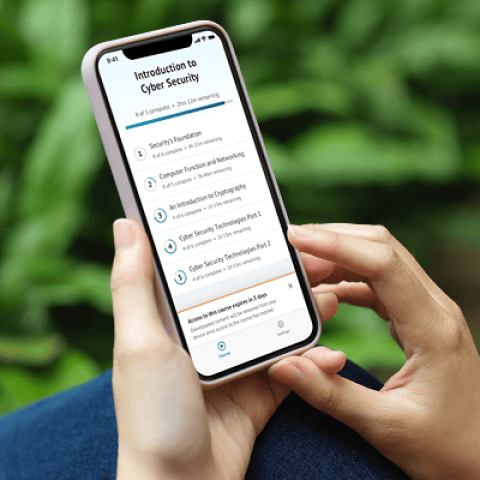
OnDemand Mobile App

Choose how you want to learn - online, on demand, or at our live in-person training events

Close Up of Woman Holding a Pen and Documents

Get access to our range of industry-leading courses and resources