Group Purchasing
Group Purchasing

SEC599: Defeating Advanced Adversaries - Purple Team Tactics & Kill Chain Defenses

SEC599Offensive Operations
  • 6 Days (Instructor-Led)
  • 36 Hours (Self-Paced)
Course authored by:
Erik Van BuggenhoutStephen Sims
Erik Van Buggenhout & Stephen Sims
SEC599: Defeating Advanced Adversaries - Purple Team Tactics & Kill Chain Defenses
Course authored by:
Erik Van BuggenhoutStephen Sims
Erik Van Buggenhout & Stephen Sims
  • GIAC Defending Advanced Threats (GDAT)
  • 36 CPEs

    Apply your credits to renew your certifications

  • In-Person, Virtual or Self-Paced

    Attend a live, instructor-led class at a location near you or remotely, or train on your time over 4 months

  • Intermediate Skill Level

    Course material is geared for cyber security professionals with hands-on experience

  • 25 Hands-On Lab(s)

    Apply what you learn with hands-on exercises and labs

Learn advanced defensive techniques through hands-on labs and real-world scenarios to effectively prevent, detect, and respond to sophisticated cyber-attacks through a purple team strategy.

Course Overview

SEC599 is an intensive, hands-on course designed to equip security professionals with practical skills for defending against advanced cyber threats. Through more than 20 hands-on labs and a culminating full-day Defend-the-Flag exercise, students learn how to implement effective security controls across the entire attack chain. The course combines real-world attack analysis, adversary emulation, and defensive strategy implementation using industry-standard frameworks like MITRE ATT&CK and Cyber Kill Chain.

From building custom sandboxes to detecting lateral movement and preventing command and control communications, students gain practical experience with modern security tools and techniques. The course emphasizes both prevention and detection, ensuring professionals can both stop attacks and quickly identify when defenses have been breached. It also prepares students for the GDAT certification, validating their expertise in purple team tactics and advanced adversary defense.

Building Enterprise Cyber Defense: From Threat Analysis to Purple Team Implementation

You just got hired to help our virtual organization "SYNCTECHLABS" build out a cyber security capability. On your first day, your manager tells you: "We looked at some recent cyber security trend reports and we feel like we've lost the plot. Advanced persistent threats, ransomware, denial of service... We're not even sure where to start!"

Cyber threats are on the rise: ransomware tactics are affecting small, medium, and large enterprises alike, while state-sponsored adversaries are attempting to obtain access to your most precious crown jewels. SEC599: Defeating Advanced Adversaries - Purple Team Tactics & Kill Chain Defenses will arm you with the knowledge and expertise you need to overcome today's threats. Recognizing that a prevent-only strategy is not sufficient, we will introduce security controls aimed at stopping, detecting, and responding to your adversaries. This course is also a key resource for preparing for the GDAT certification, which validates your ability to build a defense-in-depth strategy against sophisticated threats.

Course authors Stephen Sims and Erik Van Buggenhout (both certified as GIAC Security Experts) are hands-on practitioners who have built a deep understanding of how cyber-attacks work through penetration testing and incident response. While teaching penetration testing courses, they were often asked the question: "How do I prevent or detect this type of attack?" Well, this is it! SEC599 gives students real-world examples of how to prevent attacks. The course features more than 20 labs plus a final Capture-The-Flag exercise where students can showcase their new technical skills and compete for the coveted SEC599 Challenge Coin.

Our six-part journey will start off with an analysis of recent attacks through in-depth case studies. We will explain what types of attacks are occurring and introduce formal descriptions of adversary behavior such as the Cyber Kill Chain and the MITRE ATT&CK framework. In order to understand how attacks work, you will also compromise our virtual organization "SYNCTECHLABS" in section one exercises.

In sections two, three, four and five we will discuss how effective security controls can be implemented to prevent, detect, and respond to cyber attacks. The topics to be addressed include:

  • Leveraging MITRE ATT&CK as a "common language" in the organization
  • Using online Sandboxes and YARA rules to quickly analyze malware
  • Developing effective group policies to improve script execution (including PowerShell, Windows Script Host, VBA, HTA, etc.)
  • Highlighting key bypass strategies for script controls (Unmanaged Powershell, AMSI bypasses, etc.)
  • Stopping 0-day exploits using ExploitGuard and application whitelisting
  • Highlighting key bypass strategies in application whitelisting (focus on AppLocker)
  • Detecting and preventing malware persistence
  • Leveraging the Elastic stack as a central log analysis solution
  • Detecting and preventing lateral movement through Sysmon, Windows event monitoring, and group policies
  • Blocking and detecting command and control through network traffic analysis
  • Leveraging threat intelligence to improve your security posture

After a full 5-day course you will compete in a Capture-The-Flag challenge where you can apply your newly learned skills against real-world inspired cases. Your network has been compromised, so the faster you can figure out what’s going on, the higher you will score!

Hands-On Cybersecurity Training

SEC599 leverages SANS OnDemand systems, allowing attendees to complete the 20+ labs in the course within a full-fledged browser environment. This setup eliminates potential issues with student laptops and maximizes learning time focused on security topics rather than configuring virtual machines. Student virtual machines are provided to facilitate continued learning at home.

Examples of the practical labs and exercises you will complete in this course will enable you to:

  • Use MITRE ATT&CK Navigator to assess different techniques
  • Leverage MITRE ATT&CK as a "common language" within the organization
  • Harden domain environments using Security Compliance Toolkit (SCT) and Security Technical Implementation Guide (STIG)
  • Perform atomic TTP testing using Caldera
  • Map attack surfaces with BBOT
  • Stop NTLMv2 sniffing and relay attacks in Windows
  • Block typical phishing payload execution
  • Restrict binary and PowerShell execution
  • Detect threats using Sysmon and SIGMA
  • Utilize online sandboxes and YARA for analysis
  • Implement exploit mitigation using compile-time controls and ExploitGuard
  • Detect persistence using Autoruns and Osquery
  • Map attack paths using BloodHound
  • Implement Local Administrator Password Solution (LAPS)
  • Harden Windows against credential compromise
  • Detect lateral movement in Active Directory
  • Defend against ransomware
  • Leverage threat intelligence with MISP and Thor Lite
  • Hunt your environment using Velociraptor
  • Find malware using MemProcFS

Author Statement

"After writing and teaching many advanced penetration testing and exploit development courses over the past 10 years, I started to see a trend developing. Often, over half of the students in my classes were not actually penetration testers or those who would be writing zero-days. In fact, they most often worked in a defensive role and were coming to these courses to learn about the techniques used by attackers so that they could better defend their networks. This led to our idea to write a course that focused on teaching just enough of the offense to demonstrate the impact, and then focus the majority of the time on implementing controls to break the techniques used by adversaries and red team testers."

– Erik Van Buggenhout

What You’ll Learn

  • Leverage MITRE ATT&CK for threat-informed defense
  • Deploy custom security controls and sandboxing
  • Implement advanced Windows hardening and detection
  • Build logging and monitoring with Elastic and Sysmon
  • Design threat detection using intel and traffic analysis
  • Practice purple teaming with real-world attack scenarios

Business Takeaways

  • Faster threat detection and response
  • Stronger red and blue team collaboration
  • Defense based on real attacker behaviors
  • Better use of existing security tools
  • Clear metrics for measuring improvements

Course Syllabus

Explore the course syllabus below to view the full range of topics covered in SEC599: Defeating Advanced Adversaries - Purple Team Tactics & Kill Chain Defenses.

Section 1Introduction and Attack Surface Management

Begin your journey with real-world attack analysis and hands-on experience compromising the SYNCTECHLABS virtual environment. Learn to leverage the Cyber Kill Chain and MITRE ATT&CK framework while understanding purple team methodologies and essential defensive tools.

Topics covered

  • Course objectives and lab environment setup
  • Analysis of current cyber-attack landscapes
  • Extended Kill Chain methodology
  • Purple team concepts and implementation
  • MITRE ATT&CK framework integration

Labs

  • One click is all it takes...Initial compromise simulation
  • Hardening our domain using SCT and STIG
  • Kibana, ATT&CK Navigator
  • Atomic TTP testing using Caldera
  • Attack Surface Mapping with BBOT

Overview

Our six-part journey starts with an analysis of recent attacks through in-depth case studies. We will explain what's happening in real situations and introduce the Cyber Kill Chain and MITRE ATT&CK framework as a structured approach to describing adversary tactics and techniques. We will also explain what purple teaming is, typical tools associated with it, and how it can be best organized in your organization. In order to understand how attacks work, students will also compromise our virtual organization "SYNCTECHLABS" during section one exercises.

Full Topic Details

  • Course Objectives and Lab Environment
  • What's Happening Out There?
  • Introducing SYNCTECHLABS
  • Lab 1.1: One Click Is All It Takes
  • MITRE ATT&CK
  • Leveraging Threat-Informed Defense Principles
  • Lab 1.2: Hardening Our Domain Using SCT and STIG
  • Building a Detection Stack
  • Lab 1.3: Kibana and ATT&CK Navigator
  • What Is the Purple Team?
  • Lab 1.4: Atomic TTP Testing Using Caldera
  • Understanding Our Attack Surface
  • Lab 1.5: Attack Surface Mapping with BBOT

Section 2Payload Delivery and Execution

Explore attacker techniques for payload delivery and execution, focusing on prevention and detection methods. Learn to implement controls against malicious executables and scripts, while gaining hands-on experience with YARA for payload description and SIGMA for use-case documentation.

Topics covered

  • Common delivery mechanism analysis
  • Payload delivery prevention strategies
  • Network and removable media controls
  • Mail security and web proxy implementation

Labs

  • Stopping NTLMv2 Sniffing and Relay Attacks in Windows
  • Blocking Typical Phishing Payload Execution
  • Restricting Binary/PowerShell Execution
  • Detection with Sysmon and SIGMA

Overview

Section 2 will cover how the attacker attempts to deliver and execute payloads in the organization. We will first cover adversary techniques (e.g., creation of malicious executables and scripts), then focus on how both payload delivery (e.g., phishing mails) and execution (e.g., double-clicking of the attachment) can be hindered. We will also introduce YARA as a common payload description language and SIGMA as a vendor-agnostic use-case description language.

Full Lab Details

  • Stopping NTLMv2 Sniffing and Relay Attacks in Windows
  • Blocking Typical Phishing Payload Execution
  • Restricting Binary/PowerShell Execution
  • Detection with Sysmon and SIGMA
  • Using Online Sandboxes and YARA

Full Topic Details

  • Common Delivery Mechanisms
  • Removable Media and Rogue Device Attacks
  • Coercing Authentication when Connected to the Network
  • Lab 2.1: Stopping NTLMv2 Sniffing and Relay Attacks in Windows
  • Common Phishing Strategies
  • Core Phishing Defenses: People and Awareness
  • Core Phishing Defenses: Email/Browser Security and MFA
  • Core Phishing Defenses: Restricting Initial Payload Execution
  • Lab 2.2: Blocking Typical Phishing Payload Execution
  • Core Phishing Defenses: Restricting Binary/PowerShell Execution
  • Lab 2.3: Restricting Binary/PowerShell Execution
  • Detection Strategies: Real-Time Detection and Sandboxing
  • Lab 2.4: Detection with Sysmon and SIGMA
  • Lab 2.5: Using Online Sandboxes and YARA

Section 3Exploitation, Persistence, and Command and Control

Learn to integrate security into the software development lifecycle while implementing effective exploit mitigation techniques. Focus on both compile-time and run-time protections, persistence detection strategies, and command and control channel identification.

Topics covered

  • Software development lifecycle security integration
  • Patch management strategies
  • Exploit mitigation techniques
  • Persistence strategy analysis

Labs

  • Exploit Mitigation Using Compile-Time Controls
  • Exploit Mitigation Using Exploit Guard
  • Catching Persistence Using Autoruns and Osquery
  • Detecting C2 Channels

Overview

Section 3 will first explain how exploitation can be prevented or detected. We will show how security should be an integral part of the software development lifecycle and how this can help prevent the creation of vulnerable software. We will also explain how patch management fits in the overall picture.

Next, we will zoom in on exploit mitigation techniques, both at compile-time (e.g., ControlFlowGuard) and at run-time (ExploitGuard). We will provide an in-depth explanation of what the different exploit mitigation techniques (attempt to) cover and how effective they are. We'll then turn to a discussion of typical persistence strategies and how they can be detected. Finally, we will illustrate how command and control channels are being set up and what controls are available to the defender for detection and prevention.

Full Lab Details

  • Exploit Mitigation Using Compile-Time Controls
  • Exploit Mitigation Using Exploit Guard
  • Catching Persistence Using Autoruns and Osquery
  • Detecting C2 Channels

Full Topic Details

  • Software Development Lifecycle (SDL) and Threat Modeling
  • Patch Management
  • Exploit Mitigation Techniques
  • Lab 3.1: Exploit Mitigation Using Compile-Time Controls
  • Exploit Mitigation Techniques: Exploit Guard, EMET, and Others
  • Lab 3.2: Exploit Mitigation Using Exploit Guard
  • Typical Persistence Strategies
  • Endpoint Persistence
  • Other Forms of Persistence
  • Lab 3.3: Catching Persistence Using Autoruns and Osquery
  • Detecting Command and Control Channels
  • Lab 3.4: Detecting C2 Channels

Section 4Lateral Movement

Focus on defending against lateral movement. Examine credential protection, Windows privilege escalation, and various attack strategies while implementing effective detection and deception techniques.

Topics covered

  • Active Directory and Entra ID security fundamentals
  • Principle of Least Privilege and UAC
  • Privilege escalation prevention
  • Credential theft protection
  • Attack path mapping using BloodHound

Labs

  • Mapping Attack Paths Using BloodHound
  • Implementing LAPS
  • Local Windows Privilege Escalation Techniques
  • Hardening Windows against Credential Compromise
  • Kerberos Attack Strategies

Overview

Section 4 will focus on how adversaries move laterally throughout an environment. A key focus will be on Active Directory (AD) and EntraID structures and protocols (local credential stealing, NTLMv2, Kerberos, etc.). We will discuss common attack strategies, including Windows privilege escalation, UAC bypasses, (Over-) Pass-the-Hash, Kerberoasting, Silver Tickets, and others. We'll also cover how BloodHound can be used to develop attack paths through the environment. Finally, we will discuss how lateral movement can be identified in the environment and how cyber deception can be used to catch intruders red-handed!

Full Lab Details

  • Mapping Attack Paths Using BloodHound
  • Implementing LAPS
  • Local Windows Privilege Escalation Techniques
  • Hardening Windows against Credential Compromise
  • Kerberos Attack Strategies

Full Topic Details

  • Lateral Movement Concepts
  • Lab 4.1: Mapping Attack Paths Using BloodHound
  • Active Directory and Entra ID Security Concepts
  • Principle of Least Privilege and UAC
  • Lab 4.2: Implementing LAPS
  • Privilege Escalation Techniques in Windows
  • Lab 4.3: Local Windows Privilege Escalation Techniques
  • Abusing Local Admin Privileges to Steal More Credentials
  • Lab 4.4: Hardening Windows against Credential Compromise
  • Kerberos Attacks: Kerberoasting, Silver Tickets, and Over-PtH
  • Lab 4.5: Kerberos Attack Strategies
  • Key Logs to Detect Lateral Movement in AD
  • Deception: Tricking the Adversary

Section 5Action on Objectives, Threat Hunting, and Incident Response

Address final attack stages including domain dominance prevention and data exfiltration detection. Learn to leverage threat intelligence effectively and perform incident response, with hands-on practice using advanced forensics tools.

Topics covered

  • Domain dominance prevention strategies
  • Data exfiltration detection methods
  • Threat intelligence implementation
  • Proactive threat hunting
  • Incident response procedures

Labs

  • Domain Dominance
  • Defending against Ransomware
  • Leveraging Threat Intelligence with MISP and Thor Lite
  • Hunting Your Environment Using Velociraptor
  • Finding Malware Using MemProcFS

Overview

Section five focuses on stopping the adversary during the final stages of the attack:

  • How does the adversary obtain "domain dominance" status? This includes the use of Golden Tickets, Diamond Tickets, Skeleton Keys, and directory replication attacks such as DCSync and DCShadow.
  • How can data exfiltration be detected and stopped?
  • How can threat intelligence aid defenders in the Cyber Kill Chain?
  • How can defenders perform effective incident response and threat hunting?

As always, theoretical concepts will be illustrated during the different exercises performed throughout the day.

Labs

  • Domain Dominance
  • Defending against Ransomware
  • Leveraging Threat Intelligence with MISP and Thor Lite
  • Hunting Your Environment Using Velociraptor
  • Finding Malware Using MemProcFS

Full Topic Detials

  • Persisting Administrative Access
  • Golden and Diamond Tickets
  • AD Manipulation
  • Skeleton Key Attack
  • Lab 5.1: Domain Dominance
  • Data Encryption and Exfiltration
  • Lab 5.2: Defending against Ransomware
  • Defining Threat Intelligence
  • Lab 5.3: Leveraging Threat Intelligence with MISP and Thor Lite
  • Proactive Threat Hunting Strategies
  • Lab 5.4: Hunting Your Environment Using Velociraptor
  • Incident Response Process
  • Lab 5.5: Finding Malware Using MemProcFS

Section 6Capture-The-Flag Challenge

Apply your newly acquired skills in a comprehensive, team-based Capture-The-Flag competition. Your environment is under attack and it’s up to you to identify how they got in, and what they’re doing once they obtained access.

Topics covered

  • Practical exercises based on real-world cases
  • Analyze identified malware
  • Perform network analysis to identify intrusions
  • Examine memory captures to identify artefacts
  • Find potential attack paths in your environment

Overview

The course culminates in a team-based Capture-the-Flag competition. Section six is a full chapter of hands-on work applying the principles taught throughout the course. Your team will progress through multiple levels and missions designed to ensure mastery of the modern cyber security controls promoted all week long. This challenging exercise will reinforce key principles in a fun, hands-on, team-based challenge.

Note that OnDemand students will enjoy this exercise on an individual basis. As always, SANS SMEs are available to support every OnDemand student's experience.

Things You Need To Know

Important! Bring your own system configured according to these instructions.

A properly configured system is required to fully participate in this course. If you do not carefully read and follow these instructions, you will not be able to fully participate in hands-on exercises in your course. Therefore, please arrive with a system meeting all of the specified requirements.

Back up your system before class. Better yet, use a system without any sensitive/critical data. SANS is not responsible for your system or data.

Mandatory System Hardware Requirements

  • CPU: 64-bit Intel i5/i7 (8th generation or newer), or AMD equivalent. A x64 bit, 2.0+ GHz or newer processor is mandatory for this class.
  • CRITICAL: Apple Silicon devices cannot perform the necessary virtualization and therefore cannot in any way be used for this course.
  • BIOS settings must be set to enable virtualization technology, such as "Intel-VTx" or "AMD-V" extensions. Be absolutely certain you can access your BIOS if it is password protected, in case changes are necessary.
  • 8GB of RAM or more is required.
  • 75GB of free storage space or more is required.
  • At least one available USB 3.0 Type-A port. A Type-C to Type-A adapter may be necessary for newer laptops. Some endpoint protection software prevents the use of USB devices, so test your system with a USB drive before class.
  • Wireless networking (802.11 standard) is required. There is no wired Internet access in the classroom.

Mandatory Host Configuration And Software Requirements

  • Your host operating system must be the latest version of Windows 10, Windows 11, or macOS 10.15.x or newer.
  • Fully update your host operating system prior to the class to ensure you have the right drivers and patches installed.
  • Linux hosts are not supported in the classroom due to their numerous variations. If you choose to use Linux as your host, you are solely responsible for configuring it to work with the course materials and/or VMs.
  • Local Administrator Access is required. (Yes, this is absolutely required. Don't let your IT team tell you otherwise.) If your company will not permit this access for the duration of the course, then you should make arrangements to bring a different laptop.
  • You should ensure that antivirus or endpoint protection software is disabled, fully removed, or that you have the administrative privileges to do so. Many of our courses require full administrative access to the operating system and these products can prevent you from accomplishing the labs.
  • Any filtering of egress traffic may prevent accomplishing the labs in your course. Firewalls should be disabled or you must have the administrative privileges to disable it.
  • Microsoft Office (any version) or OpenOffice installed on your host. Note that you can download Office Trial Software online (free for 30 days).
  • Download and install VMware Workstation Pro 16.2.X+ or VMware Player 16.2.X+ (for Windows 10 hosts), VMware Workstation Pro 17.0.0+ or VMware Player 17.0.0+ (for Windows 11 hosts), or VMWare Fusion Pro 12.2+ or VMware Fusion Player 11.5+ (for macOS hosts) prior to class beginning. If you do not own a licensed copy of VMware Workstation Pro or VMware Fusion Pro, you can download a free 30-day trial copy from VMware. VMware will send you a time-limited serial number if you register for the trial at their website. Also note that VMware Workstation Player offers fewer features than VMware Workstation Pro. For those with Windows host systems, Workstation Pro is recommended for a more seamless student experience.
  • On Windows hosts, VMware products might not coexist with the Hyper-V hypervisor. For the best experience, ensure VMware can boot a virtual machine. This may require disabling Hyper-V. Instructions for disabling Hyper-V, Device Guard, and Credential Guard are contained in the setup documentation that accompanies your course materials.
  • Download and install 7-Zip (for Windows Hosts) or Keka (for macOS hosts). These tools are also included in your downloaded course materials.

Your course media is delivered via download. The media files for class can be large. Many are in the 40-50GB range, with some over 100GB. You need to allow plenty of time for the download to complete. Internet connections and speed vary greatly and are dependent on many different factors. Therefore, it is not possible to give an estimate of the length of time it will take to download your materials. Please start your course media downloads as soon as you get the link. You will need your course media immediately on the first day of class. Do not wait until the night before class to start downloading these files.

Your course materials include a "Setup Instructions" document that details important steps you must take before you travel to a live class event or start an online class. It may take 30 minutes or more to complete these instructions.

Your class uses an electronic workbook for its lab instructions. In this new environment, a second monitor and/or a tablet device can be useful for keeping class materials visible while you are working on your course's labs.

If you have additional questions about the laptop specifications, please contact customer service.

SEC599 training is recommended for a diverse range of individuals, including:

  • Security architects and security engineers who want to better understand how the defenses they put in place make an impact on adversary operations
  • Red teamers and penetration testers who want to better understand how blue team techniques could stop their attacks
  • Technical security managers who want to understand what security controls should be prioritized
  • Security Operations Center analysts and engineers who want to better understand how they can detect adversary techniques
  • Individuals looking to better understand how persistent cyber adversaries operate and how the IT environment can be improved to better prevent, detect, and respond to incidents.

The GIAC Defending Advanced Threats (GDAT) certification covers both offensive and defensive topics in-depth. GDAT-certified professionals have a thorough understanding of how advanced cyber adversaries operate and how the IT environment can be improved to better prevent, detect, and respond to incidents.

  • Advanced persistent threat models and methods
  • Detecting and preventing payload deliveries, exploitation, and post-exploitation activities
  • Using cyber deception to gain intelligence for threat hunting and incident response
  • Adversary Emulation

More Certification Details

  • MP3 audio files of the complete course lecture
  • Digital Download Package that includes:
  • Virtual machines for training
  • Electronic Courseware
  • Download link to the target VMs

  • Experience with Linux and Windows from the command line (including PowerShell)
  • Familiarity with Windows Active Directory concepts
  • A baseline understanding of cyber security topics
  • A solid understanding of TCP/IP and networking concepts

SEC599 training course is part of the Offensive Operations curriculum. It’s considered an advanced purple team course alongside SEC598: AI and Security Automation for Red, Blue, and Purple Teams and SEC699: Advanced Purple Teaming – Adversary Emulation & Detection Engineering.

While none of the courses have required prerequisites, the most successful students take SEC504, then SEC599 and then SEC699. However, if you have experience you may be able to skip those courses. Depending on your background and experience, you may want to consider the below courses as well:

The cyber kill chain is a foundational model that helps analysts understand and disrupt adversary operations at each phase—from reconnaissance to actions on objectives. By aligning threat hunting techniques to the stages of the Kill Chain, students learn to proactively detect threats earlier in the attack lifecycle, reduce dwell time, and harden enterprise environments against future compromise. This framework is essential for building effective, intelligence-driven defense strategies that reflect real-world attacker behavior.

SEC599: Enterprise-Class Incident Response & Threat Hunting is designed to take cybersecurity professionals to the next level by sharpening their ability to detect, hunt, and respond to advanced threats across complex enterprise environments. Whether you're a senior SOC analyst, threat hunter, or incident responder, SEC599 will elevate your strategic visibility, technical credibility, and readiness to handle real-world attacks. Graduates often leverage the course to move into leadership roles, specialize in threat intelligence, or lead enterprise detection engineering initiatives. By mastering threat-centric methodologies and hands-on labs mapped to real APT behaviors, you’ll be positioned as a go-to expert in your organization and a stronger candidate for career advancement.
Relevant Job Roles

Cyber Intelligence Analyst Training, Salary, and Career Path

European Cybersecurity Skills Framework

Cyber Intelligence Analysts analyze evolving cyber threats, profile adversaries, and leverage intelligence platforms to proactively inform security decisions and mitigation strategies, bridging technical insights with strategic awareness.

Explore learning path

Threat Management

SCyWF: Protection And Defense

This role collects and analyzes information about threats, searches for undetected threats and provides actionable insights to support cybersecurity decision-making. Find the SANS courses that map to the Threat Management SCyWF Work Role.

Explore learning path

Offensive Cyber Operations (OCEP)

Skills Framework for the Information Age

Execution of controlled cyber operations that emulate threat actor behaviour to evaluate organisational defences. Operations are used to identify weaknesses and enhance preparedness.

Explore learning path

Purple Teamer

Offensive Operations

In this fairly recent job position, you have a keen understanding of both how cybersecurity defenses (“Blue Team”) work and how adversaries operate (“Red Team”). During your day-today activities, you will organize and automate emulation of adversary techniques, highlight possible new log sources and use cases that help increase the detection coverage of the SOC, and propose security controls to improve resilience against the techniques. You will also work to help coordinate effective communication between traditional defensive and offensive roles.

Explore learning path

Vulnerability Assessment (VUAS)

Skills Framework for the Information Age

Identification and classification of vulnerabilities across systems, applications, and networks. Findings are used to guide patching, mitigation, and security control enhancements.

Explore learning path

Red Teamer Training, Salary, and Career Path

Offensive Operations

Monitor and analyze activity across cloud environments, proactively detect and assess threats, and implement preventive controls and targeted defenses to protect critical business systems and data.

Explore learning path

Course Schedule and Pricing

Have Questions?Contact Us
Showing 10 of 12

Benefits of Learning with SANS

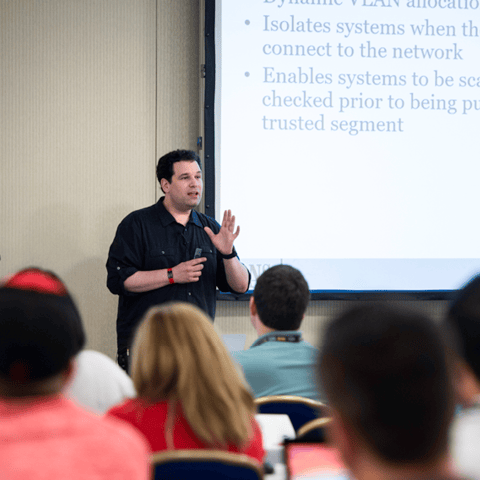
Bryan Simon: Teacher Standing Next to Smartboard and Explaining Concept

Get feedback from the world’s best cybersecurity experts and instructors
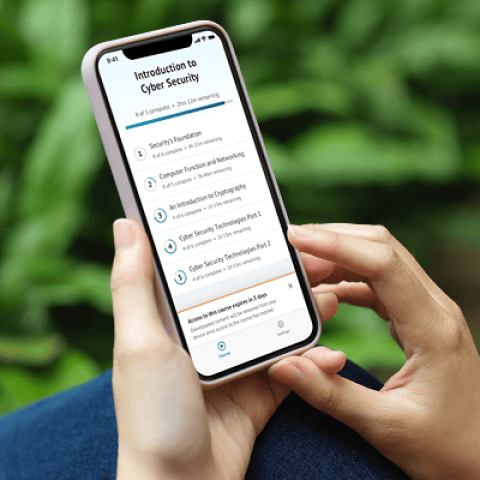
OnDemand Mobile App

Choose how you want to learn - online, on demand, or at our live in-person training events

Close Up of Woman Holding a Pen and Documents

Get access to our range of industry-leading courses and resources