Group Purchasing
Group Purchasing

FOR498: Digital Acquisition and Rapid Triage

FOR498Digital Forensics and Incident Response
  • 6 Days (Instructor-Led)
  • 36 Hours (Self-Paced)
Course authored by:
Kevin RipaEric Zimmerman
Kevin Ripa & Eric Zimmerman
FOR498: Digital Acquisition and Rapid Triage
Course authored by:
Kevin RipaEric Zimmerman
Kevin Ripa & Eric Zimmerman
  • GIAC Battlefield Forensics and Acquisition (GBFA)
  • 36 CPEs

    Apply your credits to renew your certifications

  • In-Person, Virtual or Self-Paced

    Attend a live, instructor-led class at a location near you or remotely, or train on your time over 4 months

  • Essential Skill Level

    Course material is for individuals with an understanding of IT or cyber security concepts

  • 20 Hands-On Lab(s)

    Apply what you learn with hands-on exercises and labs

Gain essential skills in digital forensic acquisition and rapid triage. Learn to collect and preserve data from diverse sources and then rapidly extract actionable intelligence.

Course Overview

A digital forensic acquisition training course, FOR498 provides the skills to identify the many and varied data storage mediums in use today, and how to collect and preserve this data in a forensically sound manner despite how and where it may be stored. This forensics data collection course covers digital acquisition from computers, portable devices, networks, and the cloud, and teaches rapid triage—the art and science of identifying and starting to extract actionable intelligence from a hard drive in 90 minutes or less.

The Clock Is Ticking. You Need to Prioritize the Most Valuable Evidence for Processing. Let Us Show You How!

FOR498: Digital Acquisition and Rapid Triage will help you to:

  • Acquire data effectively from:
    • PCs, Microsoft Surface, and Tablet PCs
    • Apple Devices, and Mac, and Macbooks
    • Random Access Memory (RAM)
    • Smartphones and portable mobile devices
    • Cloud storage and services
    • Network storage repositories
    • Virtual Machine environments
  • Produce actionable intelligence in 90 minutes or less

The first step in any investigation is the gathering of evidence. Digital forensic investigations are no different. The evidence used in this type of investigation is data, and this data can live in many varied formats and locations. You must be able to first identify the data that you might need, determine where that data resides, and, finally, formulate a plan and procedures for collecting that data.

With digital forensic acquisitions, you will typically have only one chance to collect data properly. If you manage the acquisition incorrectly, you run the risk of not only damaging the investigation, but more importantly, destroying the very data that could have been used as evidence.

With the wide range of storage media in the marketplace today, any kind of standardized methodology for all media is simply untenable. Many mistakes are being made in digital evidence collection, and this can cause the guilty to go free and, more importantly, the innocent to be incarcerated. The disposition of millions and millions of dollars can rest within the bits and bytes that you are tasked with properly collecting and interpreting.

An examiner can no longer rely on "dead box" imaging of a single hard drive. In today's cyber sphere, many people utilize a desktop, laptop, tablet, and cellular phone within the course of a normal day. Compounding this issue is the expanding use of cloud storage and providers, and the proper collection of data from all these domains can become quite overwhelming.

This in-depth digital acquisition and data handling course will provide first responders and investigators alike with the advanced skills necessary to properly respond to, identify, collect, and preserve data from a wide range of storage devices and repositories, ensuring that the integrity of the evidence is beyond reproach. Constantly updated, FOR498 addresses today's need for widespread knowledge and understanding of the challenges and techniques that investigators require when addressing real-world cases.

Numerous hands-on labs throughout the course will give first responders, investigators, and digital forensics teams practical experience needed when performing digital acquisition from hard drives, memory sticks, cellular phones, network storage areas, and everything in between.

During a digital forensics response and investigation, an organization needs the most skilled responders possible, lest the investigation end before it has begun. FOR498: Digital Acquisition and Rapid Triage will train you and your team to respond, identify, collect, and preserve data no matter where that data hides or resides.

Skills Acquired

  • Learn and master the tools, techniques, and procedures necessary to effectively locate, identify, and collect data no matter where it is stored
  • Handle and process a scene properly to maintain evidentiary integrity
  • Perform data acquisition from at-rest storage, including both spinning media and solid-state storage
  • Identify the numerous places that data for an investigation might exist
  • Perform rapid triage by going from evidence seizure to actionable intelligence in 90 minutes or less
  • Assist in preparing the documentation necessary to communicate with online entities such as Google, Facebook, Microsoft, etc.
  • Understand the concepts and usage of large-volume storage technologies, including JBOD, RAID storage, NAS devices, and other large-scale, network addressable storage
  • Identify and collect user data within large corporate environments where it is accessed using SMB
  • Gather volatile data such as a computer system's RAM
  • Recover and properly preserve digital evidence on cellular and other portable devices
  • Address the proper collection and preservation of data on devices such as Microsoft Surface/Surface Pro, where hard-drive removal is not an option
  • Address the proper collection and preservation of data on Apple devices such as MacBook, MacBook Air, and MacBook Pro, where hard-drive removal is not an option
  • Properly collect and effectively target email from Exchange servers, avoiding the old-school method of full acquisition and subsequent onerous data culling
  • Properly collect data from SharePoint repositories
  • Access and acquire online mail stores such as Gmail, Hotmail, and Yahoo Mail accounts

Course Topics

  • Advanced use of a wide range of best-of-breed, open-source tools in the SANS Windows 10 environment, as well as other external tools to perform proper data acquisition and evidence handling
  • Rapid incident response collection of artifacts to quickly further the investigation without waiting for completion of a forensic image
  • Remote and enterprise digital evidence collection
  • Windows live artifact collection
  • Memory collection
  • Volume shadow copy acquisition
  • Understanding advanced storage containers such as RAID and JBOD
  • Examination of file systems and how they hold data
  • Advanced understanding of proper evidence collection and scene management
  • Identifying data storage devices and locations
  • Properly identifying a vast array of interface styles and adapter usage
  • Gaining access to storage media using non-destructive methods
  • Accessing and collecting cloud-based storage containers, including online email such as Gmail and Outlook.com
  • Instruction specific to the acquisition of Apple devices
  • Methodologies for accessing and acquiring data from portable and cellular devices, as well as non-traditional devices such as GPS units and Internet of Things devices

Author Statement

"During my time as a Special Agent with the FBI, it became evident that the digital forensics community needed better methods to look at large amounts of data in an efficient manner to be able to get to answers quickly. As storage capacities increased, more traditional means began to take longer from a collection and analytical perspective. For this reason, I began creating triage software for use by the law enforcement community (and beyond). This problem has not changed since I left the FBI; in fact it has only continued to grow. For this reason, I decided to take a new approach to this problem, but this time in a way that could be given away to everyone in the digital forensics community. The result of this work is KAPE, which allows for rapid collection and analysis as determined by an incident responder. Of course, processing the data is only part of the equation, so this course spends a significant amount of time talking about acquisition--that is, how to get digital data from the devices we encounter. We not only talk about specific techniques for specific devices and situations, but for many of the topics covered, we provide the framework for how you can be successful when you encounter new devices. This course will focus on two key areas: getting the data that have the answers and extracting the answers from the data. We look forward to seeing you in class!"

- Eric Zimmerman

"My digital forensics experience started in the mid 1990s. Back then, a hex editor was the most important tool that an examiner had. You had to understand data at rest in its most fundamental levels if you wanted to be effective at forensics. Fast forward to today and there is a myriad of tools to perform most any task that a forensic examiner might want to do. The by-product of this is that an examiner can be overwhelmed with not only the amount of tools available, but the amount of data that needs review. We recognized that the industry needed a more focused approach at the most important information on a hard drive, to the exclusion of the vast amounts of unnecessary noise. We also recognized that examiners need a better understanding of deleted data and how to extract some of the most important information that we have been missing. Finally, in recent years we have taken notice of the number of devices in use today that contain storage that cannot be removed from the machine. Couple this with live response and data that is encrypted at rest and we must recognize that certain approaches have to change. Thus FOR498 was born. We certainly hope you enjoy taking this class is much as we've enjoyed writing it, and our sincere hope is that this information allows you to become more effective at your craft."

- Kevin Ripa

What You’ll Learn

  • Collect data from PCs, Macs, tablets, smartphones, RAM, virtual machines, and cloud environments
  • Perform evidence acquisition while maintaining forensic soundness and chain of custody
  • Execute rapid triage workflows to generate actionable intelligence in 90 minutes or less
  • Capture volatile data and memory from live systems during active investigations
  • Manage scenes efficiently to preserve and prioritize critical data
  • Acquire evidence from enterprise environments including Exchange, SharePoint, and network repositories
  • Utilize industry-standard open-source tools and SANS-provided environments for hands-on collection and analysis

Business Takeaways

  • Preserve digital evidence effectively to support regulatory, legal, and internal investigations
  • Accelerate incident response with rapid data triage and reduced analysis time
  • Confidently operate across diverse platforms, storage types, and user environments
  • Improve collaboration between technical teams, investigators, and legal stakeholders
  • Prevent data loss or mishandling during high-pressure incidents
  • Reduce dependency on external digital forensics resources by building in-house capability
  • Stay current with evolving acquisition challenges across cloud, mobile, and large-scale storage systems

Course Syllabus

Explore the course syllabus below to view the full range of topics covered in FOR498: Digital Acquisition and Rapid Triage.

Section 1Scene Prep, Management, and Storage Interfaces

Section one emphasizes the importance of proper digital evidence collection. We introduce foundational forensic concepts, tools, and procedures, including evidence handling, scene management, and file systems. We also highlight the need for proper training to ensure data integrity in high-pressure investigative environments.

Topics covered

  • Introduction to SIFT and Digital Forensic Acquisition
  • Understanding the Data
  • Scene Management and Evidence Acquisition
  • Device and Interface Identification

Labs

  • DFIR Workstation Installation
  • Converting an E01 into a Bootable VM
  • Interface Identification and BIOS/UEFI

Overview

Any baker knows that if you bake with the wrong ingredients, the result will fail. The same holds true for digital evidence collection.

Investigators often respond in high-stress environments where many different entities are critically scrutinizing the collection process. Personnel need to be properly trained and equipped to work in less-than-optimal surroundings, and they must be confident that they have managed the scene, identified all necessary data, collected it in a properly defensible manner, and maintained its integrity.

One of the most common scenarios that can cause headaches is receiving an evidence file (usually an E01) and being expected to provide answers immediately. The common approach is to mount the image and then start running carving and other tools against it. These automated tasks can take many hours (and sometimes days) just by themselves!

Full Topic Details

  • SIFT Introduction
    • Introduction to the Widows SIFT workstation
    • Installation of the Windows SIFT workstation
  • Introduction to Digital Forensic Acquisition
    • Need for a strong understanding of intake/collection
    • Understanding how a lack of this knowledge can damage your case
    • Not acquiring memory
    • Skipping BIOS information
    • Determining if encryption is present
    • ISO 27037:2012 - Guidelines for identification, collection, acquisition, and preservation of digital evidence
    • How to go from where you are to lethal forensicator - the basics
    • To specialize or generalize? You can't be good at everything
    • Options for diving deeper into specializations
  • Understanding the Data
    • Where is data that is common to the most current acquisition requirements found?
      • Phones
      • Network
      • Traditional
      • IoT
      • Removable devices
      • Unorthodox storage
    • What types of critical data are needed for triage and quick-hit investigations?
      • Evidence of communication
    • Chat, email, phone calls, SMS
      • Evidence of browser history
    • Where the individual was researching, reading, or accessing via Web apps
      • Evidence of geo-location
    • Where has the device been located recently?
    • GPS, geo-tagging Info
    • Pictures - GPS coordinates in EXIF, etc.
    • Maps
    • Other GEO-tagging artifacts
    • Physical devices
      • Spinning media
      • Flash storage
    • Going from physical disks to data storage
    • File system overview
      • Purpose: Organize and retrieve data
    • How do different file systems achieve this?
      • NTFS, FAT, EXT, HFS, APFS
    • Specialty file systems
      • ZFS
      • EMC
    • File system metadata
      • Timestamps
      • Where data lives
      • Security information
    • Evidence file formats
      • Common formats found in digital forensics
        • .E01
        • DD/RAW
        • SMART
        • .AD1/L01
      • Determining the approach when someone else created the evidence file
  • Scene Management and Evidence Acquisition
    • The go bag
      • Scene safety
      • Minimum recommendations vs. LE response
    • Documenting the scene
      • Sketch
      • Photos
      • Video
      • Scene documentation
    • Identifying and collecting evidence
    • Evidence seizure
      • Chain of custody
    • Inventory
    • Documenting storage devices prior to imaging
      • Physical storage devices inside a computer
      • The difference between an enclosure vs. an actual storage device inside it
    • Storage and maintenance of evidence
      • Evidence lockups
      • Long-term storage considerations
  • Device and Interface Identification
    • Storage device interface recognition
      • IDE, SATA, SAS, fiber channel, SCSI, USB, Firewire
    • Using adapters to convert interfaces
    • Accessing BIOS/UEFI

Section 2Portable Devices and Acquisition Processes

Section two focuses on acquiring data from portable devices and enterprise systems, emphasizing proper handling. It covers smartphone analysis, write blocking, and efficient evidence collection across diverse storage types. We will also explore myriad acquisition hardware and software, adapters, and identification for data-informed decision making.

Topics covered

  • Smartphone Acquisition and Analysis
  • Android
  • Acquisition Hardware and Software
  • Acquisition Methodology
  • Discovering and Interacting with Data

Labs

  • Portable Device Acquisition and Analysis
  • Hard Drive Wiping and Formatting
  • Write Blocking Methodologies
  • Preparing the Analyst Machine
  • Using Timeline Explorer

Overview

There is no second chance when seizing or acquiring data. Make sure you get it right the first time.

Portable devices bring their own set of challenges to the table. These devices are more ubiquitous than computers. Seldom is the case today that does not include a cellular device. Unfortunately, there is no standard for cellular operating systems. Even within brands, there can be vastly different data storage. This course section will introduce students to several devices and the tools that will acquire them.

Investigators and first responders should be armed with the latest tools, digital container access techniques, and enterprise methodologies to identify, access, and preserve evidence across a vast range of devices and repositories. They must also be able to scale their identification and collection across thousands of systems in their enterprise. Enterprise and cloud storage collection techniques are now a requirement to track activity that has been intentionally and unintentionally spread across many devices. Responding to these many systems cannot be accomplished using the standard "pull the hard drive" forensic examination methodology. Such an approach will result in lost opportunities due to the time it takes to forensically image entire hard drives. Furthermore, investigators need actionable intelligence as quickly and responsibly as possible. This course section lays the foundation for evidence collection, from initial arrival on a scene to the fundamentals of understanding data at rest and properly identifying the devices, interfaces, and tools that will be needed to carry out collection successfully.

Full Topic Details

  • Smartphone Acquisition
    • Proper device handling techniques
      • Airplane mode
      • Network isolation
    • Acquisition tools
      • Cellebrite
      • IEF/Axiom
    • SIM card acquisition
      • How to capture the data and why
      • Regional concerns
  • Smartphone Analysis
    • Apple iOS
    • Apple iOS fundamentals and "quick win" data
    • iOS backups
      • Local and cloud
  • Android
    • Android fundamentals and "quick win" data
    • Android backups
    • Common analysis techniques
    • Applications (Apps)
      • Messaging services
        • iMessage
        • SMS/MMS
        • Viber
        • Snapchat
        • WhatsAPP
    • Email
      • iOS vs. other devices
  • Acquisition Hardware and Software
    • Live response
      • FTK imager/X-Ways
      • KAPE
      • F-Response
    • Dead box: Write blocking with software imagers
      • Software-based write blocking
        • Registry key/value entries
        • Safeblock
        • Hardware-based write blocking
    • Physical imaging device (Ditto, Talon, etc.)
      • UltraDock, Tableau, etc.
    • Preparing destination media
      • Formatting destination media
      • Wiping destination media
  • Acquisition Methodology
    • Is the computer off or just suspended?
    • Hibernation vs. sleep mode
    • Accessing a device: Laptop vs. desktop, etc.
    • Recognizing signs of tampering
    • Be aware of how the data are stored
      • JBOD vs. RAID vs. network
    • Acquisition verification
      • Hashing source vs. destination
      • Special case: SSD
  • Discovering and Interacting with Data
    • Windows and CLI basic navigation and usage
    • PowerShell vs. cmd vs. bash
    • Data review techniques
      • Timeline Explorer
    • Fundamental artifacts
      • Evidence of user communications (email, social media, Skype/Chat)
      • Evidence of geo-location
      • Web browsing history

Section 3Triage and Data Acquisition

Section three covers "Quick Win Forensics," focusing on rapidly identifying and acquiring key evidence through live response, memory capture, and triage techniques. It emphasizes speed and efficiency, especially in cases involving encryption or file-less malware.

Topics covered

  • Beginning the Collection Process
  • Mounting Evidence and Triage Acquisition
  • Memory Acquisition and Encryption Checking
  • Host-Based Live Acquisition
  • Dead Box Acquisition

Labs

  • Mounting Evidence
  • Triage Acquisition
  • RAM Acquisition and Encrypted Media
  • Host Based Live Acquisition
  • Dead Box Acquisition

Overview

Quick Win Forensics prioritizes locating, extracting, and processing the 1 percent of digital evidence you need to move a case forward.

Given that 99 percent of the necessary evidence typically will exist in 1-2 percent of the data acquired, it is easy to see how a great deal of time can be wasted following the normal procedures in today's digital forensics world. Instead, let's focus on this 1-2 percent and perform a very rapid triage collection that can be used to start our investigation sooner!

Far too often, computers are seized in an "on" state, and immediately powered down because, "that is how we've always done it." With today's computers, this means you are throwing away (essentially destroying) many gigabytes of data. The RAM in a computer holds a treasure trove of data, from keystrokes to network connections, running services, and, quite importantly, passwords and decryption keys. With the vastly increasing spread of file-less malware, in many cases the only place that evidence will exist is in memory. Another often-overlooked factor is full disk encryption. In cases like this, "live" acquisition will be your only hope.

Full Topic Details

  • Beginning the Collection Process
    • Live response (the system is running)
    • Document state of computer (photograph screen and open apps)
    • Dump memory
    • Triage collection, depending on case
    • Check for encryption
    • Dead box
    • Accessing storage medium
      • Write block
      • Acquire data
        • Rapid triage overview
        • Creating a forensic image overview
  • Mounting Evidence
    • Mounting images
      • Arsenal Recon Image mounter
      • FTK imager
  • Triage Acquisition
    • Triage introduction
    • Triage acquisition using FTK imager
    • Triage acquisition from original media vs. from forensic image
  • Memory Acquisition and Encryption Checking
    • Introducing tools to the environment
      • Where to store acquisition tools
      • Where to save images
      • External SSD vs. USB stick for maximal IO/write speed
      • Documenting your device
    • Command line tools
      • Dumpit/Belkasoft RAM capture
    • GUI tools
      • FTK Imager
    • Dealing with encrypted devices
    • Bitlocker introduction
  • Host-based Live Acquisition
    • Why live acquisition -- is it okay?
    • Determining what to collect
    • Logical vs. physical imaging
    • Important considerations
      • Ensuring the computer doesn't go to sleep
      • Do you have the power cord for the laptop?
      • 4 W's: Who, what, where, when
      • Security devices (yubikey, unlock dongles, etc.)
      • Document the known good (date/time, etc.)
      • Network connections
      • User remote access/connections
    • Dead Box Acquisition
      • Media device removal and handling
      • Hardware-based device acquisition
      • Software-based device acquisition
      • Special cases like Surface Pro, etc.

Section 4Non-Traditional and Cloud Acquisition

This section covers acquiring data from non-traditional and cloud storage, using tools like KAPE for rapid triage and remote collection. It prepares investigators to quickly access critical evidence from complex modern systems like RAID, Volume Shadow Copies, and cloud services.

Topics covered

  • File Systems Revisited
  • Battlefield Forensics with KAPE
  • Multi-Drive Storage
  • EMC/Non-traditional Formats
  • Remote Acquisition

Labs

  • Volume Shadow Copy Acquisition
  • Using the KAPE Tool for Battlefield Forensics
  • Network Acquisition

Overview

Cloud computing and storage is becoming more and more common. Do you know how to collect these critical data?

When we think about acquisition, it usually involves opening the side of the computer, removing the hard drive, connecting to a write blocker or imaging equipment, and completing the task. While this does not necessarily result in an inaccurate assessment, it does not address a great deal of the access and acquisition questions surrounding so much data today. If full disk imaging is necessary, then it is certainly easier and quicker to do it directly from the storage itself. But what happens with devices such as iPads, Surface Books, and other equipment held together by glue instead of screws?

Volume Shadow Copies contains a wealth of historic data that are of great use to investigators. Knowing how to access and collect data from these shadow copies is critical in cases involving the Windows operating system.

Rapid triage is considered the bleeding edge of digital forensics. It requires in-depth knowledge of where the most valuable data reside on the computer and how to get at them as fast as possible. An effective lethal forensicator needs to be extracting actionable intelligence in 90 minutes or less, but the clock does not start when the forensic imaging is done. Rather, it starts from the moment you lay your hands on the device.

Full Topic Details

  • File Systems Revisited
    • FAT
    • Ext
    • NTFS
    • Timestamp metadata
    • Alternate data streams
    • Volume shadow copies
    • Acquiring volume shadow copies
  • Rapid Triage with KAPE
    • Introduction to the KAPE tool
    • Using KAPE to rapidly collect critical artifacts
    • Processing data using KAPE
    • Analyzing KAPE output
  • Multi-Drive Storage
    • Challenges in imaging multi-drive arrays
    • RAID
    • JBOD (Just a Bunch Of Disks)
      • RAID acquisition concerns
      • Logical vs. physical
  • EMC/non-traditional formats
    • Accessing RAID volumes, and choosing methods to image
      • Physical access
        • Image directly to external storage
        • Using a network connection when only USB 2.0 is available
  • Remote Acquisition
    • Using F-Response
      • Acquiring storage through the network
      • Acquiring RAM through the network
        • Cloud storage acquisition
        • Email (IMAP)
        • Cloud storage
        • Dropbox
        • OneDrive
        • S3
    • Google takeout

Section 5Apple Acquisition and Internet of Things

This section focuses on the unique challenges of acquiring data from Apple devices and the Internet of Things (IoT). It covers macOS-specific tools, encryption hurdles, and alternative imaging methods due to hardware constraints. The section also teaches how to analyze IoT device communication and collect related network traffic for forensic purposes.

Topics covered

  • Apple MacOS Device Overview and Acquisition
  • Internet of Things (IoT)

Labs

  • PCAP Collection
  • PCAP Graphical Tools
  • PCAP Command Line Tools

Overview

Apple must be approached entirely differently from traditional devices.

This course section will explore the fundamentals of acquiring data from Apple devices. Compared to Windows, there are very few tools and techniques available when it comes to acquisition of Apple products. The tools that exist can be quite expensive, and free tools are simply few and far between. In this course section, will acquire memory and identify systems that are running CoreStorage technology and full disk encryption. We will also visit the challenges posed by APFS. Many of the Apple systems are closed systems, in that you simply cannot remove the hard drive because it is soldered directly to the motherboard. The uniqueness of the data storage demands alternative methods of acquisition.

In this course section, you'll learn how to access and forensically image iPads, MacBooks, and other HFS+ devices, working at the command line, as well as how to build a free acquisition boot disk to image even the latest macOS versions on current hardware.

Not to be left out, the pervasive Internet of Things is controlling our fridges, thermostats, security cameras, and door locks. It is listening passively and waiting patiently for an instruction to perform. In this course section, you will learn how these devices communicate, and more importantly, who is controlling them.

Full Topic Details

  • Apple MacOS Device Overview and Acquisition
    • Apple encryption
      • File vault
    • Core storage
    • APFS imaging
    • Fusion drives
    • Acquiring RAM
    • Latest Apple Security Layers
    • T2 Security Chip
    • Collecting drive metadata
      • Live or single user mode
    • Accessing storage on Apple MacOS devices
    • "Must know" Apple keyboard combinations
      • Single user mode
      • Repair mode
      • Target disk mode
      • Options mode
    • Target disk mode
    • Command line imaging
    • Creating a macOS GUI boot device
    • Using Macquisition to collect a forensically sound image
  • Internet of Things (IoT)
    • Determining devices on the network
      • Internal devices on a LAN
    • Methods for collecting network traffic
      • Network tap
      • Port mirror
      • Pen register
      • The need to coordinate with network admins
        • Logistic/procedural/legal considerations for network data collections
    • Potential communication destinations
      • Which external resources are being accessed in the cloud?
      • What company holds this data?
    • Determining Internet of Things (IoT) communication with portable devices
      • Tying IoT activity to the devices controlling them
      • Mobile device accessing cameras, doors, and other IoTs
    • Understanding the PCAP to find co-conspirators
    • Collection of network traffic
    • IoT collection considerations

Section 6Beyond the Forensic Tools: The Deeper Dive

Section six focuses on online attribution and advanced data recovery techniques when traditional tools fall short. It covers tracing digital artifacts to their sources, legal considerations, and the use of file and stream carving to recover deleted or corrupted data. Emphasis is placed on understanding tool limitations and applying manual recovery methods.

Topics covered

  • Identifying Online Asset Ownership
  • File and Stream Recovery
  • Advanced Data Carving and Rebuilding
  • Where Do We Go From Here

Labs

  • Online Attribution
  • Data and Stream Carving
  • Data Rebuilding

Overview

Tools fail, techniques become outdated, but do not let that hold you back.

You have traced an artifact back to an IP, email, or web address. Now what? In this course section you'll learn the best methods to determine attribution, from proper collection to legal documentation.

The usefulness of file and stream carving cannot be overstated. Some data simply do not live in the defined file space that can be readily accessed by a viewer. From partially overwritten to deleted data, we will explore techniques you can employ when traditional tools fail.

Data carving is an increasingly important skill. Once the reference to a file is destroyed, how can the data still be recovered? File carving tools will assist in this, but examiners must understand the limitations of their tools. Without the proper pieces of the original file, a carver is useless.

Full Topic Details

  • Identifying Online Asset Ownership
    • How to go from a hostname or IP to someone who can receive legal process
      • Domaintools
      • Search.org
    • Considerations of passive DNS
    • Insuring against subsequent loss of data
      • Preservation letter
      • Data retention policies
    • Possible pitfalls to consider
      • Source of legal process: Does the company recognize the authority of the requestor?
      • Domestication of legal process
      • State-to-state or country-to-country
      • Civil vs. criminal
  • File and Stream Recovery
    • Data streams
      • Chat sessions
      • IEF/Axiom
    • Deleted data recovery
      • Carving via Photorec
      • Extracting metadata via ExifTool
      • File and stream carving
      • Understanding carving tool limitations and capabilities
  • Advanced Data Carving and Rebuilding
    • Using manual analysis techniques to find and recover data not normally recoverable
    • Understanding file signatures, headers, and footers
    • MS Office file format
      • OLECF
      • OpenXML
    • Manual data carving
    • Data rebuilding
    • Repairing corrupted and/or partially overwritten files
  • Where Do We Go From Here
    • How do go from where you are to lethal forensicator - in depth
      • To specialize or generalize: you can't be good at everything

Things You Need To Know

Important! Bring your own system configured according to these instructions.

A properly configured system is required to fully participate in this course. If you do not carefully read and follow these instructions, you will not be able to fully participate in hands-on exercises in your course. Therefore, please arrive with a system meeting all of the specified requirements.

Back up your system before class. Better yet, use a system without any sensitive/critical data. SANS is not responsible for your system or data.

Mandatory System Hardware Requirements

  • CPU: 64-bit Intel i5/i7/i9 (8th generation or newer), or AMD equivalent. An x64 bit, 2.0+ GHz or newer processor is mandatory for this class.
  • CRITICAL: Apple Silicon devices cannot perform the necessary virtualization and therefore cannot in any way be used for this course.
  • BIOS settings must be set to enable virtualization technology, such as "Intel-VTx" or "AMD-V" extensions. Be absolutely certain you can access your BIOS if it is password protected, in case changes are necessary.
  • 16GB of RAM or more is required.
  • 200GB of free storage space or more is required.
  • At least one available USB 3.0 Type-A port. A Type-C to Type-A adapter may be necessary for newer laptops.
  • Some endpoint protection software prevents the use of USB devices, so test your system with a USB drive before class.
  • Wireless networking (802.11 standard) is required. There is no wired Internet access in the classroom.

Additional requirements for this course:

  • Bring a spinning disk (non-SSD) hard drive. This must be a 2.5" drive similar to this model, but may be of any size or rotational speed. Do not bring an external USB hard drive.

Mandatory Host Configuration and Software Requirements

  • Your host operating system must be the latest version of Windows 10, Windows 11, or macOS 10.15.x or newer.
  • Fully update your host operating system prior to the class to ensure you have the right drivers and patches installed.
  • Linux hosts are not supported in the classroom due to their numerous variations. If you choose to use Linux as your host, you are solely responsible for configuring it to work with the course materials and/or VMs.
  • Local Administrator Access is required. (Yes, this is absolutely required. Don't let your IT team tell you otherwise.)
  • If your company will not permit this access for the duration of the course, then you should make arrangements to bring a different laptop.
  • You should ensure that antivirus or endpoint protection software is disabled, fully removed, or that you have the administrative privileges to do so. Many of our courses require full administrative access to the operating system and these products can prevent you from accomplishing the labs.
  • Any filtering of egress traffic may prevent accomplishing the labs in your course. Firewalls should be disabled or you must have the administrative privileges to disable it.
  • Microsoft Office (any version) or OpenOffice installed on your host. Note that you can download Office Trial Software online (free for 30 days).
  • Download and install VMware Workstation Pro for Personal Use 17.5.X+ or VMWare Fusion Pro for Personal Use 13.5+ (for macOS hosts) prior to class beginning. With Broadcom purchasing VMWare, the Personal Use versions are now free, however you will have to register with Broadcom before downloading.
  • On Windows hosts, VMware products might not coexist with the Hyper-V hypervisor. For the best experience, ensure VMware can boot a virtual machine. This may require disabling Hyper-V. Instructions for disabling Hyper-V, Device Guard, and Credential Guard are contained in the setup documentation that accompanies your course materials.
  • Download and install 7-Zip (for Windows Hosts) or Keka (for macOS hosts). These tools are also included in your downloaded course materials.

Your course media is delivered via download. The media files for class can be large. Many are in the 40-50GB range, with some over 100GB. You need to allow plenty of time for the download to complete. Internet connections and speed vary greatly and are dependent on many different factors. Therefore, it is not possible to give an estimate of the length of time it will take to download your materials. Please start your course media downloads as soon as you get the link. You will need your course media immediately on the first day of class. Do not wait until the night before class to start downloading these files.

Your course materials include a "Setup Instructions" document that details important steps you must take before you travel to a live class event or start an online class. It may take 30 minutes or more to complete these instructions.

Your class uses an electronic workbook for its lab instructions. In this new environment, a second monitor and/or a tablet device can be useful for keeping class materials visible while you are working on your course's labs.

If you have additional questions about the laptop specifications, please contact customer service.

FOR498 training is recommended for a diverse range of individuals, including:

  • Federal agents and law enforcement personnel who want to master proper acquisition methodologies and ensure that all data are collected properly and in a defensible manner.
  • First responders who attend to a scene where digital equipment seizure may take place. It is crucial at this point to perform proper scene management, identification, preservation, and acquisition.
  • Digital forensic analysts who want to consolidate and expand their understanding of data storage and acquisition in today's digital storage world.
  • Information security professionals who want to learn the acquisition and triage skills needed to begin Windows digital forensics investigations.
  • Incident response team members who need to preserve indicated computers for digital forensics to help solve their Windows data breach and intrusion cases.
  • Media exploitation analysts who need to collect and preserve systems in Document and Media Exploitation (DOMEX) operations on systems used by an individual.
  • Department of Defense and intelligence community professionals tasked with rapid collection and triage of systems.
  • Anyone interested in an understanding of the proper preservation of systems and who has a background in information systems, information security, and computers.

The GIAC Battlefield Forensics and Acquisition (GBFA) certification demonstrates that an individual is trained and qualified in the proper collection, acquisition, and rapid triage analysis of many forms of data storage.

  • Efficient data acquisition from a wide range of devices
  • Rapidly producing actionable intelligence
  • Manually identifying and acquiring data

More Certification Details

  • A 120 Day License to Cellebrite Physical Analyzer
  • SANS Windows SIFT Workstation
    • This course uses the SANS Windows DFIR Workstation extensively to teach first responders and forensic analysts how to respond to, acquire, and investigate even the most time-sensitive cases.
    • DFIR Workstation that contains hundreds of free and open-source tools, easily matching any modern forensic commercial suite
    • A virtual machine is used with many of the hands-on class exercises
    • Windows 10
    • VMWare Appliance ready to tackle forensics
  • F-Response Consultant Covert
    • Enables practitioner to access remote systems and physical memory of a remote computer via the network
    • Gives any forensics tool the capability to be used remotely
    • Perfect for network and cloud data acquisition and visibility
    • Deployable agent to remote systems
    • SIFT Workstation compatible
    • Vendor neutral - works with just about any tool
    • The six-month license allows it to continue to be used and benchmarked in your environment at work/home
  • Fully working licenses for 90 days:
  • Fully working licenses for 120 days:
  • Digital Download Package
    • Download package with case images, memory captures, DFIR Workstation, tools, and documentation
  • SANS DFIR Electronic Exercise Workbook
    • Electronic Exercise book with detailed step-by-step instructions and examples to help you master Battlefield Forensics
  • UltraDock Hardware Write Blocking Device
    • SATA to USB 3 adapter for 2.5" bare hard drives
    • Note: this comes with a US plug. International students taking the course Live Online or OnDemand, please obtain an adapter.
  • SANS DFIR Cheatsheets to Help Use the Tools in the Field

FOR498 is an introductory-to-intermediate response and acquisition course that focuses on recognizing a wide range of electronic evidence, and the various ways to collect it. We do not cover in-depth digital forensic analysis in this course.

We recommend that you follow up this course with one of the following SANS courses:

FOR498 training is part of the Digital Forensics and Incident Response (DFIR) curriculum. With FOR498, SANS offers additional training in Specialized Investigative Skills.

To round out skills in Forensics and Media Exploitation, students could consider also taking FOR518: Mac and iOS Forensic Analysis and Incident Response or FOR585: Smartphone Forensic Analysis In-Depth.

Other courses worth exploring as a potential next step include FOR578, FOR610, or FOR710.

Forensics data collection is the process of identifying, acquiring, and preserving digital evidence from electronic devices in a way that maintains its integrity and admissibility in legal or investigative settings. This includes data from computers, mobile devices, networks, cloud storage, and more.

It is important because:

  • It ensures evidence is collected without alteration, maintaining a clear chain of custody.
  • It allows investigators to recover critical information like deleted files, communications, or system activity.
  • Proper collection is essential for the evidence to be admissible in court or used effectively in internal investigations or cybersecurity incidents.
  • In short, it's the foundation of any digital forensic investigation.

FOR498: Digital Acquisition and Rapid Triage equips you with mission-critical skills to collect and preserve digital evidence in high-pressure, real-world environments. Whether you're in law enforcement, incident response, or a military cyber role, this course sharpens your ability to act decisively during live incidents—where timing, accuracy, and chain of custody are non-negotiable. Completing FOR498 not only validates your expertise with SANS-level credibility but also opens doors to advanced roles in forensics, cyber investigations, and leadership in digital operations.
Relevant Job Roles

Digital Forensics (DGFS)

Skills Framework for the Information Age

Retrieval and interpretation of data from devices and networks to support incident response, compliance investigations, and legal cases. Work focuses on evidence integrity, validated methods, and attacker attribution.

Explore learning path

Insider Threat Analysis

NICE: Protection and Defense

Responsible for identifying and assessing the capabilities and activities of cybersecurity insider threats; produces findings to help initialize and support law enforcement and counterintelligence activities and investigations.

Explore learning path

Digital Forensic Analyst Training, Salary, and Career Path

Digital Forensics and Incident Response

This expert applies digital forensic skills to a plethora of media that encompass an investigation. The practice of being a digital forensic examiner requires several skill sets, including evidence collection, computer, smartphone, cloud, and network forensics, and an investigative mindset. These experts analyze compromised systems or digital media involved in an investigation that can be used to determine what really happened. Digital media contain footprints that physical forensic data and the crime scene may not include.

Explore learning path

Digital Forensics (OPM 212)

NICE: Protection and Defense

Responsible for analyzing digital evidence from computer security incidents to derive useful information in support of system and network vulnerability mitigation.

Explore learning path

Cybercrime Investigator Training, Salary, and Career Path (OPM 221)

NICE: Investigation

Cybercrime Investigators navigate dark web forums, trace cybercriminal activity, and conduct covert investigations. They follow forensic and legal standards to gather evidence and respond to cybercrimes.

Explore learning path

Military Operations / Law Enforcement Agents

Digital Forensics and Incident Response

Execute digital forensic operations under demanding conditions, rapidly extracting critical intelligence from diverse devices. Leverage advanced threat hunting and malware analysis skills to neutralize sophisticated cyber adversaries.

Explore learning path

Intrusion Detection/SOC Analysts

Digital Forensics and Incident Response

Analyze network and endpoint data to swiftly detect threats, conduct forensic investigations, and proactively hunt adversaries across diverse platforms including cloud, mobile, and enterprise systems.

Explore learning path

Intrusion Detection / (SOC) Analyst

Cyber Defense

Security Operations Center (SOC) analysts work alongside security engineers and SOC managers to implement prevention, detection, monitoring, and active response. Working closely with incident response teams, a SOC analyst will address security issues when detected, quickly and effectively. With an eye for detail and anomalies, these analysts see things most others miss.

Explore learning path

Course Schedule and Pricing

Have Questions?Contact Us
  • Location & instructor

    Virtual (OnDemand)

    Instructed by
    Date & Time
    OnDemand (Anytime)Self-Paced, 4 months access
    Course price
    $8,780 USD*Prices exclude applicable local taxes
    Registration Options
  • Location & instructor

    SANS Tallinn September 2026

    Tallinn, EE

    Instructed by
    Date & Time
    Fetching schedule..
    Course price
    €8,230 EUR*Prices exclude applicable local taxes
    Registration Options
  • Location & instructor

    SANS DFIR Summit & Training 2026

    Arlington, VA, US & Virtual (live)

    Instructed by
    Date & Time
    Fetching schedule..
    Course price
    $8,780 USD*Prices exclude applicable local taxes
    Registration Options
  • Location & instructor

    SANS Paris November 2026

    Paris, FR

    Instructed by
    Date & Time
    Fetching schedule..
    Course price
    €8,230 EUR*Prices exclude applicable local taxes
    Registration Options
  • Location & instructor

    SANS Live Online: Jan 2027 (EDT)

    Virtual (live)

    Instructed by
    Date & Time
    Fetching schedule..
    Course price
    $8,780 USD*Prices exclude applicable local taxes
    Registration Options
  • Location & instructor

    SANS 2027

    Orlando, FL, US & Virtual (live)

    Date & Time
    Fetching schedule..
    Course price
    $8,780 USD*Prices exclude applicable local taxes
    Registration Options
Showing 6 of 6

Benefits of Learning with SANS

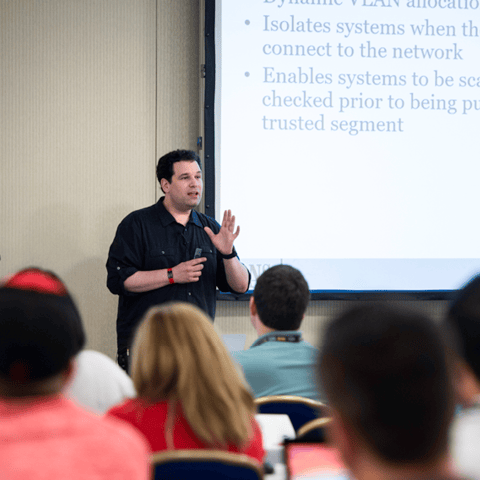
Bryan Simon: Teacher Standing Next to Smartboard and Explaining Concept

Get feedback from the world’s best cybersecurity experts and instructors
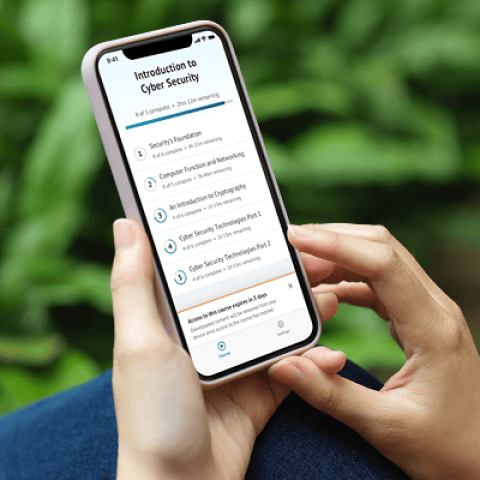
OnDemand Mobile App

Choose how you want to learn - online, on demand, or at our live in-person training events
Close Up of Woman Holding a Pen and Documents

Get access to our range of industry-leading courses and resources