Group Purchasing
Group Purchasing
AI SKILLSUPDATED

SEC565: Red Team Operations and Adversary Emulation

SEC565Offensive Operations, Artificial Intelligence

  • 6 Days (Instructor-Led)
  • 36 Hours (Self-Paced)
Course authored by:
Jean-François MaesDavid Mayer
Jean-François Maes & David Mayer
Course authored by:
Jean-François MaesDavid Mayer
Jean-François Maes & David Mayer
  • GIAC Red Team Professional (GRTP)
  • 36 CPEs

    Apply your credits to renew your certifications

  • In-Person, Virtual or Self-Paced

    Attend a live, instructor-led class at a location near you or remotely, or train on your time over 4 months

  • Intermediate Skill Level

    Course material is geared for cyber security professionals with hands-on experience

  • 28 Hands-On Lab(s)

    Apply what you learn with hands-on exercises and labs

Master Red Team operations, adversary emulation, and advanced tradecraft using CTI, MITRE ATT&CK, and cutting-edge AI tools to test and improve organizational defenses.

Course Overview

The SEC565 Red Team training course equips participants with the skills to plan and execute Red Team engagements through adversary emulation. Leveraging cyber threat intelligence, the MITRE ATT&CK framework, and cutting-edge AI capabilities, students learn to build resilient attack infrastructure, bypass modern defenses, and exploit Active Directory.

Red Team Training – Real-World Skills for Emerging Threats

Penetration testing is effective at enumerating vulnerabilities, but less effective in addressing personnel and processes on the defense side. This can leave Blue Teams or defenders without sufficient knowledge of what offensive input to improve, in turn leaving organizations stuck in a cyclical process of just focusing on vulnerabilities in systems rather than on maturing defenders to effectively detect and respond to attacks.

In SEC565, students will learn how to plan and execute end-to-end Red Teaming engagements that leverage adversary emulation, gaining the skills to organize a Red Team, consume threat intelligence to map against adversary tactics, techniques, and procedures (TTPs), emulate those TTPs, report and analyze the results of the Red Team engagement, and ultimately improve the overall security posture of the organization. As part of the course, students will perform an adversary emulation against a target organization modeled on an enterprise environment, including Active Directory, intelligence-rich emails, file servers, and endpoints running in Windows.

SEC565 features six intensive course sections. We will start by consuming cyber threat intelligence to identify and document an adversary that has the intent, opportunity, and capability to attack the target organization. Students will learn to accelerate this process by using AI to extract TTPs from CTI reports and generate highly convincing social engineering pretexts. Using this strong threat intelligence and proper planning, students will follow the Unified Kill Chain and multiple TTPs mapped to MITRE® ATT&CK during execution.

Students will be immersed in deeply technical Red Team tradecraft ranging from establishing resilient and advanced attack infrastructure to abusing Active Directory. Students will harness AI coding assistants to modernize legacy open-source tooling, build custom evasion frameworks using “vibe coding”, and create Model Context Protocol (MCP) servers to drive Command and Control (C2) operations via natural language. After gaining initial access, students will thoroughly analyze each system, pilfer technical data and target intelligence, and then move laterally, escalating privileges, laying down persistence, and collecting and exfiltrating critically impactful sensitive data. The course concludes with an exercise analyzing the Blue Team response, reporting, and remediation planning and retesting.

Designed by Jean-François Maes as practical engagement references, https://sec565.rocks/ brings visual breakdowns, map tools, workflows, commands, and tradecraft used throughout the course, giving students resources they can continue using during research, lab work, and real-world Red Team operations. Download for free.

In SEC565, you will learn how to show the value that Red Teaming and adversary emulations bring to an organization. The main job of a Red Team is to make a Blue Team better. Offense informs defense and defense informs offense.

2026 Course Update Summary

The latest SEC565 update modernizes SANS’ Red Team operations training course for the AI-driven offensive landscape. This major refresh integrates artificial intelligence across planning, infrastructure, weaponization, and command-and-control workflows—preparing Red Team operators to emulate modern adversaries with greater speed, realism, and operational depth.

For a detailed breakdown of what's new and how these updates can strengthen you or your team, download the flyer.

What You’ll Learn

  • Plan and execute Red Team engagements
  • Leverage cyber threat intelligence in Red Teaming
  • Accelerate CTI analysis and TTP extraction using AI
  • Emulate adversary TTPs using MITRE ATT&CK
  • Modernize and patch open-source tooling with AI
  • Develop custom evasion frameworks using AI
  • Create MCP servers for AI-driven C2 operations

Business Takeaways

  • Strengthen Blue Team defenses through simulations
  • Enhance detection and response with attack emulation
  • Provide actionable insights to address security gaps
  • Measure and optimize defense systems for effectiveness
  • Identify weaknesses in people, processes, and technology
  • Leverage AI to increase Red Team efficiency

Course Syllabus

Explore the course syllabus below to view the full range of topics covered in SEC565: Red Team Operations and Adversary Emulation.

Section 1Planning Adversary Emulation and Threat Intelligence

This initial section establishes foundational concepts in adversary tactics, Red Team operations, and threat intelligence frameworks. Focus areas include engagement planning, threat actor analysis, and initial attack execution-all critical for emulating sophisticated adversaries in controlled environments.

Topics covered

  • Advanced adversary emulation methods
  • Unified kill chain and attack mapping
  • AI-assisted CTI analysis and TTP extraction
  • Multi-factor bypass techniques
  • Social engineering and AI-generated pretexts

Labs

  • Environment setup and orientation
  • MITRE® ATT&CK framework implementation
  • Threat intel analysis and reporting (with AI integration)
  • Strategic engagement planning
  • Red team execution protocols

Section 2Attack Infrastructure and Operational Security

Section two is an advanced command-and-control (C2) infrastructure and tooling deep-dive focused on resilient attack frameworks, evasive redirector implementation, and OPSEC hardening. Students learn operational security monitoring, infrastructure protection, and defender evasion through sophisticated C2 architectures and communication channels.

Topics covered

  • Modern C2 infrastructure design
  • Advanced redirector methodologies
  • Third-party hosting strategies
  • OPSEC and infrastructure hardening
  • AI-Driven C2 Operations with Model Context Protocol (MCP)

Labs

  • Advanced C2 framework deployment
  • Resilient redirector configuration
  • VECTR implementation and monitoring
  • Cobalt Strike operator training
  • Creating MCP servers for Empire and Cobalt Strike

Section 3Getting In and Staying In

Advanced payloads and network infiltration tactics form the core of this section. Students explore stealthy weaponization techniques and learn to establish reliable initial access vectors for target environments. We pay special attention to evasive post-exploitation methodologies, including privilege escalation chains and persistent access methods.

Topics covered

  • Sophisticated payload engineering
  • Defensive control bypass tactics
  • Network infiltration methodology
  • AI-assisted tool restoration and patching
  • Vibe coding custom evasion frameworks

Labs

  • Advanced payload crafting and testing
  • Initial access vector development
  • Network discovery and enumeration
  • AI-Assisted Restoration of legacy stagers
  • Vibe Coding an Evasion Framework with AI

Section 4Active Directory Attacks and Lateral Movement

Students explore comprehensive domain enumeration and advanced privilege escalation within Windows environments. Deep technical analysis covers cross-domain attack patterns, trust relationship exploitation, and sophisticated lateral movement tactics. Each concept integrates with practical attack tool implementation for maximum operational impact.

Topics covered

  • Domain trust exploitation chains
  • Authentication bypass techniques
  • Certificate service manipulation
  • Advanced delegation attacks
  • Enterprise network pivoting

Labs

  • Enterprise domain enumeration methods
  • Token manipulation and privilege abuse
  • Advanced AD attack tool deployment
  • Bloodhound attack path analysis
  • Cross-forest lateral movement tactics

Section 5Obtaining the Objective and Reporting

Students navigate advanced database attacks, sensitive data exfiltration methods, and impact demonstration through targeted system manipulation. We comprehensively cover engagement analysis, strategic reporting methodologies, and automated breach simulation techniques for continuous security validation.

Topics covered

  • Database exploitation techniques
  • Target system manipulation
  • Engagement analysis frameworks
  • Breach simulation deployment
  • Red team measurement protocols

Labs

  • Advanced database attack strategies
  • Critical data exfiltration methods
  • Engagement tracking and reporting
  • Impact analysis and demonstration
  • Automated breach simulation

Section 6Immersive Red Team Capture-the-Flag

Students operate across multiple domains, implementing sophisticated attack chains against Windows and Linux infrastructures. The immersive environment presents authentic user activity patterns, rich intelligence gathering opportunities, and segmented network challenges requiring advanced lateral movement techniques.

Topics covered

  • Enterprise adversary emulation
  • Cross-domain attack strategies
  • Credential theft and exploitation
  • Advanced C2 infrastructure
  • Comprehensive impact analysis

Labs

  • Full-spectrum enterprise Red Team engagement
  • Multi-domain attack orchestration
  • Cross-platform exploitation chains
  • Advanced lateral movement execution
  • Data identification and exfiltration

Things You Need To Know

Important! Bring your own system configured according to these instructions.

A properly configured system is required to fully participate in this course. If you do not carefully read and follow these instructions, you will not be able to fully participate in hands-on exercises in your course. Therefore, please arrive with a system meeting all of the specified requirements.

Back up your system before class. Better yet, use a system without any sensitive/critical data. SANS is not responsible for your system or data.

Mandatory System Hardware Requirements

  • CPU: 64-bit Intel i5/i7 (8th generation or newer), or AMD equivalent. A x64 bit, 2.0+ GHz or newer processor is mandatory for this class.
  • CRITICAL: Apple Silicon devices cannot perform the necessary virtualization and therefore cannot in any way be used for this course.
  • BIOS settings must be set to enable virtualization technology, such as "Intel-VTx" or "AMD-V" extensions. Be absolutely certain you can access your BIOS if it is password protected, in case changes are necessary.
  • 16GB of RAM or more is required.
  • 100GB of free storage space or more is required.
  • At least one available USB 3.0 Type-A port. A Type-C to Type-A adapter may be necessary for newer laptops. Some endpoint protection software prevents the use of USB devices, so test your system with a USB drive before class.
  • Wireless networking (802.11 standard) is required. There is no wired Internet access in the classroom.

Mandatory Host Configuration And Software Requirements

  • Your host operating system must be the latest version of Windows 10, Windows 11, or macOS 10.15.x or newer.
  • Fully update your host operating system prior to the class to ensure you have the right drivers and patches installed.
  • Linux hosts are not supported in the classroom due to their numerous variations. If you choose to use Linux as your host, you are solely responsible for configuring it to work with the course materials and/or VMs.
  • Local Administrator Access is required. (Yes, this is absolutely required. Don't let your IT team tell you otherwise.) If your company will not permit this access for the duration of the course, then you should make arrangements to bring a different laptop.
  • You should ensure that antivirus or endpoint protection software is disabled, fully removed, or that you have the administrative privileges to do so. Many of our courses require full administrative access to the operating system and these products can prevent you from accomplishing the labs.
  • Any filtering of egress traffic may prevent accomplishing the labs in your course. Firewalls should be disabled or you must have the administrative privileges to disable it.
  • Download and install VMware Workstation Pro 16.2.X+ or VMware Player 16.2.X+ (for Windows 10 hosts), VMware Workstation Pro 17.0.0+ or VMware Player 17.0.0+ (for Windows 11 hosts), or VMWare Fusion Pro 12.2+ or VMware Fusion Player 11.5+ (for macOS hosts) prior to class beginning. If you do not own a licensed copy of VMware Workstation Pro or VMware Fusion Pro, you can download a free 30-day trial copy from VMware. VMware will send you a time-limited serial number if you register for the trial at their website. Also note that VMware Workstation Player offers fewer features than VMware Workstation Pro. For those with Windows host systems, Workstation Pro is recommended for a more seamless student experience.
  • On Windows hosts, VMware products might not coexist with the Hyper-V hypervisor. For the best experience, ensure VMware can boot a virtual machine. This may require disabling Hyper-V. Instructions for disabling Hyper-V, Device Guard, and Credential Guard are contained in the setup documentation that accompanies your course materials.
  • Download and install 7-Zip (for Windows Hosts) or Keka (for macOS hosts). These tools are also included in your downloaded course materials.

Your course media is delivered via download. The media files for class can be large. Many are in the 40-50GB range, with some over 100GB. You need to allow plenty of time for the download to complete. Internet connections and speed vary greatly and are dependent on many different factors. Therefore, it is not possible to give an estimate of the length of time it will take to download your materials. Please start your course media downloads as soon as you get the link. You will need your course media immediately on the first day of class. Do not wait until the night before class to start downloading these files.

Your course materials include a "Setup Instructions" document that details important steps you must take before you travel to a live class event or start an online class. It may take 30 minutes or more to complete these instructions.

Your class uses an electronic workbook for its lab instructions. In this new environment, a second monitor and/or a tablet device can be useful for keeping class materials visible while you are working on your course's labs.

If you have additional questions about the laptop specifications, please contact customer service.

  • Security professionals interested in expanding their knowledge of Red Team engagements
  • Penetration testers and Red Team members looking to integrate AI into their workflows
  • Blue Team members, defenders, and forensic specialists
  • Auditors who need to build deeper technical skills
  • Information security managers

The GIAC Red Team Professional (GRTP) certification validates an individual’s ability to conduct end-to-end Red Team engagements. GRTP certification holders have demonstrated knowledge of building an adversary emulation plan, establishing a C2 infrastructure, and emulating adversary tactics, techniques, and procedures (TTPs) to assist in improving overall security.

  • Building an adversary emulation plan using gathered threat intelligence
  • Creating a comprehensive attack infrastructure
  • Performing target reconnaissance
  • Gaining initial access
  • Network and Active Directory enumeration
  • Propagate throughout the network
  • Active Directory attacks
  • Bypassing common defense mechanisms
  • Collect and exfiltrate sensitive data
  • Producing an engagement report
  • Presenting Red Team actions to key personnel
  • Performing retesting and replaying of Red Team activities

More Certification Details

  • Custom Ubuntu Image for SEC565
  • Comprehensive course courseware and lab workbook
  • Access to the immersive CTF environment
  • Hands-on experience with Cobalt Strike and Empire
  • Practical skills in AI-assisted offensive security
  • Print and digital course books
  • MP3 audio files of the entire course
  • A collection of virtual SEC565 lab blueprint posters designed for operational reference during adversary emulation, Red Team exercises, and enterprise attack simulations, during the course and on your day job. Download it here: The Red Team Blueprint

The concepts and exercises in this course are built on the fundamentals of offensive security. An understanding of general penetration testing concepts and tools is encouraged, and a background in security fundamentals will provide a solid foundation upon which to build Red Team concepts.

Suggested experience:

  • Experience penetration testing or administering Active Directory environments
  • Experience penetration testing Windows
  • Usage of Windows as a standard user and administrator
  • Experience with Linux for offensive purposes

Many of the Red Team concepts taught in this course are suitable for anyone in the security community. Both technical staff and management personnel will be able to gain a deeper understanding of Red Team exercises and adversary emulations.

The SEC565 training course is part of the Offensive Operations curriculum. In addition to SEC565, SANS offers SEC670 Red Team training on Windows Tool Development.

Other specialized areas within the Offensive Operations curriculum include pen testing and cloud, specialized penetration testing, and purple team.

Red team training is advanced cybersecurity instruction focused on emulating real-world adversaries to test and improve an organization’s security posture. Unlike traditional penetration testing, which often has limited scope and known boundaries, red teaming involves goal-oriented operations designed to simulate how an actual threat actor might breach a system, remain undetected, and achieve specific objectives (like exfiltrating data or gaining domain control).

Red teamers are trained to think like adversaries, leveraging tools, tactics, and procedures (TTPs) used by real-world attackers. This mindset allows them to assess the effectiveness of detection and response mechanisms, expose blind spots, and drive improvements across the defensive landscape.

Red team training is not just about breaking in—it is about sharpening the entire security system through realistic adversary simulation. It empowers professionals to go beyond defense, understand the enemy, and ultimately build more resilient organizations.

SEC565 will elevate your skills from traditional penetration testing to advanced adversary emulation. You will learn to execute complex, multi-phase operations, leverage cutting-edge AI tools for offensive security, and provide actionable, high-value insights to organizational leadership.
  • Access to High-Demand Roles: Red teaming is a specialized, sought-after discipline within cybersecurity. Training prepares you for roles such as Red Team Operator, Threat Emulation Specialist, and Adversary Simulation Engineer.
  • Stronger Market Value: Professionals who understand adversary tactics bring a unique perspective to any security team. These skills increase your marketability and can lead to significant salary growth.
  • Advanced Problem-Solving and Critical Thinking: Red team operations require you to think creatively, adapt quickly, and operate under pressure. These are transferable, career-accelerating skills across all cybersecurity domains.
  • Proven Operational Readiness: Red teamers execute real-world attack simulations. By training in these methods, you demonstrate not just theoretical knowledge—but hands-on expertise that employers trust.
  • Expanded Professional Network: Through SANS training, you will connect with a global red team community. These peer and mentor relationships often lead to job opportunities, project collaboration, and long-term growth.
  • Strategic Impact Across Teams: Red teamers don't just test defenses—they help improve them. Your training will position you as a security leader who drives measurable resilience across the enterprise.

Relevant Job Roles

Offensive Cyber Operations (OCEP)

Skills Framework for the Information Age

Execution of controlled cyber operations that emulate threat actor behaviour to evaluate organisational defences. Operations are used to identify weaknesses and enhance preparedness.

Explore learning path

Penetration Tester

European Cybersecurity Skills Framework

Assess the effectiveness of security controls, reveals and utilise cybersecurity vulnerabilities, assessing their criticality if exploited by threat actors.

Explore learning path

Penetration Testing (PENT)

Skills Framework for the Information Age

Performance of authorised tests to identify vulnerabilities in networks, applications, and systems. Findings support remediation planning and risk reduction across the enterprise.

Explore learning path

Red Teamer Training, Salary, and Career Path

Offensive Operations

Monitor and analyze activity across cloud environments, proactively detect and assess threats, and implement preventive controls and targeted defenses to protect critical business systems and data.

Explore learning path

Course Schedule and Pricing

Have Questions?Contact Us
Showing 10 of 15

Benefits of Learning with SANS

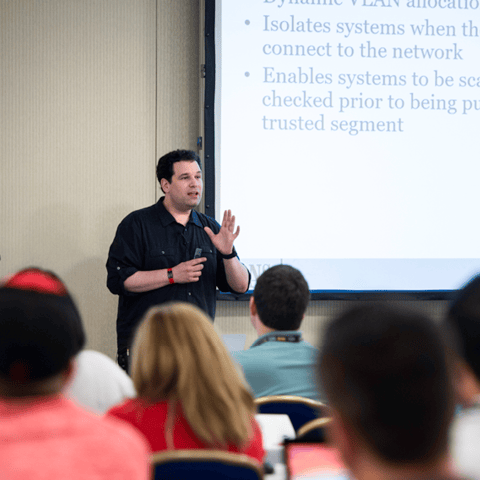
Bryan Simon: Teacher Standing Next to Smartboard and Explaining Concept

Get feedback from the world’s best cybersecurity experts and instructors
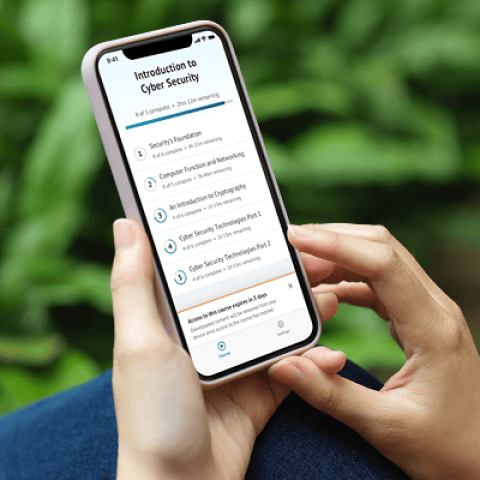
OnDemand Mobile App

Choose how you want to learn - online, on demand, or at our live in-person training events

Close Up of Woman Holding a Pen and Documents

Get access to our range of industry-leading courses and resources