Group Purchasing
Group Purchasing

FOR528: Ransomware and Cyber Extortion

FOR528Digital Forensics and Incident Response
  • 3 Days (Instructor-Led)
  • 24 Hours (Self-Paced)
Course authored by:
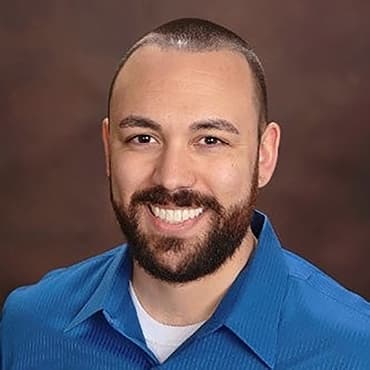
Ryan Chapman
Ryan Chapman
FOR528: Ransomware and Cyber Extortion
Course authored by:
Ryan Chapman
Ryan Chapman
  • 24 CPEs

    Apply your credits to renew your certifications

  • In-Person, Virtual or Self-Paced

    Attend a live, instructor-led class at a location near you or remotely, or train on your time over 4 months

  • Intermediate Skill Level

    Course material is geared for cyber security professionals with hands-on experience

  • 12 Hands-On Lab(s)

    Apply what you learn with hands-on exercises and labs

Learn how to prevent, detect, and respond to ransomware and cyber extortion attacks via the only dedicated course crafted 100% from real-world ransomware actor tactics, techniques, and behaviors.

Course Overview

Year after year, the number of reported ransomware and cyber extortion attacks continues to rise. These attacks can shut down operations, expose sensitive data, and force organizations to make critical decisions while systems are still offline. Security teams are expected to quickly determine how attackers gained access, which systems were affected, whether data was stolen, and if the environment is truly safe to restore.

FOR528: Ransomware and Cyber Extortion was redesigned to help responders handle these situations with confidence. This streamlined three-day course gives students practical hands-on experience investigating realistic ransomware and cyber extortion cases using the same attacker techniques, forensic artifacts, and investigative workflows seen in real-world incidents.

Many organizations discover during a real incident that traditional incident response training does not fully prepare teams for the speed, pressure, and complexity of modern ransomware and cyber extortion attacks. This is where FOR528 shines. Students learn how attackers gain access, establish persistence, move laterally, steal data, deploy ransomware, and pressure victims during extortion operations. Rather than spending most of the course in lecture, students actively investigate attacks through realistic labs and guided analysis. Approximately 50% of the course is dedicated to hands-on investigation, helping students build practical ransomware incident response and forensic investigation skills they can apply immediately in real-world environments.

The course also includes an extended-access CTF that allows students to continue practicing after the live instruction ends, reinforcing investigative skills through realistic ransomware response scenarios. Updated labs and case studies reflect current 2024–2025 ransomware operations, modern extortion tactics, and the growing use of AI-enabled techniques by ransomware groups.

By the end of the course, students will be better prepared to investigate ransomware incidents, identify attacker activity, determine what data may have been accessed or stolen, validate recovery efforts, and support organizations during high-pressure security events.

In FOR528, you practice the full ransomware and extortion lifecycle, from initial intrusion to organizational recovery. You learn how to prevent, detect, respond to, and hunt for ransomware activity; analyze obfuscated scripts and attacker tools; identify potentially stolen data; and validate recovery efforts with confidence. More importantly, you see how forensic findings tie directly into business-critical actions: communicating with leadership, coordinating across teams, and restoring trust in systems after an attack.

This redesigned 3-day course keeps the depth while sharpening the delivery. Students spend roughly half of the total learning experience in hands-on investigation through 10 in-class labs, 2 bonus labs, and an included extended-access CTF. The CTF is not removed; it is delivered in a more flexible format so students can complete the investigation when they are mentally fresh. All hands-on training uses freely available and/or open-source tooling where possible, helping students return to work ready to apply what they learned without requiring commercial products. By the end, you will not only recognize ransomware and extortion activity - but you will also be ready to respond with the speed, confidence, and precision expected of experienced incident responders.

Ransomware and Cyber Extortion Course Topics

  • Explore the history and ecosystem of ransomware and extortion, including Human-Operated Ransomware (HumOR), Ransomware-as-a-Service (RaaS), and non-encrypting Cyber Extortion.
  • Learn prevention, detection, and response methods associated with each topic covered
  • Identify which forensic artifacts to collect, learn how to parse those artifacts, and focus in-depth on how to analyze the parsed output.
  • Investigate the full lifecycle of a typical ransomware campaign, including Initial Access, Execution, Defense Evasion, Persistence, Command and Control, Privilege Escalation, Credential Access, Lateral Movement, Active Directory attacks, Data Access and Collection, Data Exfiltration, Payload Deployment, Encryption, and AI-enabled actor tradecraft.
  • Examine how attackers collect, stage, and exfiltrate data in both encryption and extortion-only campaigns.
  • Analyze attacker tooling in-depth via malware analysis such as deobfuscating scripts, analyzing the deobfuscated scripts, and identifying associated TTPs and IOCs.
  • Examine the inner workings of ransomware encryption payloads to learn about how encryption works through review of leaked source code.
  • Learn how to scope incidents, validate recovery, and coordinate across IT, legal, and leadership during a ransomware crisis.
  • Apply your skills in hands-on labs built from real cases and an included extended-access CTF that simulates a ransomware incident end-to-end.

Author Statement

"Ransomware and cyber extortion have become ubiquitous. No matter how much we organize to rid the world of the ransomware scourge, we find that ransomware only becomes more common, threat actors become increasingly bolder, and organizations continue to buckle under the pressure of these attacks. Luckily for us, the primary methods by which ransomware actors succeed in their attacks involve general failures in 'Security 101' practices. If we work together, these can be fixed! Until then, we as security practitioners need to know how to respond to these threats. You and your organization need to know what to collect, how to collect it, how to parse that data, and how to analyze that data in a quick and efficient manner. Such is the focus and goal of our course."

- Ryan Chapman

What You’ll Learn

  • Investigate ransomware and cyber extortion attacks using current real-world cases and forensic artifacts.
  • Identify the blind spots most IR playbooks miss: Ransomware actors often
  • Distinguish between ransomware encryption events and extortion-only attacks to adapt your response.
  • Decode attacker tools and scripts in hands-on labs, including obfuscated PowerShell, malware triage, and AI-enabled actor tradecraft.
  • Practice the ransomware/extortion lifecycle in labs and an included extended-access CTF.
  • Strengthen organizational readiness by connecting technical findings to leadership communication, legal needs, and recovery coordination.
  • Recognize available telemetry depending on the maturity of your organization or that of your clients. The course includes two different scenarios: One replicating a default Windows environment with little visibility, and one replicating a well-tooled environment that provides greater visibility.
  • Leave with the confidence to handle ransomware and extortion incidents under pressure, using the same methods experienced incident responders rely on.
  • Leave with practical ransomware response confidence after 3 focused days of live instruction plus extended CTF access.

Business Takeaways

  • Bolster ransomware security defenses through prevention and detection tips tailored to both first party and consultant scenarios.
  • Close the blind spots general IR training leaves behind, from hidden persistence to data exfiltration, extortion, and recovery validation.
  • Recognize and investigate ransomware activity faster using the same tools and tradecraft adversaries deploy in the wild.
  • Understand the full ransomware and extortion lifecycle to build a complete, actionable response plan in less time away from work.
  • Validate recovery with confidence—ensuring persistence is removed; backups are trustworthy, and systems are safe to restore.
  • Differentiate ransomware-related activity from other intrusions to focus efforts on the highest-impact threats.
  • Identify what data was accessed or stolen to accurately assess business impact and support regulatory or legal response.

Course Syllabus

Explore the course syllabus below to view the full range of topics covered in FOR528: Ransomware and Cyber Extortion.

Section 1Ransomware Incident Response Fundamentals

Section 1 begins with a review of ransomware’s history, as we deep-dive into the roles, processes, communication methods, and activities related to these threats. After learning how we can apply incident response practices, we begin our deep-dive into the Windows-based forensic artifacts best suited to ransomware campaign analysis.

Topics covered

  • Ransomware Evolution and History
  • Incident Response Processes and Application to Ransomware
  • Preparation and Scoping for Ransomware and Cyber Extortion
  • Windows Forensic Artifacts and Collection
  • Analysis At-Scale via TimeSketch

Labs

  • Lab 1.1: Analysis of a RaaS Ecosystem (RAASNet) - Generate and test Ransomware
  • Lab 1.2: Acquiring and Analyzing Artifacts
  • Lab 1.3: Analysis at Scale: Timesketch

Overview

The Ransomware and Cyber Extortion course begins with a review of ransomware history. We begin with the story of the first-known ransomware attack and work our way to the current-day threats that loom over our industry. Our inner-connected lives, not to mention livelihoods, are at risk everyday thanks to the advent of HumOR and RaaS. You will increase your understanding of ransomware as we deep-dive into the roles, processes, communication methods, and activities related to these threats.

We then cover preparation strategies along with what to do if you are about to be encrypted, are currently being encrypted, or are just recently encrypted. We cover the actions you need to take including the entities you need to contact, the departments you need to involve, and the processes you need to put in place with special attention to temporal requirements. The clock is ticking!

After learning about the true threats, we face and how we can apply incident response practices in general, we begin our deep-dive into the Windows-based forensic artifacts best suited to ransomware campaign analysis. You’ll learn which artifacts to collect along with which tools and methods are best suited to acquisition and parsing. Regardless of your organization’s level of preparedness, we’ll cover what you can do to obtain data that will facilitate analysis.

You’ll learn the hands-on approaches for direct acquisition against single machines and then transition to acquisition and analysis at-scale. Detailed hands-on labs walk you through analysis methods for each environment type. You’ll use TimeSketch to analyze parsed artifacts, ensuring that you recognize the easy wins and more advanced analysis practices to help you and your organization respond to the ransomware threat.

Full Lab Details

  • Install the customized FOR528 Windows and SIFT virtual machines (VMs), configuring them as required for detailed log review and malware analysis.
  • Lab 1.1: Utilize a ransomware "builder" to generate a customized ransomware encryptor payload along with a decryption tool. You will run the ransomware payload you generate, review the encrypted files, and then use the decryption tool to decrypt the data.
  • Lab 1.2: Review forensic artifacts collected from a compromised environment and then parse the data using the Kroll Artifact Parser and Extractor (KAPE). Utilize Timeline Explorer to review data parsed via KAPE while focusing on Master File Table (MFT), SRUM, Shellbags, Shimcache, and Windows Event Log artifacts.
  • Lab 1.3: Hunt data within the TimeSketch interface while focusing on how analysis of MFT, SRUM, Shellbags, Shimcache, and Windows Event Log scales when moving from the previous lab's manual analysis to at-scale analysis.

Full Topic Details

  • Course VMs
    • Overview and setup
  • Custom Attack Scenarios Overview - Labs and CTF are based on these attacks:
    • "Samaran Protect" victim environment attacked in two different scenarios
    • Scenario 1: "BlueLocker" ransomware group
      • Victim network modeled after a default, low visibility Windows environment
    • Scenario 2: "Balrog" ransomware group
      • Victim network modeled with higher visibility (e.g. EDR-like telemetry in place) to represent a better-tooled environment
  • Ransomware Evolution and History
    • The world’s first recognized ransomware attack
    • Fully automated ransomware: Lockers and single-machine encryption payloads
    • The advent of Human Operated Ransomware (HumOR)
  • Ransomware-as-a-Service (RaaS)
    • RaaS model, hierarchies, and roles
    • RaaS builders and generators
    • RaaS dashboards
  • Ransomware Operators
    • Group evolution over time
    • Types of extortion
    • Data leak sites and psychological pressures
    • Darkweb forum communications
    • Victim access: selling vs. Buying
    • Affiliate programs
  • Incident Response for Ransomware
    • The tried-and-true Prepare, Identify, Contain, Eradicate, Recover, and Lessons Learned (PICERL) model
    • The new Dynamic Approach to Incident Response (DAIR) model
    • Phases of a typical ransomware attack campaign end-to-end
  • AI in Ransomware
    • First signs of active AI use
    • Phishing and social engineering using AI
    • The world’s first AI-powered ransomware
    • First proof of actual AI use for an end-to-end ransomware campaign
    • AI defender tool example: the “AI-Powered Ransomware Intelligence Agent”
  • Dealing with an Active Threat
    • Time considerations
    • Informed consent
    • Departments and roles that need to be involved
    • Understanding ransom notes
    • Scoping considerations (what needs to be known/collected)
    • Securing critical services and functions
    • "Going dark" - a.k.a. cutting Internet connectivity
    • What you need to do now vs. later
  • Ransomware Payments
    • Cons regarding payment
    • Pros regarding payment
    • Threat actor communications and negotiations tips
  • Forensic Artifact Collection
    • Forensics artifacts that pertain the most to ransomware and cyber extortion analysis
    • Forensic artifact collection
    • Process/parse collected artifacts using KAPE
    • Review the output of parsed artifacts to better understand the tools and methodologies leveraged to parse the forensic data for review
  • Analysis at Scale
    • Using Velociraptor to collect in bulk
    • Log augmentation to enhance visibility
    • Logs and log artifacts to collect
    • Log aggregators/SIEMs and field schemas
  • Analysis at-scale via TimeSketch

Section 2Ransomware Modus Operandi

Section 2 begins our foray into the typical flows of ransomware and cyber extortion attacks. We begin with initial access and then move to tooling and execution. That takes us into persistence used in these cases, followed by an overview of Cobalt Strike. Section 2 labs have a malware analysis focus, integrating script deobfuscation into the mix.

Topics covered

  • Analysis At-Scale via Kibana
  • Common Initial Access Methods in Ransomware
  • TA Tooling and Execution Methods
  • Persistence and Cobalt Strike
  • Malware Analysis Including Malicious Script Deobfuscation

Labs

  • Lab 2.1: Analysis At Scale: Kibana
  • Lab 2.2: Finding the Infection VectorAnalyze Encoded PowerShell Payloads
  • Lab 2.3: PowerShell Scripting: Foe, Not FriendDecode and Analyze CS Payloads
  • Lab 2.4: Decoding Cobalt Strike Payloads
  • BONUS Lab 2.5: Hunting RDP Activity

Overview

Ransomware incidents are not especially unique. We incident responders see the same tactics, techniques, and procedures (TTPs) over and over... So, let's learn how to detect them!

Section 2 begins with a hands-on lab for Kibana, a secondary log aggregation graphical user interface useful for facilitating ransomware and cyber extortion investigations. We then transition from artifact analysis to covering the initial stages of a ransomware campaign attack cycle. We begin by covering Initial Access, Execution, Defense Evasion, and scripting engine abuse. Most ransomware cases involve actors leveraging scripting engines such as PowerShell, Batch scripts, JavaScript, Visual Basic Scripting, and more.

We move to discussing the various tools and scripts that we see time and again, providing an overview of each tool along with details for hunting and detection. This leads into our module on persistence. You'll learn about common post-exploitation frameworks, C2 mechanisms, RMM solutions, and native Windows methods ransomware operators use to maintain access to an environment.

We then pivot an in-depth review of Cobalt Strike (CS), an adversary emulation and attack simulation tool that has become perhaps "too" good at its job.

Much of our training is punctuated with hands-on labs that walk you through analysis methods step-by-step. We aim to ensure that both those with experience and those newer to the realm of incident response can work a ransomware or cyber extortion incident from beginning to end.

Full Lab Details

  • Lab 2.1: Learn the ins-and-outs of the most common interface associated with Elasticsearch, Logstash, and Kibana (ELK) stacks while adapting skills acquired in previous labs.
  • Lab 2.2: Identify successful phishing attacks via hunting Microsoft Office applications as parent processes, zip files opened natively in Windows, zip file credential read operations, Outlook downloading/executing files, and review of the Microsoft Trust Center.
  • Lab 2.3: Learn to analyze encoded and obfuscated PowerShell payloads.
  • Lab 2.4: Decode and analyze Cobalt Strike payloads including PowerShell shellcode injectors and "stageless" beacon EXE and DLL loaders.
  • BONUS Lab 2.5: Hunt malicious RDP activity to identify initial infection vectors along with internal lateral movement.

Full Topic Details

  • Analysis At-Scale via Kibana
  • The Phases of a Ransomware Attack Campaign Covered in Section 2:
    • Initial access
    • Execution
    • Defense evasion
    • Persistence

The following sections include in-depth details on the tools, processes, and methods for detection and hunting.

  • Initial Access
    • Clickfix prevention, detection, and hunting
    • MS Teams-based initial access prevention, detection, and hunting
    • Top 3 initial access methods: Remote access, social engineering, and software vulnerabilities
  • Phishing topics include:
    • Malware infections vs. credential harvesting
    • Attacker-in-the-Middle frameworks
    • Malicious attachments such as MalDocs
    • Recommended Email Gateway File Block List
    • Malicious links and how to analyze them
  • Remote Desktop Protocol (RDP) for Initial Access
    • Reasons RDP is a threat
    • Useful Windows Event Logs for RDP analysis
    • Identifying malicious RDP activity
  • Software Vulnerabilities topics include:
    • Zero-day vs. Common Vulnerabilities and Exposures (CVEs)
    • Example CVEs targeted and exploited in the wild
    • Identifying software exploitation through contextual analysis
  • Threat Actor Tooling & Execution
    • Bring Your Own Tools (BYOT)
    • The Ransomware Tool Matrix project
    • Native Execution Methods – e.g. Top 10 LOLBINs leveraged
  • Defense Evasion
    • Common bypass tooling
    • EDR killers and silencers
    • LOLBAS methods for evasion
    • Prevention and Detection for Windows Management Instrumentation (WMI) attacks
    • Scripting engine abuse
    • PowerShell script logging and analysis
    • Batch scripts
    • JavaScript scripts
    • Visual Basic Scripting
    • PowerShell logging and advanced analysis
  • Persistence
    • Common C2 methods
    • Remote Monitoring and Management (RMM) tools
    • Post-exploit frameworks
    • Account creation
    • Boot/logon auto-start locations
    • Service installations
    • Scheduled tasks
    • WMI event subscriptions
  • Cobalt Strike (CS)
    • Threat actor access and utilization
    • CS architecture and components
  • Commands and cheat sheets
  • Detection methods
  • Payload decoding tools and methods

Section 3Advanced Ransomware Concepts

Section 3 continues our deep-dive into the phases of typical ransomware and cyber extortion attacks. In this section, we cover Privilege Escalation, Credential Access, and Lateral Movement, detailing associated tools and methods. We then cover common Active Directory attacks, finally leading into ransomware payload deployment and analysis.

Topics covered

  • Privilege Escalation and Lateral Movement
  • Active Directory Attacks in Ransomware
  • Data Access and Exfiltration
  • Hunting Ransomware Operators

Labs

  • Lab 3.1: Identifying Lateral Movement via RDP and PsExec
  • Lab 3.2: Hunting and Identifying Data Access and Potential Exfiltration
  • Lab 3.3: Detecting the TA’s Toolbox – A hunting-focused lab
  • BONUS Lab 3.4: Identifying Additional Lateral Movement

Overview

Section 3 begins with Privilege Escalation, Credential Access, and Lateral Movement. What tools do ransomware actors use to escalate privileges on machines? How do they access stored credentials from Windows hosts? What processes are often dumped, why, and how? For lateral movement, you'll learn about how RDP, SMB, WinRM, and other methods are used to move throughout the victim network.

We then turn our attention to attacks against Microsoft's Active Directory (AD). Ransomware operators love to attack AD, so we'll break down the various ways in which they take advantage of poor AD configurations to escalate privileges and access credentials. You’ll learn about AD enumeration along with Kerberoasting, AS-REP Roasting, and DCSync attacks, including how the attacks work along with how to prevent and detect these attacks.

We continue the attack lifecycle with one of the more critical sections of the course - Data Access and Data Exfiltration. Organizations usually want to know what data may have been accessed and/or stolen. This is especially when the legal and executive teams enter the picture. We cover data archival and staging methods, including ways to hunt the tools that facilitate these activities. Would you believe that FTP and SFTP are common exfiltration routes? How can you best detect data being exfiltrated even if you don't know what data is being exfiltrated? How can you prevent data exfiltration before it happens? We'll show you!

We then move to the final phase of the ransomware attack, payload deployment, and the inner workings of encryption. You'll learn about backup and recovery tampering along with the methods by which ransomware actors attack backup systems. The ways in which actors cover their tracks might seem obvious, but some of them are quite sneaky! We end this section with technical details pertaining to the most common payload deployment methods.

Finally, we cover hunting methods such as identifying renamed executables, malicious files/processes via analysis of directories commonly used by ransomware actors, and more. This is where we show you the best ways to keep an eye on your organization.

Full Lab Details

  • Lab 3.1: Identify lateral movement via mechanisms such as RDP and PsExec.
  • Lab 3.2: Hunt and identify data access and potential exfiltration via hunting and pivoting through parsing and analyzing NTFS metadata (NTFS, UsnJrnl, etc.) and using analysis tools including Timeline Explorer, TimeSketch, and Kibana.
  • Lab 3.3: Detecting the threat actor's toolbox via hunting methods such as detecting renamed tools, focusing on common staging directories, and more.
  • BONUS Lab 3.4: Identify additional lateral movement via means such as WMI, Cobalt Strike, and more.

Full Topic Details

  • The Phases of a Ransomware Attack Campaign Covered in Section 3:
    • Privilege escalation
    • Credential access
    • Lateral movement
    • Attacks against AD
    • Data access
    • Data exfiltration
    • Payload deployment
  • Privilege Escalation and Credential Access
    • Commonly targeted accounts
    • Methods by which accounts are targeted
    • User Account Control (UAC) bypass methods
    • Local Security Authority Server Service (LSASS) access and dumping
    • Attacks on NTDS.dit
    • Alternate credentials attacks
    • Attacks on passwords stored in browsers and password management tools
    • Session sniffers and extractors
    • Commonly seen all-in-one solutions (e.g., WinPwn)
  • Lateral Movement
    • RDP and RDP cached bitmap analysis
    • Server Message Block (SMB) lateral movement
    • Named pipe utilization and relation to service installs
    • SysInternals PsExec
    • Windows Remote Management (WinRM)
    • Attacks against ESXi + Prevention tips and tricks
  • AD Attacks
    • AD enumeration
    • Bloodhound and SharpHound
    • Kerberoasting
    • AS-REP roasting
    • DCSync attacks
    • Golden ticket attacks
  • Data Access
    • Reporting and legal considerations
    • Network share enumeration and access
    • Deleted file and file knowledge
    • File and folder access
    • Registry analysis
    • Tool-specific analysis
  • Data Exfiltration
    • Archive creation
    • Data staging
    • Creation/use of .txt and .csv files
    • Data exfiltration routes
    • Network log and NetFlow review
  • Backup and Recovery Tampering
    • Volume Shadow service attacks
    • Boot configuration data, Windows boot status policy, and Windows backup attacks
    • Event log clearing
  • Payload Deployment
    • Common deployment tools and methods
    • Deployment via PsExec
    • Deployment via Windows Management Instrumentation Command-line (WMIC)
    • Deployment via Background Intelligent Transfer Service (BITS)
  • Encryption and Decryptors
    • Encryption key types
    • Overwrite vs. copy/delete encryption methods
    • Ransom notes
    • Encryption mechanism source code review
    • Decryptors
  • Hunting Ransomware Operators - Techniques to Identify
    • Malicious RDP connectivity
    • Process name and path anomalies
    • Rogue/malicious executables
    • PowerShell encoded commands
    • Malicious activity in antivirus logs
    • Malicious activity involving environment variables

Section 4Included Extended-Access CTF: Ransomware Incident Response Challenge

The included extended-access CTF gives students a realistic ransomware investigation scenario to complete after the 3 instructor-led days, reinforcing the skills covered in class while preserving flexibility and focus.

Topics covered

  • Extended-Access Digital Forensics Capture-the-Flag Event
  • Review of Parsed Artifacts and Log Data
  • Identify Tools and Processes from a full end-to-end ransomware campaign

Overview

Nothing prepares you to respond to ransomware incidents like realistic investigation experience. Since you do not want to gain that experience during a real crisis inside your organization, FOR528 includes an extended-access CTF challenge in which you will analyze a ransomware incident from the infection vector through payload deployment and encryption activity. The scenario is built around Samaran Protect, a realistic victim organization designed to mirror environments students may encounter in the field.

The CTF challenge uses a specially crafted attack scenario against the victim organization. Students work through parsed forensic artifacts and log data to answer the same questions organizations must answer during real ransomware and cyber extortion incidents.

Full Lab Details

  • Extended-access analysis of parsed forensic artifacts and logs in realistic scenarios to answer questions common in every ransomware incident.
  • Utilizes SANS' ranges.io platform

Full Topic Details

  • Extended-Access Digital Forensics Capture-the-Flag Event
    • Review parsed artifact and log data for data collected in Scenario 1
  • Examine Windows Event logs, Sysmon data, artifacts of program execution, registry hive files, and more
  • Follow the threat actors' actions from initial infection vector through encryptor payload deployment and execution
  • Identify the tools, scripts, tactics, and processes used throughout each major phase of each attack campaign
  • Answer the questions every organization needs to know following a ransomware event, such as:
    • How did the actors get into the network?
    • What data, if any, were the actors able to access?
    • Were the actors able to exfiltrate any data?
    • Which systems were impacted by the overall campaign, including the encryption payload itself?
    • And more!

Things You Need To Know

Important! Bring your own system configured according to these instructions.

A properly configured system is required to fully participate in this course. If you do not carefully read and follow these instructions, you will not be able to fully participate in hands-on exercises in your course. Therefore, please arrive with a system meeting all of the specified requirements.

Back up your system before class. Better yet, use a system without any sensitive/critical data. SANS is not responsible for your system or data.

Mandatory System Hardware Requirements

  • CPU: 64-bit Intel i5/i7 (8th generation or newer), or AMD equivalent. A x64 bit, 2.0+ GHz or newer processor is mandatory for this class.
  • CRITICAL: Apple Silicon devices (i.e. M5 or other M* chips) cannot perform the necessary virtualization and therefore cannot in any way be used for this course.
    • We repeat: Apple Silicon devices cannot perform the necessary virtualization and therefore cannot in any way be used for this course.
  • BIOS settings must be set to enable virtualization technology, such as "Intel-VTx" or "AMD-V" extensions. Be absolutely certain you can access your BIOS if it is password protected, in case changes are necessary.
  • 16GB of RAM or more is required.
    • Please note that this memory requirement is critical. If you have less than 16GB of RAM on your machine, you will not be able to run the course VMs simultaneously, and your overall class experience may suffer greatly.
  • 200GB of free storage space or more is required.
  • At least one available USB 3.0 Type-A port. A Type-C to Type-A adapter may be necessary for newer laptops. Some endpoint protection software prevents the use of USB devices, so test your system with a USB drive before class.
  • For in-class students: Wireless networking (802.11 standard) is required. There is no wired Internet access in the classroom.

Mandatory Host Configuration and Software Requirements

  • Your host operating system must be the latest version of Windows 10, Windows 11, or macOS 10.15.x or newer.
    • IMPORTANT: Please see our note above RE: Apple Silicon devices not being appropriate for this course. If you are running macOS, you will need to be using an Intel-based Macintosh, such as a 2019 or 2020 model Macbook ProFully update your host operating system prior to the class to ensure you have the right drivers and patches installed.
  • Linux hosts are not supported in the classroom due to their numerous variations. If you choose to use Linux as your host, you are solely responsible for configuring it to work with the course materials and/or VMs.
  • Local Administrator access is required. (Yes, this is absolutely required. Don't let your IT team tell you otherwise.) If your company will not permit this access for the duration of the course, then you should make arrangements to bring a different laptop.
  • You should ensure that antivirus or endpoint protection software is disabled, fully removed, or that you have the administrative privileges to do so. Many of our courses require full administrative access to the operating system, and these products can prevent you from accomplishing the labs.
  • Any filtering of egress traffic may prevent accomplishing the labs in your course. Firewalls should be disabled or you must have the administrative privileges to disable it.
  • Download and install VMware Workstation Pro 16.2.X+ or VMware Player 16.2.X+ (for Windows 10 hosts), VMware Workstation Pro 17.0.0+ or VMware Player 17.0.0+ (for Windows 11 hosts), or VMWare Fusion Pro 12.2+ or VMware Fusion Player 11.5+ (for macOS hosts) prior to class beginning.
    • Please note that VMware Workstation Pro and VMware Fusion Pro are now available for free from Broadcom. However, the steps to obtain a free copy of this software includes a waiting period. As such, if you do not currently have a virtualization mechanism installed on your machine, you will want to ensure to obtain, install, and configure this software before class begins.
    • To learn more about obtaining VMware Workstation Pro and/or VMware Fusion Pro, please see https://for528.com/vmware.
  • On Windows hosts, VMware products might not coexist with the Hyper-V hypervisor. For the best experience, ensure VMware can boot a virtual machine. This may require disabling Hyper-V. Instructions for disabling Hyper-V, Device Guard, and Credential Guard are contained in the setup documentation that accompanies your course materials.
  • Download and install 7-Zip (for Windows Hosts) or Keka (for macOS hosts). These tools are also included in your downloaded course materials.

Your course media is delivered via download. The media file for class is around 50GB. As such, you need to allow plenty of time for the download to complete. Internet connections and speed vary greatly and are dependent on many different factors. Therefore, it is not possible to give an estimate of the length of time it will take to download your materials. Please start your course media downloads as soon as you get the link. You will need your course media immediately on the first day of class. Do not wait until the night before class to start downloading these files.

Your course materials include a "Setup Instructions" document that details important steps you must take before you travel to a live class event or start an online class. It may take 30 minutes or more to complete these instructions.

Your class uses an electronic workbook for its lab instructions. In this new environment, a second monitor and/or a tablet device can be useful for keeping class materials visible while you are working on your course's labs.

If you have additional questions about the laptop specifications, please contact customer service.

This hands-on course, which covers ransomware and cyber extortion history, prevention strategies, early detection techniques, threat hunting, and practical lab-driven incident response training, is ideally suited for the following roles and audiences:

Technical and Security Practitioners

  • Information Technology (IT) Professionals: IT staff and engineers responsible for maintaining and securing enterprise environments who want to strengthen their ability to prevent, detect, and respond to ransomware and cyber extortion threats.
  • Cybersecurity Professionals: Cybersecurity practitioners seeking to enhance their skills in identifying, collecting, parsing, and analyzing forensic artifacts related to ransomware and cyber extortion incidents.
  • Digital Forensics and Incident Response (DFIR) Professionals: Incident responders and forensic analysts who require deep, technical insight into Windows-based intrusions.
  • Security Operations Center (SOC) Analysts and Incident Triage Personnel: SOC analysts, CSIRT/CERT members, and alert triage teams responsible for investigating suspicious activity and may need to escalate potential ransomware-related activity.
  • Threat Hunters: Security teams and individuals focused on proactively identifying ransomware and cyber extortion activity within enterprise or client environments using telemetry and/or forensic evidence.
  • Managed Service Provider (MSP) and Managed Security Service Provider (MSSP) Analysts: Analysts supporting multiple customer environments who must be prepared to assist with ransomware detection, investigation, and response across diverse infrastructures.

Legal, Investigative, and Advisory Roles

  • Law Enforcement Officers, Federal Agents, and Investigators: Practitioners involved in ransomware and cyber extortion investigations who want to develop advanced technical expertise in attacker methodologies and digital evidence analysis.
  • Cyber Insurance and Incident Response Consultants: Professionals supporting breach response, claims analysis, or executive advising who would benefit from a technical understanding of ransomware operations and forensic timelines.
  • Legal and eDiscovery Professionals (Security-Focused): Legal practitioners and consultants supporting breach response, investigations, and litigation who need foundational technical insight into ransomware incidents and forensic evidence.

Leadership, Risk, and Governance

  • IT and Security Managers / Technical Leaders: Technically-minded managers and team leads responsible for overseeing IT and security operations who need a practical understanding of ransomware response workflows, team responsibilities, and decision points during high-impact incidents.
  • Risk Management, GRC, and Compliance Professionals: Teams responsible for risk assessments, regulatory compliance, and internal controls who need a realistic understanding of ransomware attack paths, detection gaps, and response challenges.

Industry and Sector-Specific Audiences

  • IT and Security Personnel in High-Risk Industries: Staff working in sectors consistently targeted by ransomware and cyber extortion actors, including, but not limited to, those working in the most commonly targeted sectors (listed in order of commonality throughout 2025):
    • Construction, IT Services, Legal Services, Healthcare, Real Estate, Financial Services, Manufacturing, Government, Software Development, and Transportation/Supply Chain

Career Development and General Interest

  • Professionals Transitioning Into DFIR or Threat Hunting Roles: Individuals looking to move into incident response, digital forensics, and/or threat hunting who want hands-on experience with real-world ransomware scenarios.
  • Anyone Seeking a Deep, Practical Understanding of Ransomware and Cyber Extortion: Technical professionals or motivated learners interested in prevention, early detection, and hands-on incident response through realistic labs and exercises.

  • Course-specific/custom Windows analysis VM – Includes:
    • KAPE-acquired Windows forensic artifacts for your course labs and CTF event
    • Analysis tooling best suited for ransomware and cyber extortion analysis
  • Course-specific/custom version of the Linux SIFT Workstation VM – Includes:
    • Both Scenario 1 and 2 data contained within an Elasticsearch instance accessible via both TimeSketch and Kibana.
    • A bevy of pre-installed analysis tools useful for ransomware investigations
  • ISO image containing both VMs along with archival tools to aid in installation and setup.
  • FOR528 exercise workbook including detailed step-by-step instructions for all labs.
  • Access to the extended-access FOR528 CTF challenge hosted on the SANS ranges.io platform for realistic ransomware incident investigation practice.

A background in Incident Response (IR) is suggested, but not required. . IR experience or at least alert triage experience such as one acquired within a SOC or CIRT is useful, but the course covers all techniques and background knowledge required to succeed in this training endeavor. We also recommend familiarity with regular expressions (regex). If you are not yet familiar with regex, we recommend reviewing the following resources:

All these items are covered in the course, but the general idea is to have experience working incidents.

The FOR528 course is a part of the “Digital Forensics, Malware Analysis, & Threat Intelligence” Learning Path, which aims to equip cybersecurity professionals with specialized investigative skills.

Depending on your current or desired future role, one of these courses is a great next step in your cybersecurity journey:

Ransomware is a type of malicious software designed to block access to a computer system or its data until a ransom is paid. Cyber extortion involves threats to release stolen data or disrupt systems unless demands, often financial, are met. These attacks have become increasingly sophisticated and impactful, making them critical to understand.

Why they are important:

  • Ransomware and extortion campaigns can cost organizations millions in ransom payments and downtime.
  • Sensitive data may be stolen and leaked, leading to regulatory penalties and loss of trust.
  • Entire systems can be paralyzed, halting business operations and causing cascading effects.
  • Attackers use advanced tools and techniques, such as double extortion, where both system access and data exposure are threatened.
  • From small businesses to large corporations and public institutions, no organization is immune to these attacks.
  • Understanding ransomware and cyber extortion is crucial for building effective defenses, ensuring operational continuity, and protecting sensitive information in an increasingly digital world.

FOR528: Ransomware and Cyber Extortion equips you with valuable knowledge and skills in a critical area of cybersecurity. Here’s how:
  • Gain a deep understanding of today’s cyber threats, including the tactics, techniques, and procedures employed by cybercriminals. With this training, you’ll be equipped to identify and mitigate potential risks within your organization.
  • Enhance your ability to respond effectively to ransomware attacks. You'll learn about incident response methodologies, data recovery strategies, and best practices for minimizing the impact of these attacks.
  • Increase your career prospects and earning potential. As ransomware attacks become increasingly prevalent, professionals with expertise in this area are highly sought after in the cybersecurity job market.

Relevant Job Roles

Cyber Incident Responder Training, Salary, and Career Path

European Cybersecurity Skills Framework

Monitor the organisation’s cybersecurity state, handle incidents during cyber-attacks and assure the continued operations of ICT systems.

Explore learning path

Insider Threat Analysis

NICE: Protection and Defense

Responsible for identifying and assessing the capabilities and activities of cybersecurity insider threats; produces findings to help initialize and support law enforcement and counterintelligence activities and investigations.

Explore learning path

Cybercrime Investigation (CRIM)

Skills Framework for the Information Age

Collection, preservation, and analysis of digital evidence to trace cybercrime and support prosecution efforts. Technical artefacts are translated into admissible findings in collaboration with legal and law enforcement teams.

Explore learning path

Digital Forensics (OPM 212)

NICE: Protection and Defense

Responsible for analyzing digital evidence from computer security incidents to derive useful information in support of system and network vulnerability mitigation.

Explore learning path

Cybercrime Investigator Training, Salary, and Career Path (OPM 221)

NICE: Investigation

Cybercrime Investigators navigate dark web forums, trace cybercriminal activity, and conduct covert investigations. They follow forensic and legal standards to gather evidence and respond to cybercrimes.

Explore learning path

Military Operations / Law Enforcement Agents

Digital Forensics and Incident Response

Execute digital forensic operations under demanding conditions, rapidly extracting critical intelligence from diverse devices. Leverage advanced threat hunting and malware analysis skills to neutralize sophisticated cyber adversaries.

Explore learning path

Media Exploitation Analyst

Digital Forensics and Incident Response

This expert applies digital forensic skills to a plethora of media that encompasses an investigation. If investigating computer crime excites you, and you want to make a career of recovering file systems that have been hacked, damaged or used in a crime, this may be the path for you. In this position, you will assist in the forensic examinations of computers and media from a variety of sources, in view of developing forensically sound evidence.

Explore learning path

Intrusion Detection/SOC Analysts

Digital Forensics and Incident Response

Analyze network and endpoint data to swiftly detect threats, conduct forensic investigations, and proactively hunt adversaries across diverse platforms including cloud, mobile, and enterprise systems.

Explore learning path

Course Schedule and Pricing

Have Questions?Contact Us
  • Location & instructor

    Virtual (OnDemand)

    Instructed by
    Date & Time
    OnDemand (Anytime)Self-Paced, 4 months access
    Course price
    $4,200 USD*Prices exclude applicable local taxes
    Registration Options
  • Location & instructor

    SANS DFIR Summit & Training 2026

    Arlington, VA, US & Virtual (live)

    Instructed by
    Date & Time
    Fetching schedule..
    Course price
    $4,200 USD*Prices exclude applicable local taxes
    Registration Options
  • Location & instructor

    SANS Japan November 2026

    Virtual (live)

    Instructed by
    Date & Time
    Fetching schedule..
    Course price
    ¥612,000 JPY*Prices exclude applicable local taxes
    Registration Options
  • Location & instructor

    SANS Stay Sharp: Jan 2027

    Virtual (live)

    Instructed by
    Date & Time
    Fetching schedule..
    Course price
    $4,200 USD*Prices exclude applicable local taxes
    Registration Options
  • Location & instructor

    SANS Live Online Europe January 2027

    Virtual (live)

    Instructed by
    Date & Time
    Fetching schedule..
    Course price
    €3,950 EUR*Prices exclude applicable local taxes
    Registration Options
  • Location & instructor

    SANS Secure Singapore 2027

    Singapore, SG & Virtual (live)

    Instructed by
    Date & Time
    Fetching schedule..
    Course price
    S$5,450 SGD*Prices exclude applicable local taxes
    Registration Options
  • Location & instructor

    SANS Chicago 2027

    Chicago, IL, US & Virtual (live)

    Date & Time
    Fetching schedule..
    Course price
    $4,200 USD*Prices exclude applicable local taxes
    Registration Options
  • Location & instructor

    SANSFIRE 2027

    Washington, DC, US & Virtual (live)

    Date & Time
    Fetching schedule..
    Course price
    $4,200 USD*Prices exclude applicable local taxes
    Registration Options
Showing 8 of 8

Benefits of Learning with SANS

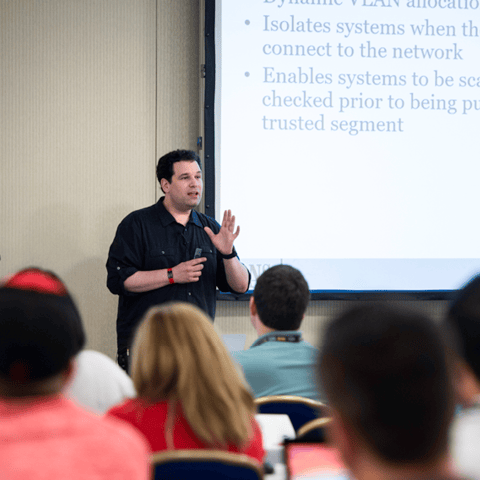
Bryan Simon: Teacher Standing Next to Smartboard and Explaining Concept

Get feedback from the world’s best cybersecurity experts and instructors
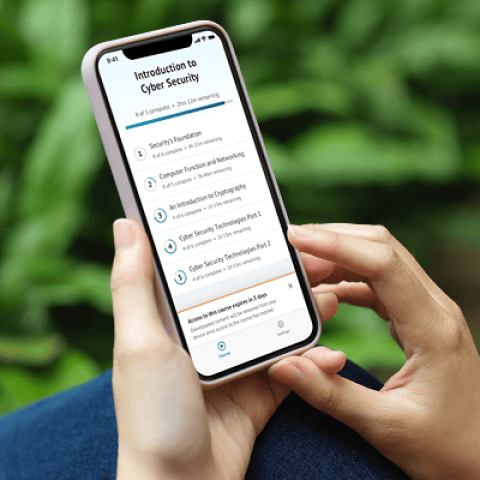
OnDemand Mobile App

Choose how you want to learn - online, on demand, or at our live in-person training events

Close Up of Woman Holding a Pen and Documents

Get access to our range of industry-leading courses and resources